
ASRock B850 Pro RS WiFi English manual
Official manual for the exact WiFi model. Consult the slot map, wiring limits and UEFI procedure before assembly.
Open official support (opens in a new tab)Checking which support options are available…
Who would you like help from?
Enter your name to begin your live chat with an online consultant.
What can we help you with?
Your details are used only to respond. MatzoBot requests are securely passed to the MatzoTech team.
Your request has been emailed to MatzoTech. A consultant will reply using the email address or mobile number you supplied.

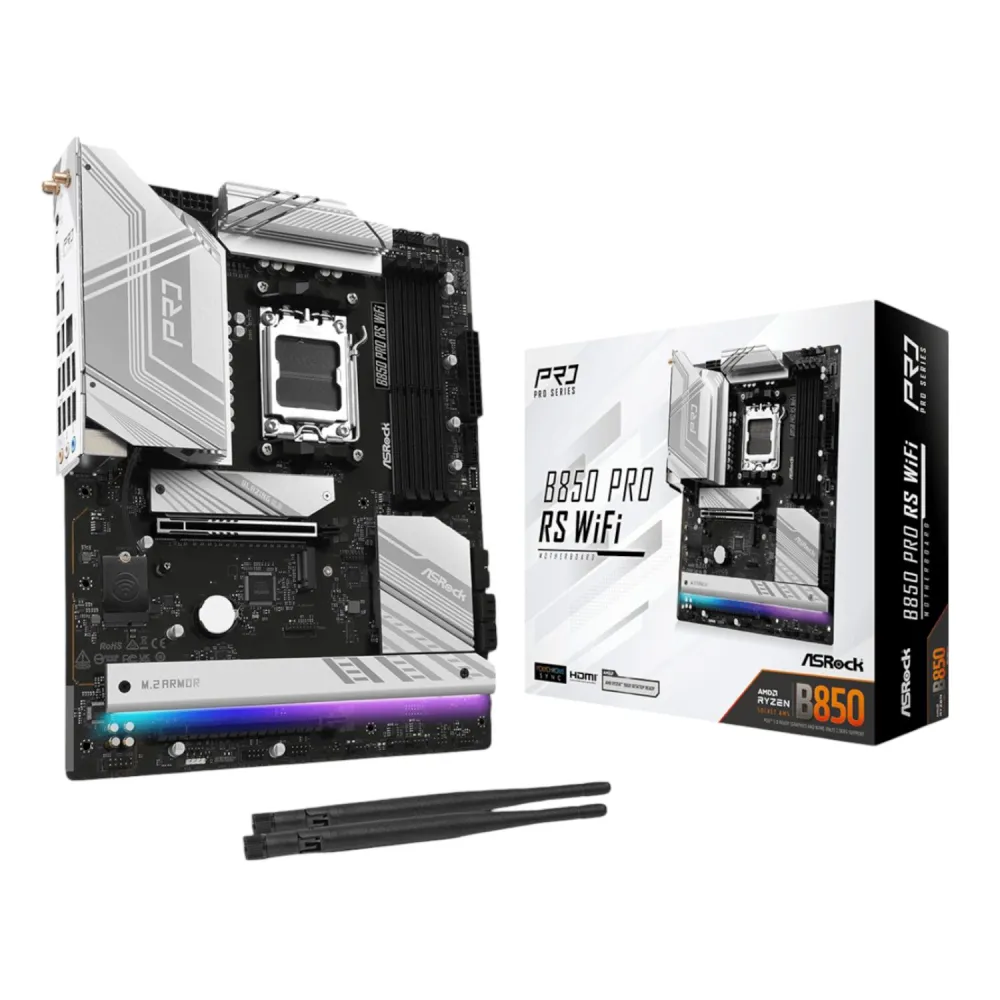
ASRock B850 Pro RS WiFi AM5 ATX board with four DDR5 slots, four M.2 sockets, 2.5GbE and Wi-Fi 6E.
R4,639.00
Supplier has stock — 10 avail
Clear fulfilment, warranty and payment details.
Official manufacturer overview
ASRock Technical Support · ASRock’s shared AM5 tutorial demonstrates the Post Status Checker. The exact B850 Pro RS WiFi product page links it. Board layouts and indicator positions can vary.
Play to load this video from YouTube.
ASROCK B850 PRO RS WIFI · AMD AM5
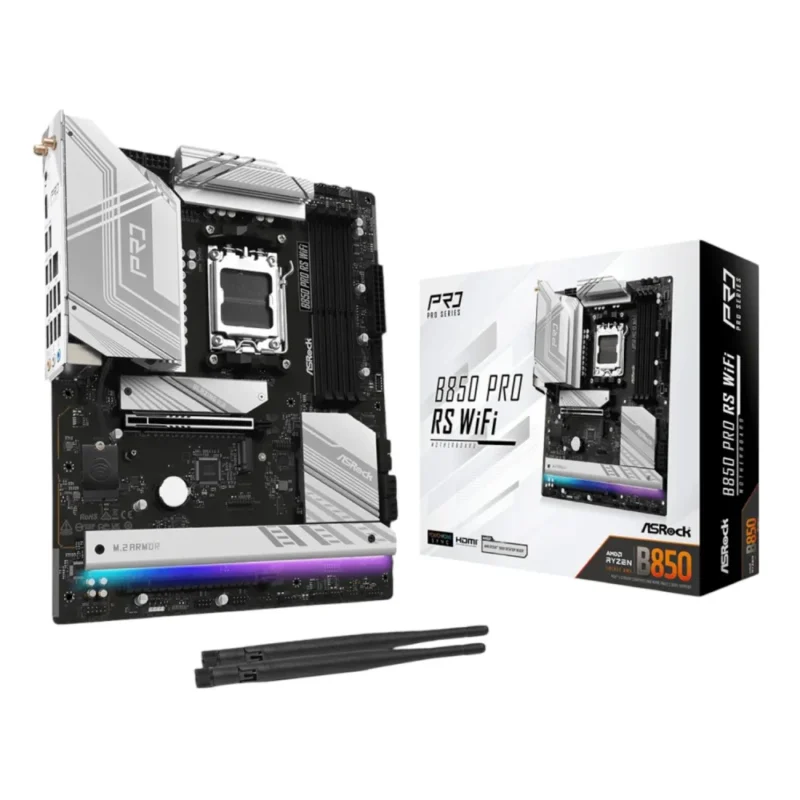
Build around a Ryzen 7000, 8000 or 9000 series processor and place storage and expansion cards with the B850 Pro RS WiFi’s lane map in mind. Its four M.2 drive positions, four DDR5 slots, 2.5GbE and Wi-Fi 6E cover several layouts, with a few important sharing rules.
CPU AND MEMORY
Check ASRock’s CPU support and UEFI requirements for your exact Ryzen part. For two DIMMs, use A2 and B2. DDR5-8000+ is an overclocking figure and depends on CPU, module kit and slot population.
PCIe AND STORAGE
Fitting an SSD in M2_3 disables PCIE2. Using SATA3_1 or SATA3_2 drops M2_4 from Gen3 x4 to x2. ASRock recommends M2_1 first, and Ryzen 8000-series processors change the available CPU-connected lanes.
COOLING AND POWER
The 14+2+1 phase power design uses 80 A Dr.MOS and an eight-layer PCB. CPU_FAN1 is rated 1 A; CPU_FAN2, chassis fan headers and the AIO pump header are rated 3 A each.
CONNECTIVITY
The Dragon RTL8125BG provides 2.5GbE. For 6 GHz Wi-Fi, use Windows 11, a compatible router and supported regional settings. The CPU’s integrated graphics determine whether the board’s HDMI and display-capable USB-C outputs work.
BUILD AND SERVICE
Use the Post Status Checker to narrow down boot faults. BIOS Flashback, the integrated I/O shield and M.2 heatsinks help with setup and service. Check the correct UEFI file and procedure for the WiFi board.
| Model | B850 Pro RS WiFi; stock code B850-PRORSWIFI |
|---|---|
| Socket and chipset | AMD AM5, B850; Ryzen 9000, 8000 and 7000 series subject to CPU support list and UEFI |
| Form factor | ATX 305 × 244 mm; eight-layer PCB |
| Power | 14+2+1 phase 80 A Dr.MOS; 24-pin ATX and 2 × 8-pin CPU power |
| DIMMs | 4 × DDR5, dual-channel, up to 256 GB; unbuffered ECC/non-ECC support per CPU and QVL |
|---|---|
| Profiles | AMD EXPO and Intel XMP; up to DDR5-8000+ (OC), depending on population and configuration |
| DIMM population | The manual recommends B2 for one module, A2 and B2 for a matched pair, and all four slots for a matched four-module kit. One or three modules do not activate dual channel. |
| Module selection | Use ASRock’s QVL for your CPU and exact module or kit. The 256 GB rating is the total board capacity. |
| PCIE1 | Gen5 x16 with Ryzen 9000/7000; Gen4 x8 with Ryzen 8000 Phoenix 1; Gen4 x4 with Phoenix 2 |
|---|---|
| PCIE2 | Gen4 x4 in x16 slot; disabled when M2_3 is populated |
| M2_1 | 2280; Gen5 x4 with Ryzen 9000/7000, Gen4 x4 with Ryzen 8000 |
| M2_2 | 2280; Gen4 x4 with Ryzen 9000/7000 and Phoenix 1; Gen4 x2 with Phoenix 2 |
| M2_3 | 2230/2242/2260/2280; Gen4 x4; disables PCIE2 when populated |
| M2_4 | 2280 Gen3 x4, or Gen3 x2 when SATA3_1 or SATA3_2 is in use |
| SATA and RAID | 4 × SATA 6 Gb/s (2 chipset, 2 ASM1061); SATA RAID 0/1 and NVMe RAID 0/1/10 per ASRock |
| USB | 1 × USB-C 10Gbps, 1 × USB-C 5Gbps with DisplayPort 1.4a, 4 × USB-A 5Gbps, 6 × USB 2.0 |
|---|---|
| Display outputs | HDMI up to 4K 120 Hz; USB-C DP up to 4K 60 Hz, subject to CPU graphics and display |
| Networking and audio | Dragon RTL8125BG 2.5GbE, Wi-Fi 6E 2×2, Bluetooth 5.2, Realtek ALC897 7.1 with Nahimic |
| Other | 2 antenna connectors, 3 audio jacks and BIOS Flashback button |
| Front USB headers | USB-C 20Gbps, 4 × USB-A 5Gbps and 4 × USB 2.0 via headers |
|---|---|
| Fan headers | 2 CPU, 4 chassis and 1 AIO pump; CPU_FAN1 1 A/12 W, remaining listed headers 3 A/36 W each |
| Lighting | 1 × 12 V RGB (up to 3 A total), 3 × 5 V ARGB (up to 3 A total); Polychrome SYNC and SignalRGB support |
| Tools | BIOS Flashback, Instant Flash, Auto Driver Installer, A-Tuning and Post Status Checker |
| OS | Windows 10/11 64-bit; 6 GHz support requires Windows 11 and local availability |
| Box | Motherboard, 2 SATA cables and 2 Wi-Fi antennas |
| Local offer warranty | 36 months |
Check the exact CPU support list, memory QVL and UEFI instructions before buying or flashing. This is the WiFi model.
Use official support resources for this product. Each link opens in a new tab.
Official manual for the exact WiFi model. Consult the slot map, wiring limits and UEFI procedure before assembly.
Open official support (opens in a new tab)Help other shoppers by sharing an honest review.
Write a reviewYou are offline. Reconnect to check prices and shop.
Reviews
There are no reviews yet.