
ASRock B550M Phantom Gaming 4 drivers
Official downloads for the exact B550M board. Select Windows 10 64-bit or Windows 11 64-bit to match your installed operating system.
Open official support (opens in a new tab)Checking which support options are available…
Who would you like help from?
Enter your name to begin your live chat with an online consultant.
What can we help you with?
Your details are used only to respond. MatzoBot requests are securely passed to the MatzoTech team.
Your request has been emailed to MatzoTech. A consultant will reply using the email address or mobile number you supplied.

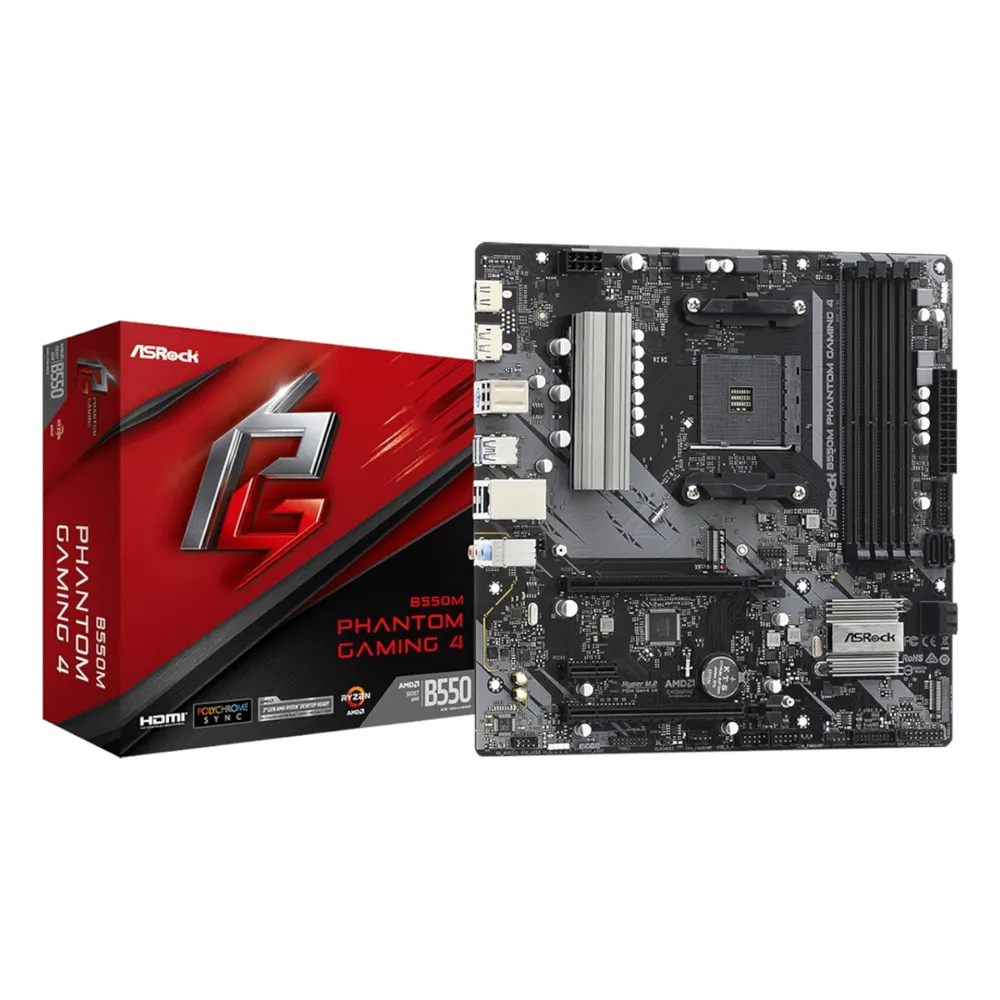
ASRock B550M Phantom Gaming 4 micro ATX motherboard with AMD AM4, four DDR4 slots, two M.2 sockets and Gigabit Ethernet.
R2,579.00
Supplier has stock — 10 avail
Clear fulfilment, warranty and payment details.
ASROCK · B550M PHANTOM GAMING 4
The B550M Phantom Gaming 4 brings an AM4 socket, four DDR4 memory slots and two M.2 sockets to a 244 mm micro ATX board. Start with the exact Ryzen processor and BIOS match, then choose the memory, graphics and storage slots around that configuration.
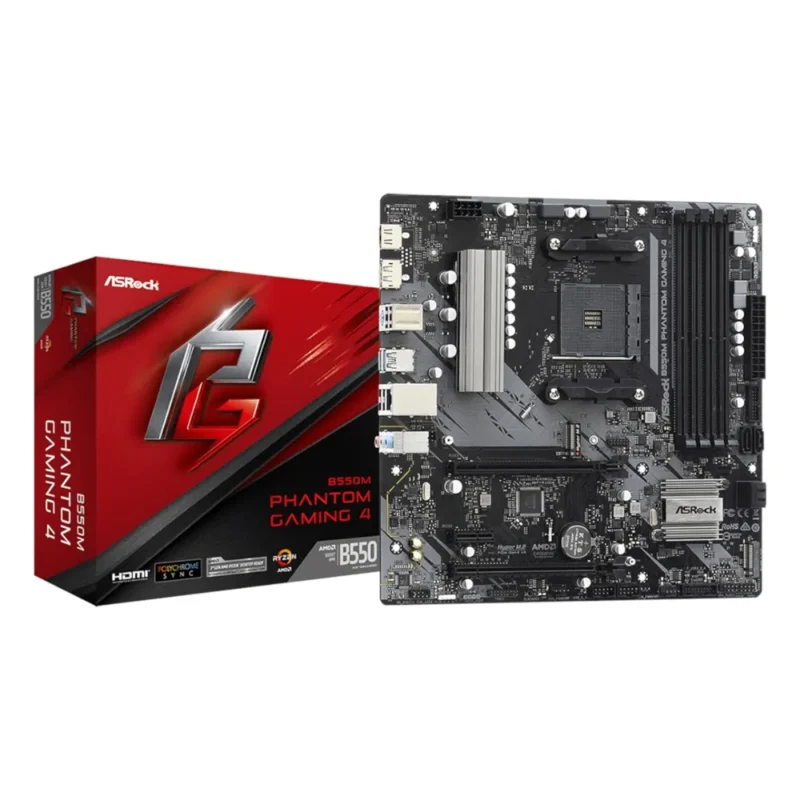
PROCESSOR AND BIOS
Check the full processor model and the minimum BIOS ASRock lists for it. The BIOS already installed on a board can matter, particularly for a later Ryzen upgrade. The eight-phase power design uses dedicated 8-pin CPU power alongside the 24-pin motherboard connector.
SYSTEM MEMORY
Start with a matching DDR4 pair in A2 and B2. You can fill all four slots as the build grows, but memory ranks and the processor influence the stable speed. Compare the kit with the manufacturer memory list before choosing a high-speed XMP setting.
GRAPHICS AND LANES
The upper full-length slot is the graphics position. Compatible Vermeer and Matisse chips can run it at PCIe 4.0 ×16; other supported Ryzen families have different lane limits. The lower long slot runs at PCIe 3.0 ×4. Use the rear HDMI or DisplayPort only with a supported processor that has graphics.
DRIVES
Use the upper Hyper M.2 socket for a 2280 PCIe drive that can use the processor’s faster link. The second socket accepts 2280 SATA as well as PCIe drives, with a PCIe 3.0 ×2 ceiling. Four SATA ports leave room for additional drives.
CASE AND COOLING
The board fits a case with 244 × 244 mm micro ATX mounting. Connect the CPU cooler to the dedicated header and plan chassis fans or a pump around the other three headers. The 12 V RGB and 5 V addressable RGB headers are distinct. Match the connector and voltage of any lighting before plugging it in.
REAR AND FRONT CONNECTIONS
The rear panel has wired gigabit network, six USB ports, PS/2 and separate audio jacks. Front USB and audio headers give you more accessible ports if your case has matching cables.
| Model | ASRock B550M Phantom Gaming 4 |
|---|---|
| Socket and chipset | AMD AM4 socket, AMD B550 chipset |
| Processor families | Selected Ryzen 3000, 3000 G-Series, 4000 G-Series, 5000 and 5000 G-Series desktop processors. Check the exact CPU and minimum BIOS on ASRock’s support list. |
| Power design | Eight power phases with Digi Power control |
| UEFI | 256 Mbit AMI UEFI with graphical interface, Plug and Play, ACPI 5.1 wake events, jumper-free configuration and SMBIOS 2.3 |
| Voltage controls | CPU, CPU VDDCR_SOC, DRAM and +1.8 VSB adjustment |
| Slots and capacity | Four DDR4 UDIMM slots, dual channel, up to 128 GB total |
|---|---|
| Preferred two-module population | Use a matched pair in DDR4_A2 and DDR4_B2 first. |
| Published overclocked ceilings | Vermeer/Matisse: DDR4-4533+; Cezanne/Renoir: DDR4-4733+; Picasso: DDR4-3333+. These are processor-dependent OC figures. |
| Standard population limits | ASRock’s tables show up to DDR4-3200 with two matched modules on supported families; four-module speeds depend on rank and CPU. Check the board memory list and the manual. |
| ECC and XMP | Unbuffered DDR4 only. ECC operation depends on the processor; ASRock specifies PRO models for ECC on Picasso, Cezanne and Renoir APUs. Supports XMP profiles. |
| Socket contacts | 15 μm gold contacts in DIMM sockets |
| PCIE1 GPU slot | Physical x16: PCIe 4.0 ×16 with Vermeer/Matisse, 3.0 ×16 with Cezanne/Renoir, or 3.0 ×8 with supported Picasso CPUs. |
|---|---|
| Other expansion slots | PCIE3 is physical x16 at PCIe 3.0 ×4; PCIE2 is PCIe 3.0 ×1. AMD CrossFireX/Quad CrossFireX support is listed by ASRock. |
| M2_1 Hyper M.2 | M-key 2280 PCIe SSD. Up to PCIe 4.0 ×4 with Vermeer/Matisse; up to 3.0 ×4 with supported Cezanne, Renoir or Picasso. |
| M2_2 | M-key 2280 SATA 6 Gb/s or PCIe 3.0 ×2 SSD. |
| SATA ports | 4 × SATA 6 Gb/s; supports RAID 0, 1 and 10, AHCI, NCQ and hot plug. |
| NVMe boot | Supported with compatible CPUs; ASRock excludes NVMe with the AMD Athlon 3000G. |
| Wired network | Realtek RTL8111H Gigabit Ethernet (10/100/1000 Mb/s), Wake-on-LAN, PXE, 802.3az and LAN protection |
|---|---|
| Graphics requirement | Rear display ports require a supported processor with integrated graphics. Ryzen APUs can use shared system memory; up to 16 GB requires at least 32 GB installed. |
| HDMI and DisplayPort | 1 × HDMI (up to 4096 × 2160 at 60 Hz) and 1 × DisplayPort 1.4 (up to 5120 × 2880 at 120 Hz), depending on processor and display. Picasso has HDMI 2.0 and HDCP 2.2 limits. |
| Audio | Realtek ALC887 or ALC897, up to 7.1-channel HD Audio; rear line in, speaker out and microphone jacks |
| Other rear ports | 4 × USB 3.2 Gen 1, 2 × USB 2.0, RJ-45, and a PS/2 keyboard/mouse port |
| Front panel connectors | 2 × USB 3.2 Gen 1 headers for 4 ports, 2 × USB 2.0 headers for 4 ports, front audio, power LED/speaker and SPI TPM |
|---|---|
| Board power | 24-pin ATX and 8-pin 12 V CPU power |
| Cooling headers | 1 × 4-pin CPU fan header (up to 1 A / 12 W); 3 × 4-pin chassis or pump headers (up to 2 A / 24 W per manufacturer rating). |
| Lighting headers | 2 × 12 V RGB (3 A / 36 W total) and 2 × 5 V addressable RGB (3 A / 15 W total). |
| Dimensions and construction | Micro ATX, 244 × 244 mm, solid capacitors and 2 oz copper PCB |
| Monitor readings | CPU and chassis fan temperatures, fan speed and board voltage monitoring |
| Manufacturer OS support | Windows 10 or Windows 11, 64-bit; select matching drivers for your OS. |
|---|---|
| Manufacturer-listed accessories | Rear I/O shield, two SATA cables and M.2 screws. ASRock’s manual says cables and screws may vary by package. |
| Certifications | FCC, CE; ErP/EuP ready with a compliant power supply |
| Supplier-listed warranty | 36 months as recorded in the local product listing. |
Check the exact supported CPU, memory and BIOS before buying parts or updating firmware. The Specifications tab lists the lane, drive and header limits.
Use official support resources for this product. Each link opens in a new tab.
Official downloads for the exact B550M board. Select Windows 10 64-bit or Windows 11 64-bit to match your installed operating system.
Open official support (opens in a new tab)Exact-board English installation guide with the DIMM slots, M.2 sockets, front-panel wiring and UEFI setup. Confirm processor and BIOS support separately before updating.
Open official support (opens in a new tab)Help other shoppers by sharing an honest review.
Write a reviewYou are offline. Reconnect to check prices and shop.
Reviews
There are no reviews yet.