
ASRock B850 LiveMixer WiFi user manual (PDF)
Official English manual for assembly, memory slots, the expansion lane map and BIOS Flashback guidance.
Open official support (opens in a new tab)Checking which support options are available…
Who would you like help from?
Enter your name to begin your live chat with an online consultant.
What can we help you with?
Your details are used only to respond. MatzoBot requests are securely passed to the MatzoTech team.
Your request has been emailed to MatzoTech. A consultant will reply using the email address or mobile number you supplied.

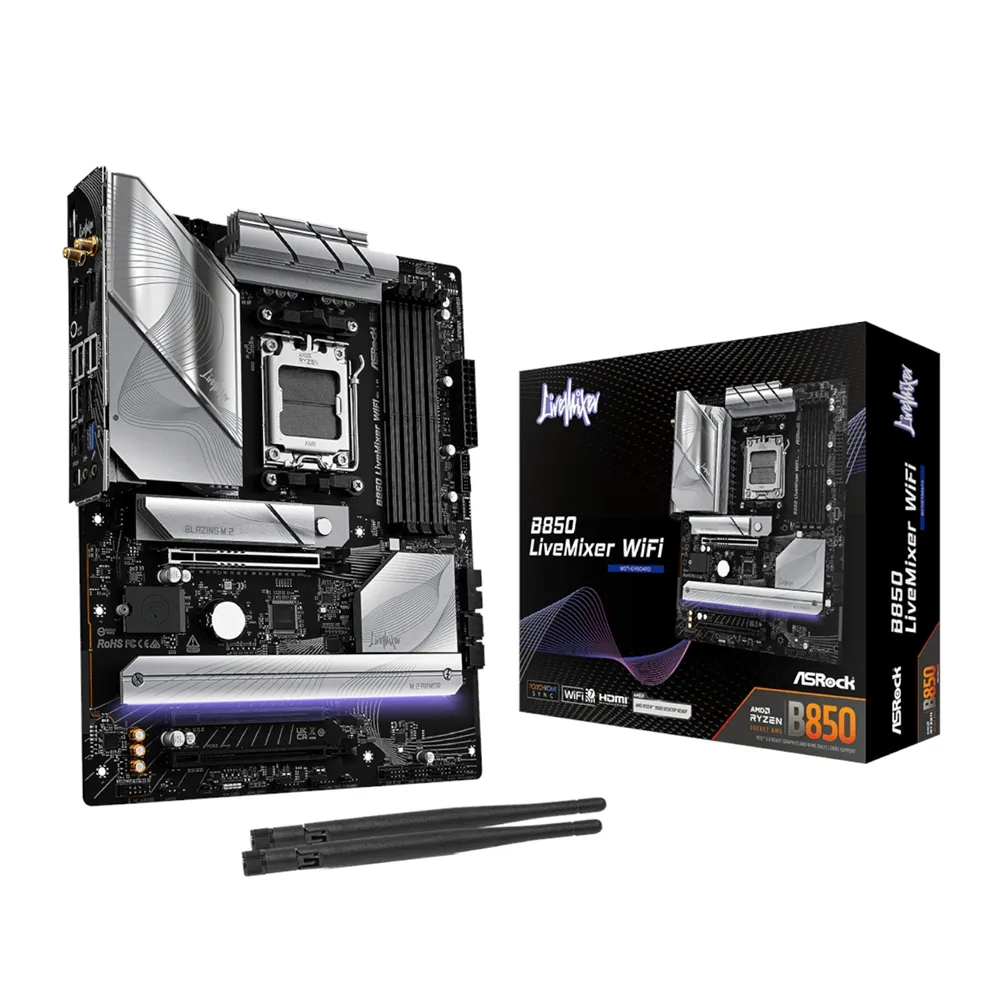
ASRock B850 LiveMixer WiFi ATX AM5 motherboard, with four DDR5 slots, three NVMe M.2 sockets, 2.5 Gb Ethernet and Wi-Fi 7.
R5,209.00
Supplier has stock — 9 avail
Clear fulfilment, warranty and payment details.
Official manufacturer overview
ASRock Global · A family overview including the B850 LiveMixer WiFi. Features shown can vary by board. Check this listing for the LiveMixer slot layout and model limits.
Play to load this video from YouTube.
ASROCK B850 LIVEMIXER WIFI
The B850 LiveMixer WiFi gives a streaming PC room for a graphics card, capture hardware and NVMe storage. Choose your AM5 processor first, then use the board’s lane map to decide which expansion cards and drives can run together.
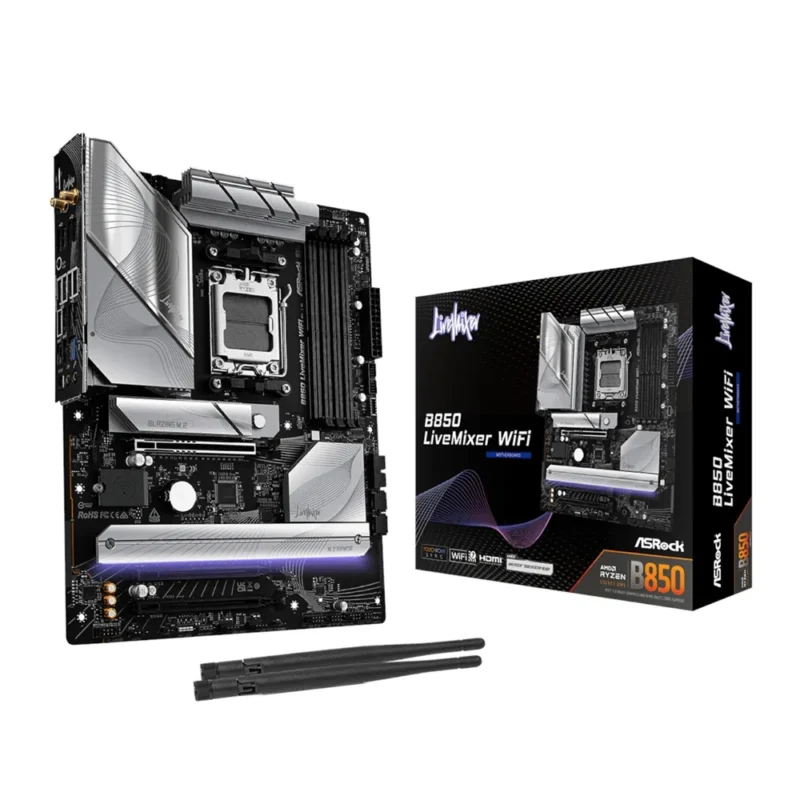
PROCESSOR AND MEMORY
Check ASRock’s CPU list and minimum BIOS for the exact Ryzen chip. The manual starts with B2 for one DIMM and A2 plus B2 for a matched pair. Check the memory QVL before ordering a high-capacity or overclocked kit.
EXPANSION AND STORAGE
The top graphics slot is fed by the CPU. The two lower full-length slots run at up to PCIe 4.0 ×4, and the lowest slot is disabled when M2_3 is in use. Use M2_1 for the first NVMe drive.
PORTS AND NETWORK
A compatible front USB-C port connects at up to 20 Gb/s. Rear USB includes two 10 Gb/s ports, and 2.5 Gb Ethernet offers a wired option alongside Wi-Fi 7. The onboard Wi-Fi module needs Windows 11.
POWER AND COOLING
The ATX board uses a 24-pin main connector plus 8+4-pin CPU power connections. Headers cover two CPU fans, three case fans and one AIO pump. A rear BIOS Flashback button, POST status LEDs and quick-release M.2 heatsink help during the build.
| Model | B850 LiveMixer WiFi (B850LIVEMIXERWIFI) |
|---|---|
| Platform | AMD B850 chipset, Socket AM5 |
| Processors | Selected Ryzen 9000, 8000 and 7000 Series. Check the exact CPU list and minimum BIOS. |
| Form factor | ATX, 305 × 244 mm |
| UEFI and diagnostics | 256 Mb AMI UEFI, rear BIOS Flashback button and POST Status Checker |
| Power design | 14+2+1 phases, 80 A Dr.MOS for Vcore, SoC and miscellaneous rails |
| Slots and capacity | 4 × DDR5 DIMMs, dual channel, up to 256 GB total. Check exact module capacity and population in the QVL. |
|---|---|
| Memory types | DDR5 unbuffered ECC or non-ECC; XMP and EXPO profiles. Check CPU, BIOS and kit support. |
| Advertised overclock rate | DDR5-8000+ (OC) when configured with a suitable CPU, BIOS and memory kit; populated slots affect achievable rates. |
| Population | B2 for one DIMM, A2 and B2 for two matched DIMMs, or all slots for four. |
| PCIE1 | Physical ×16. Ryzen 9000/7000: PCIe 5.0 ×16. Ryzen 8000 Phoenix 1: PCIe 4.0 ×8; Phoenix 2: PCIe 4.0 ×4. |
|---|---|
| PCIE2 and PCIE3 | Physical ×16, wired PCIe 4.0 ×4 each. Using M2_3 disables PCIE3. |
| M2_1 | NVMe type 2280; PCIe 5.0 ×4 with Ryzen 9000/7000, PCIe 4.0 ×4 with Ryzen 8000. |
| M2_2 | NVMe type 2280; PCIe 4.0 ×4 with Ryzen 9000/7000 and Phoenix 1, ×2 with Phoenix 2. |
| M2_3 | NVMe type 2230, 2242, 2260 or 2280, PCIe 4.0 ×4. Shares lanes with PCIE3. |
| Other storage | 2 × SATA 6 Gb/s. SATA RAID 0/1; NVMe RAID 0/1/10. NVMe RAID 10 needs an additional expansion card. |
| Display outputs | One HDMI and one DisplayPort 1.4 with DSC, up to 4K 120 Hz where supported by the CPU, display and cable. The CPU must provide graphics. |
|---|---|
| Rear USB | One 10 Gb/s USB-C, one 10 Gb/s USB-A, four 5 Gb/s USB-A and eight USB 2.0. |
| Front USB headers | One 20 Gb/s USB-C, two headers for four 5 Gb/s ports, and two headers for four USB 2.0 ports. |
| Wired and wireless | Dragon RTL8125BG 2.5 Gb Ethernet; 2×2 Wi-Fi 7, Bluetooth 5.4. Use Windows 11 for the onboard wireless module; 6 GHz depends on local rules and setup. |
| Audio | Realtek ALC1220, 7.1-channel HD audio support, rear headphone impedance sensing and Nahimic software. |
| Power connectors | 24-pin ATX, 8-pin and 4-pin 12 V CPU power. |
|---|---|
| Cooling | Two CPU fan, three chassis fan and one pump header. CPU_FAN1 is rated up to 1 A; the other listed fan and pump headers up to 3 A each. |
| Other internal headers | SPI TPM, thermistor, front audio, system panel, power LED/speaker, one 12 V RGB and three 5 V addressable RGB. Check the manual for LED load limits. |
| Operating systems | Windows 10 or 11 64-bit for the board. ASRock supplies no Windows 10 driver for the onboard Wi-Fi 7 module. |
Use official support resources for this product. Each link opens in a new tab.
Official English manual for assembly, memory slots, the expansion lane map and BIOS Flashback guidance.
Open official support (opens in a new tab)Help other shoppers by sharing an honest review.
Write a reviewYou are offline. Reconnect to check prices and shop.
Reviews
There are no reviews yet.