
U6+ official technical datasheet (PDF)
Exact U6+ hardware, radio, security and mounting specification. Select this model rather than U6 Lite, U6 Pro or U6+ LR when consulting support resources.
Open official support (opens in a new tab)Checking which support options are available…
Who would you like help from?
Enter your name to begin your live chat with an online consultant.
What can we help you with?
Your details are used only to respond. MatzoBot requests are securely passed to the MatzoTech team.
Your request has been emailed to MatzoTech. A consultant will reply using the email address or mobile number you supplied.

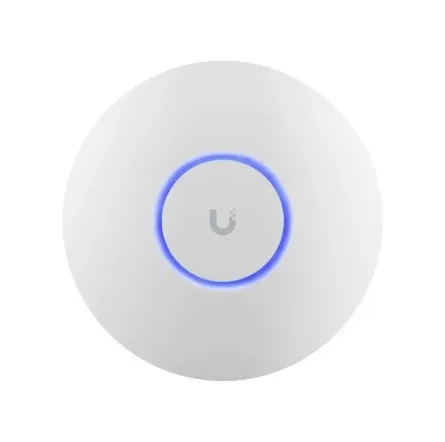
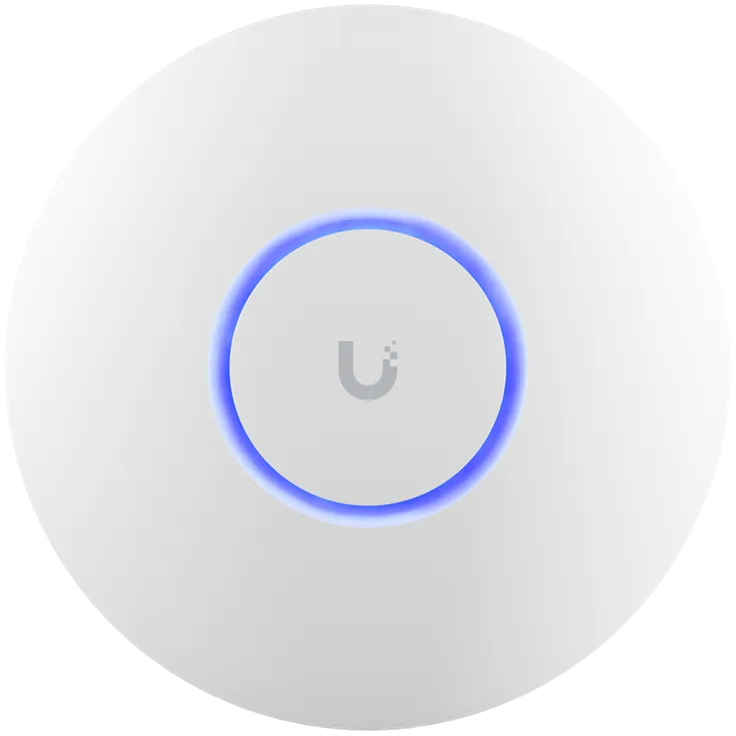

UniFi U6+ dual-band WiFi 6 access point with 2×2 MIMO on each band, a Gigabit RJ45 uplink, PoE input and included wall/ceiling mounts. Up to 573.5Mbps/2402Mbps radio link rates; 9W maximum consumption. PoE injector sold separately.
R2,599.00
Supplier has stock — 10 avail
Clear fulfilment, warranty and payment details.
Ubiquiti UniFi • U6-PLUS
The UniFi U6+ brings WiFi 6 to both 2.4GHz and 5GHz in a compact ceiling- or wall-mounted access point. Two spatial streams on each band, a Gigabit Ethernet uplink and PoE power make it a straightforward part of a managed UniFi installation, with separate power equipment chosen for the site.
Two radios, distinct roles
The 2.4GHz and 5GHz radios each provide 2×2 downlink/uplink MU-MIMO. Manufacturer maximum link rates are 573.5Mbps on 2.4GHz with 40MHz channels and 2402Mbps on 5GHz with 160MHz channels. Those are radio PHY rates, not a promised file-transfer or internet speed; the client’s radio, channel availability, interference and signal level determine the connection.
The wired foundation
A single Gigabit RJ45 port links the access point to the network and receives PoE power. Its 1Gbps wired rate also limits traffic travelling between the wireless clients and the upstream wired network, regardless of a higher advertised radio link rate. Supply a suitable 802.3af PoE switch or compatible injector separately; this listing does not include a PoE injector.
Managed coverage
The 160mm-diameter, 33mm-deep enclosure includes ceiling and wall mounts. Ubiquiti lists 140m² coverage and more than 300 clients as planning figures, not guaranteed usable capacity in every building. Walls, mounting position, channel reuse and client activity matter. Use a site survey and suitable placement for the coverage and throughput the room needs.
Access and segmentation
UniFi supports VLAN-based network separation, guest traffic isolation, per-user rate limits and multiple wireless networks. WPA/WPA2/WPA3 personal and enterprise security options are listed for the model; choose modes supported by the client devices and the site’s authentication design. Fast-roaming and radio-management features also depend on client support and the configured network.
Adoption and maintenance
Adopt and manage the access point through a compatible UniFi Network application. The manufacturer currently lists version 7.3.76 or later as the application requirement. A white/blue system indicator and factory-reset button support local servicing. Keep configuration backups and follow the exact U6+ update guidance; U6 Lite, U6 Pro and U6+ LR are different models.
Power and surroundings
The U6+ draws up to 9W and accepts 44–57V DC through its PoE input. The device weighs 338g, or 413g with its mount. Its specified operating range is −30–60°C with 5–95% noncondensing humidity. Temperature tolerance does not establish weatherproofing, and country settings must respect the permitted channels, channel widths and transmit-power limits at the installation.
| Manufacturer | Ubiquiti |
|---|---|
| Product | UniFi U6+ |
| SKU | U6-PLUS |
| Colour | White |
| Dimensions | Ø160 ×33mm |
| Weight | 338g device; 413g with mount |
| Top cover | Polycarbonate |
| Bottom cover | Aluminium |
| Mount materials | ABS and SGCC steel |
| Mounting | Ceiling or wall; mounts included |
| Bands | 2.4GHz and 5GHz |
|---|---|
| WiFi standards | 802.11a/b/g; WiFi 4/5/6 (802.11n/ac/ax) |
| MIMO per band | 2×2 downlink/uplink MU-MIMO |
| Spatial streams | Four total across the two radios; two per radio |
| 2.4GHz maximum PHY rate | 573.5Mbps at 40MHz channel width |
| 5GHz maximum PHY rate | 2402Mbps at 160MHz channel width |
| Antenna gain | 3dBi at 2.4GHz; 5.4dBi at 5GHz |
| Maximum transmitter power | 23dBm per band, subject to regional regulatory limits |
| Channel widths | HT 20/40; VHT 20/40/80/160; HE 20/40/80/160MHz |
| Radio planning | Eight BSSIDs per radio |
| Zero-wait DFS | Not supported |
| Ethernet | One GbE RJ45 uplink |
|---|---|
| PoE direction | Power input to the access point |
| Power requirement | Suitable 802.3af PoE source / compatible injector |
| Supported input voltage | 44–57V DC |
| Maximum power consumption | 9W |
| Included injector | Not included |
| Wired-uplink qualification | Gigabit link rate; actual application throughput is lower than raw PHY/signalling rates |
| Application requirement | UniFi Network 7.3.76 or later, per current manufacturer specification |
|---|---|
| Management interface | Ethernet |
| VLAN | 802.1Q |
| Security | WPA-PSK and WPA-Enterprise (WPA/WPA2/WPA3); client and configuration dependent |
| Guest functions | Guest traffic isolation, captive portal and per-user speed limiting |
| Roaming / radio management | 802.11k/v/r, band steering and wireless meshing; configured network and client support required |
| Manufacturer planning figures | 140m² coverage; 300+ clients; environment/workload dependent |
| Operating temperature | −30–60°C |
|---|---|
| Operating humidity | 5–95%, noncondensing |
| Indicators | White/blue system LED |
| Control | Factory-reset button |
| Certifications | CE, FCC, IC |
| Included | One U6+ access point, wall/ceiling mounting hardware and quick-start/installation documentation |
| Supplied warranty | 12 months, subject to applicable supply terms; retain serial number and purchase evidence |
| Regional qualification | Country selection limits permitted frequencies, channel widths and transmit power; no blanket worldwide-radio entitlement |
No PoE injector is included. Wireless PHY rates and manufacturer coverage/client figures are planning limits, not guaranteed application performance. Use the permitted radio country settings for the site.
Use official support resources for this product. Each link opens in a new tab.
Exact U6+ hardware, radio, security and mounting specification. Select this model rather than U6 Lite, U6 Pro or U6+ LR when consulting support resources.
Open official support (opens in a new tab)Manufacturer-linked exact U6+ installation resource. Use a supported browser to view the illustrated guide; select suitable mounting and separate PoE power equipment for the installation.
Open official support (opens in a new tab)Compare 2–5 products side by side
Help other shoppers by sharing an honest review.
Write a reviewYou are offline. Reconnect to check prices and shop.

Reviews
There are no reviews yet.