

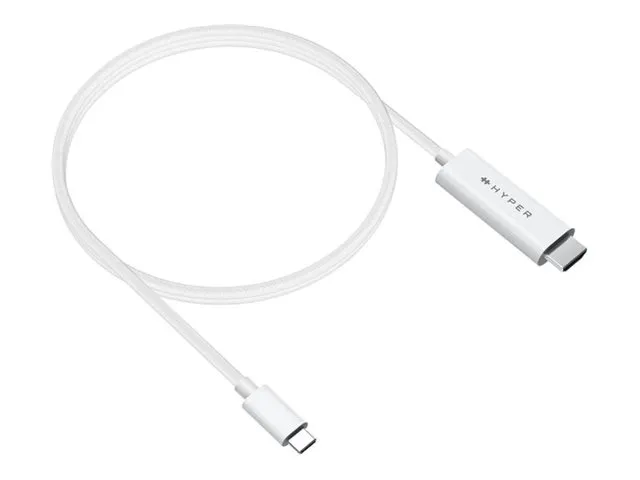
Targus – Hyper 4K USB-C to HDMI Cable – White
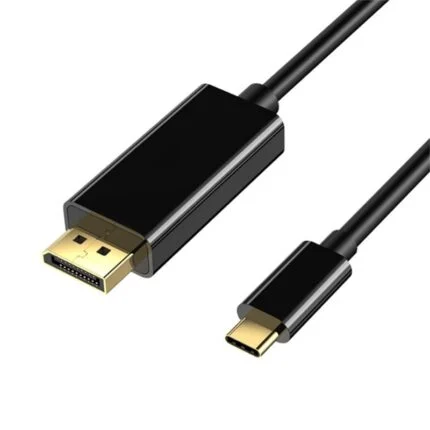
White HyperDrive 2.5 m USB-C to HDMI cable with up to 4K at 60 Hz for compatible DisplayPort Alt Mode sources.
R479.00
In Stock with Supplier 2 — 8 avail
Key product details
Full specifications below- Ean: 6941921149758
- Gtin: 6941921149758
- Brand: Targus
Delivery & support
Clear fulfilment, warranty and payment details.
- Availability In Stock with Supplier 2 — 8 avail In Stock with Supplier 2 — 8 avail
- Delivery Nationwide courier delivery or collection from Strand, Cape Town. Courier nationwide or Strand collection
- Dispatch Backorder — usually dispatched in 2–3 working days after payment verification, subject to supplier confirmation. Backorder — usually dispatched in 2–3 working days after payment verification, subject to supplier confirmation.
- Warranty Manufacturer warranty applies where stated on the product page. As stated on this page
- Returns See our Returns Policy for eligible change-of-mind and faulty goods procedures. See Returns Policy
- Secure payment PayFast checkout with card, Instant EFT, and Mobicred. PayFast · card · EFT · Mobicred
HYPERDRIVE · USB-C TO HDMI
A direct route from USB-C to HDMI
Connect a USB-C device with DisplayPort Alt Mode to an HDMI display with one cable. This white 2.5 m HyperDrive cable supports up to 4K at 60 Hz with a compatible device and screen.
SOURCE DEVICE
Check that USB-C carries video
The USB-C port on your computer or other source must support DisplayPort Alt Mode. The cable runs from that source to an HDMI display.
DISPLAY SETUP
Match the whole connection
The cable supports HDR and HDCP 2.2. Output resolution, refresh rate and protected playback depend on the source, display and content.
Specifications
Identification
| Model | HD6007WHGL |
|---|---|
| Colour | White |
| EAN | 6941921149758 |
Video and cable
| Source connector | USB-C male with DisplayPort Alt Mode required on source |
|---|---|
| Display connector | HDMI male |
| Maximum video output | 4K at 60 Hz on compatible equipment |
| Additional video features | HDR and HDCP 2.2 support |
| Length | 2.5 m |
| Construction | Braided nylon with PVC components |
| Weight | Approx. 91 g |
| Driver requirements | No additional cable software or drivers |
Check the source port’s video support before buying.
Reviews
There are no reviews yet.