
Z790 D series user manual
Official family manual includes Z790 D AX. Follow AX footnotes and the revision printed on the PCB; other D-series variants have different hardware.
Open official support (opens in a new tab)Checking which support options are available…
Who would you like help from?
Enter your name to begin your live chat with an online consultant.
What can we help you with?
Your details are used only to respond. MatzoBot requests are securely passed to the MatzoTech team.
Your request has been emailed to MatzoTech. A consultant will reply using the email address or mobile number you supplied.

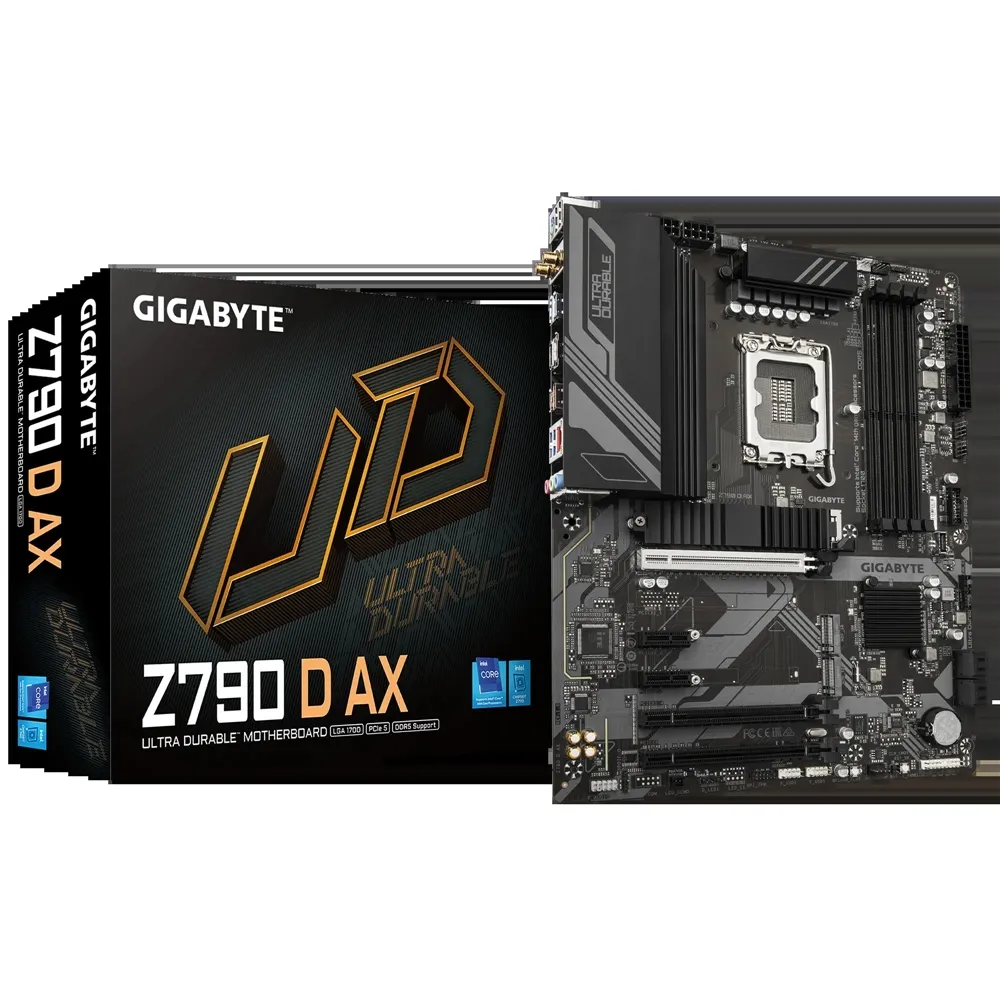
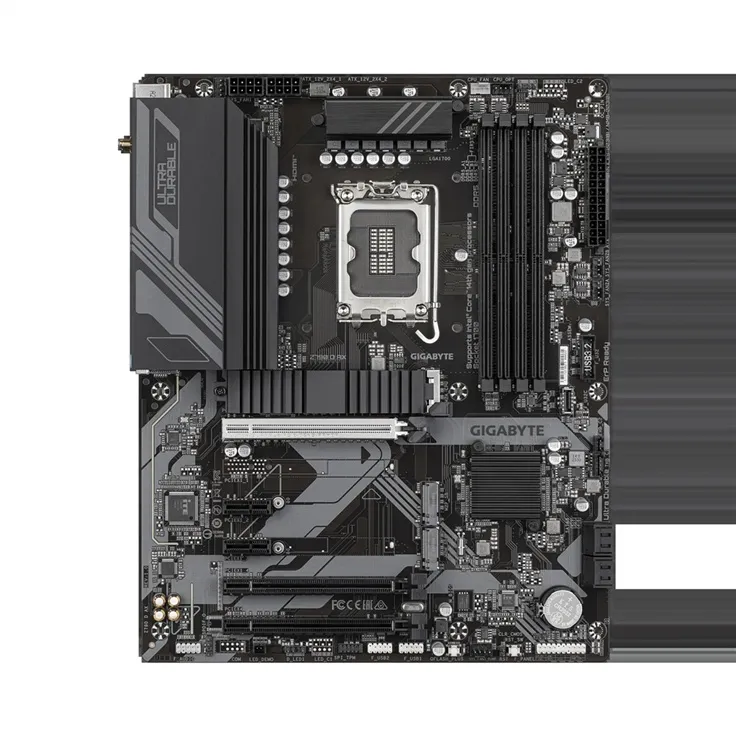
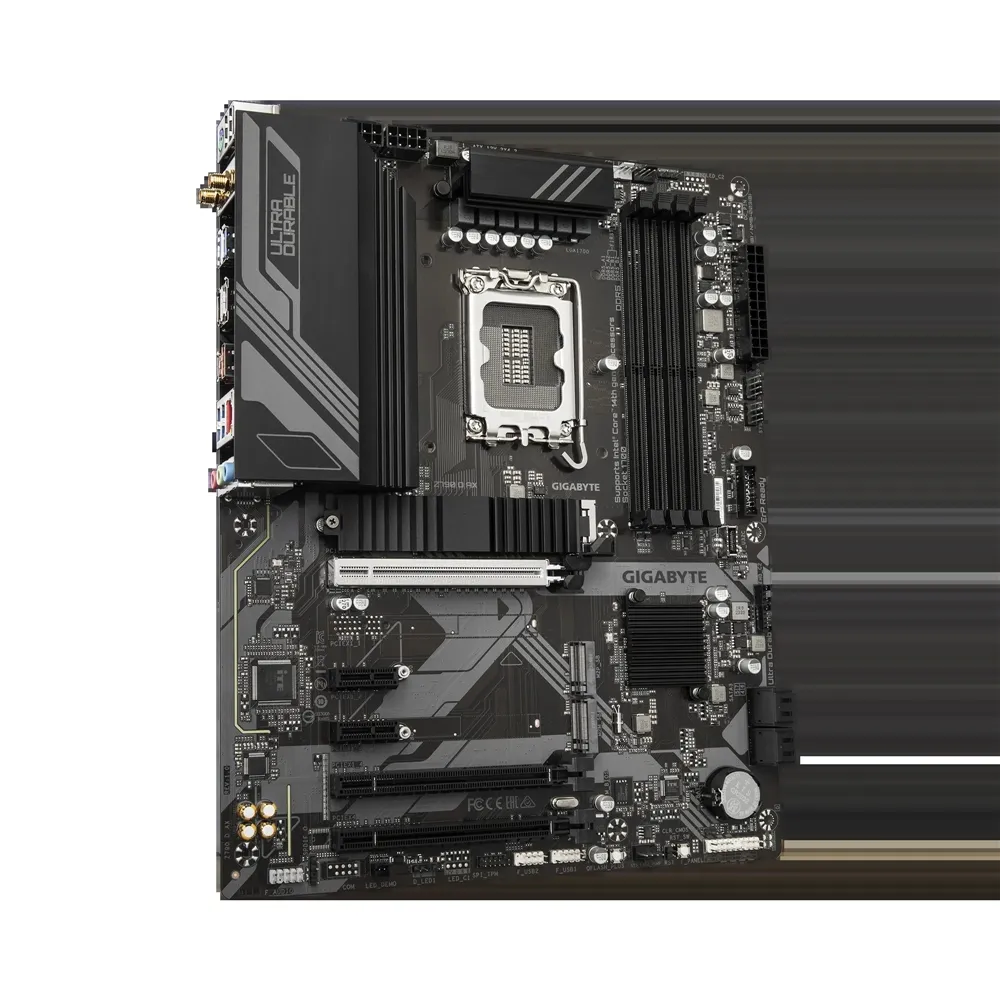
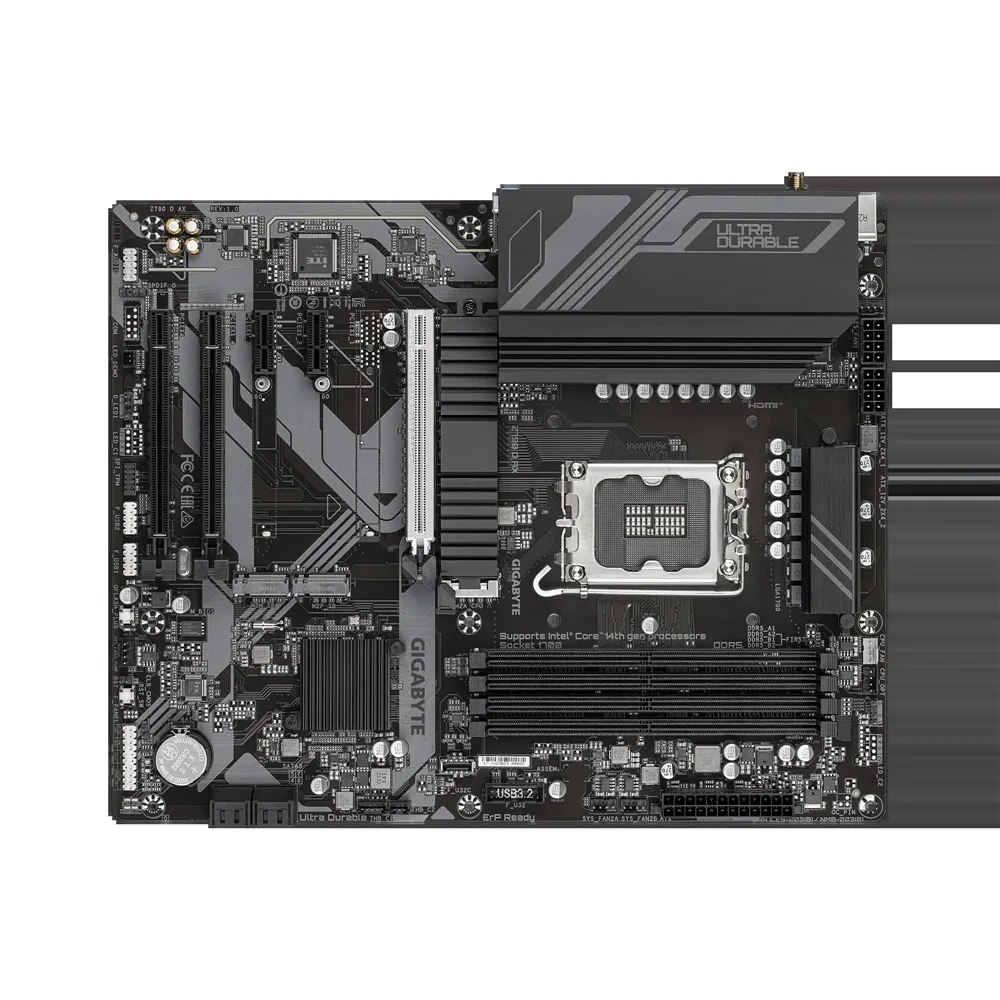
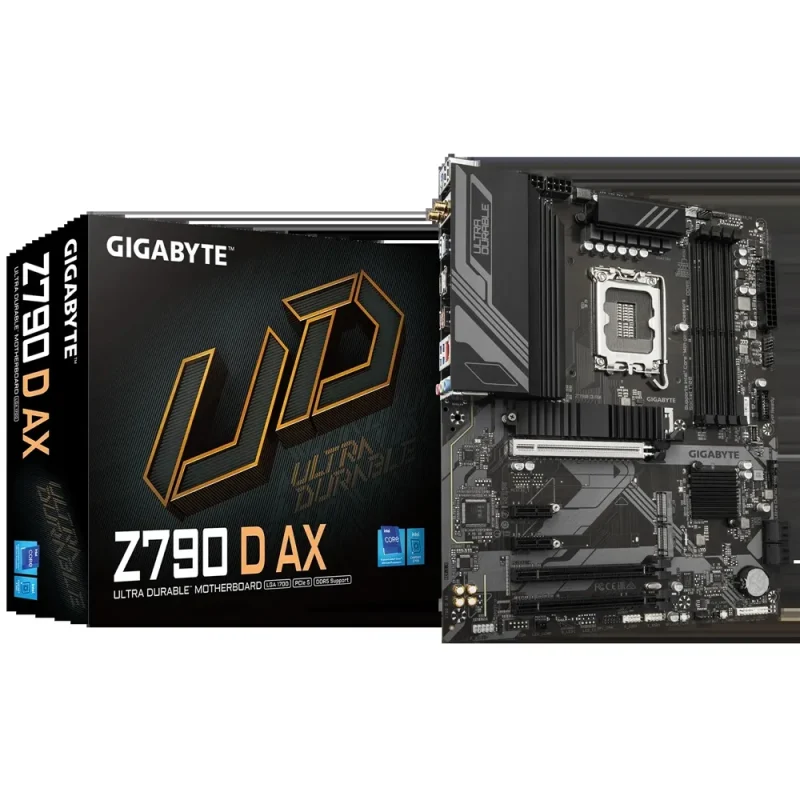
GIGABYTE Z790 D AX ATX motherboard for supported LGA1700 Intel processors, with four DDR5 sockets, three PCIe 4.0 M.2 connectors, PCIe 5.0 x16 graphics, 2.5GbE and WiFi 6E. CPU, BIOS and memory-population compatibility apply.
R4,199.00
Out of stock
Clear fulfilment, warranty and payment details.
GIGABYTE • Z790 D AX
Z790 D AX combines an LGA1700 platform, four DDR5 sockets and three M.2 positions on a full-size ATX board. A CPU-connected PCIe 5.0 graphics slot, 2.5GbE and WiFi 6E leave room to shape the build around the processor, storage and network you choose.
Socket and firmware
The Intel Z790 platform supports listed 12th, 13th and 14th Generation Intel Core processors, with compatible Pentium Gold and Celeron models also listed by GIGABYTE. Check the exact CPU support entry and required BIOS before assembly. Q-Flash Plus allows a matching BIOS to be written without installing the CPU, memory or graphics card; use the procedure and file for the board revision printed on the PCB.
Memory planning
Four dual-channel DDR5 sockets support up to 256GB, with an explicitly stated 64GB maximum per DIMM. XMP profiles and up to 7600MT/s overclocked operation are configuration dependent, not a promise for four fully populated sockets. Match the CPU, kit, module organisation and population to the memory support list. DDR4 modules do not fit this board. For one module use DDR5_A2; the recommended two-module pair is DDR5_A2 and DDR5_B2. Use a matched kit for two- or four-module dual-channel operation.
Graphics and expansion
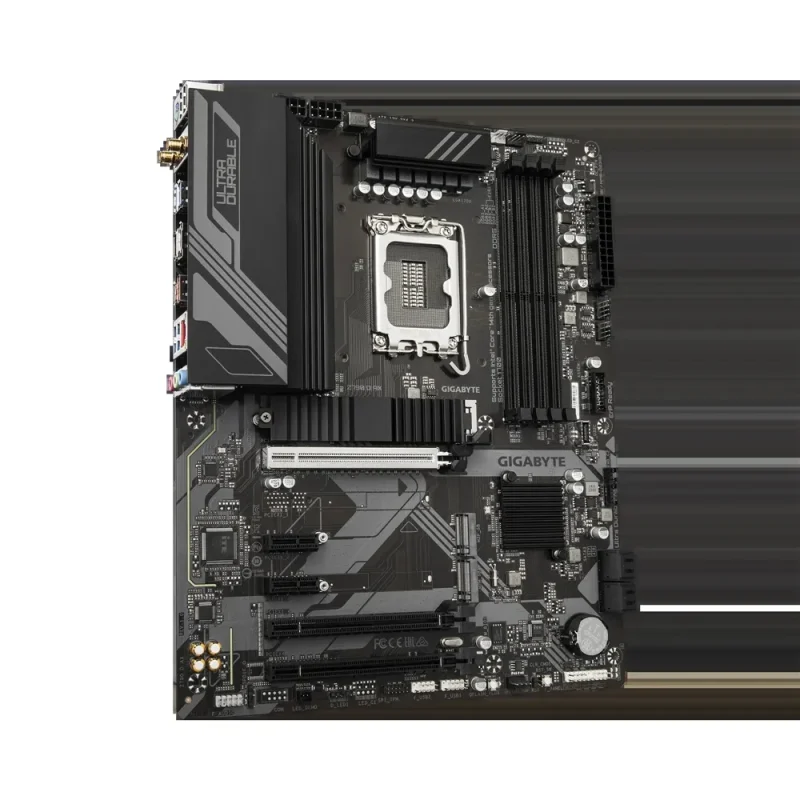
The main CPU-connected PCIEX16 slot runs at PCIe 5.0 x16 and is intended for the primary graphics card or an NVMe adapter. The chipset provides a second full-length slot at PCIe 4.0 x4, another full-length slot at PCIe 3.0 x1 and two short PCIe 3.0 x1 slots. Full-length connectors therefore do not all provide x16 bandwidth. Check the graphics-card cooler footprint against any expansion cards below it.
Storage layout
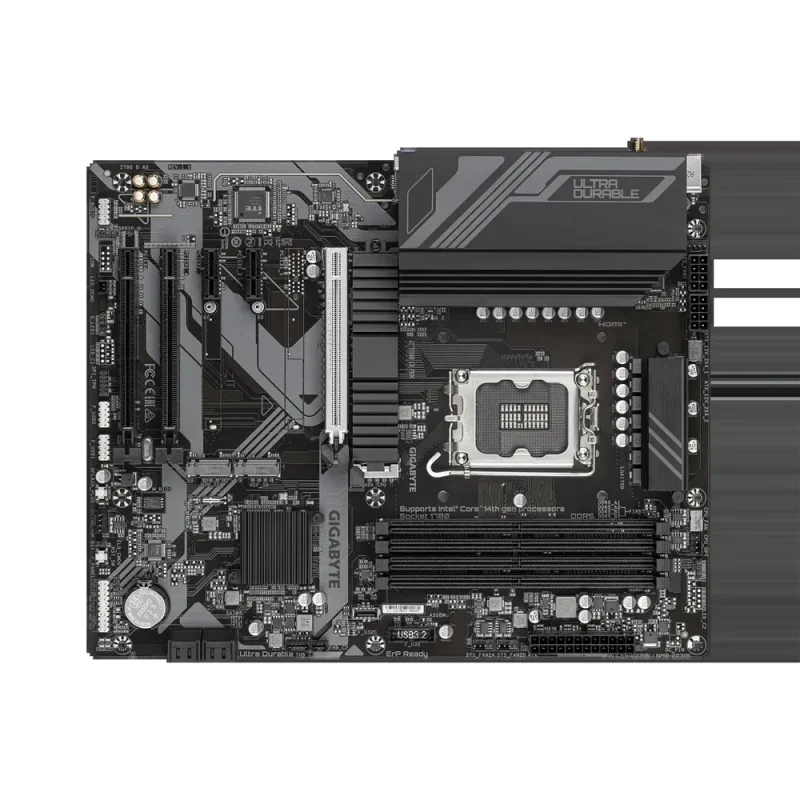
M2A_CPU accepts 2280 or 22110 PCIe 4.0 x4/x2 drives directly from the CPU. The chipset-connected M2P_SB accepts 2280 PCIe drives, while M2M_SB accepts 2280 PCIe or SATA M.2 drives. Four SATA 6Gb/s connectors serve cabled storage. The M.2 Thermal Guard covers the CPU-side position; follow the installation instructions for thermal pads and drive thickness before fitting a drive.
Power and cooling
The 12+1+1 twin digital power design works with VRM heatsinks on a 305 × 244mm ATX PCB. The board uses a 24-pin main connector and two 8-pin CPU-power connectors. Six fan/pump headers, temperature sensing and Smart Fan 6 support a cooling plan matched to the chosen fans and pump. Check cooler height, RAM clearance, power-cable routing and chassis standoff positions before assembly.
Network and rear connections
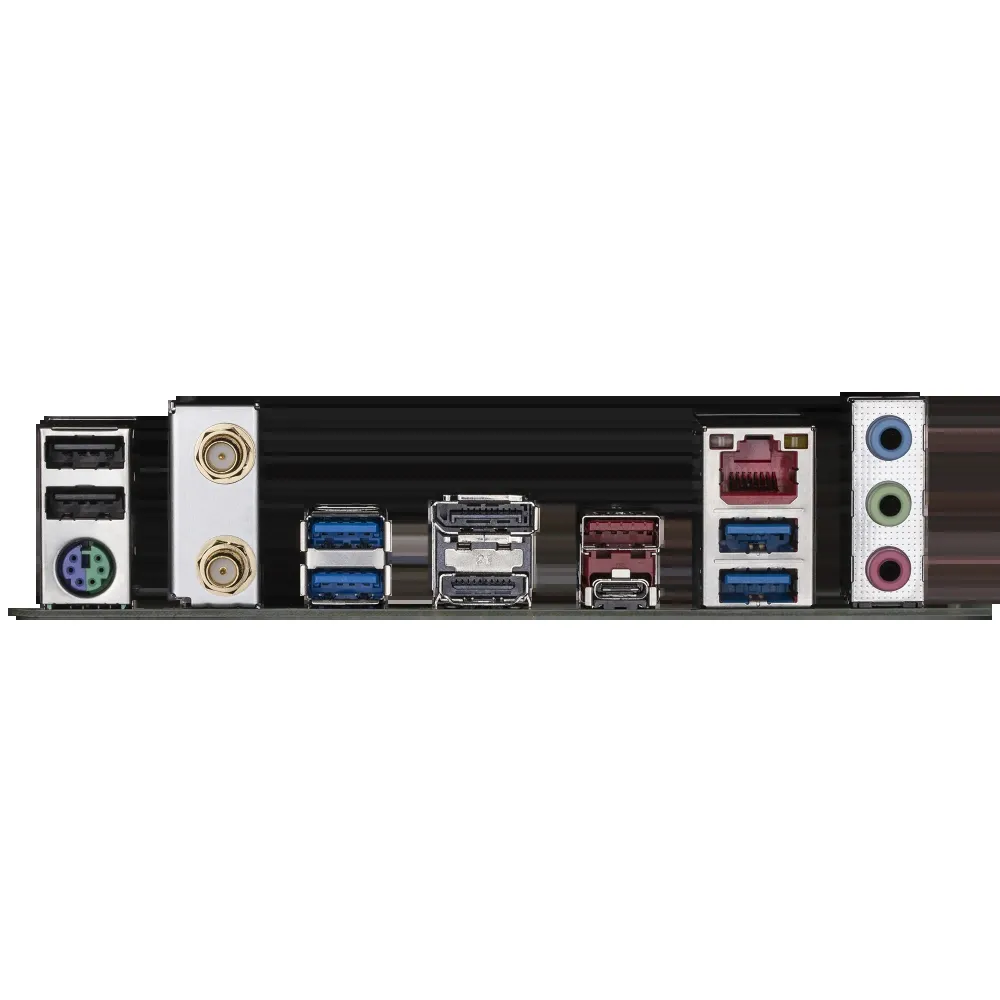
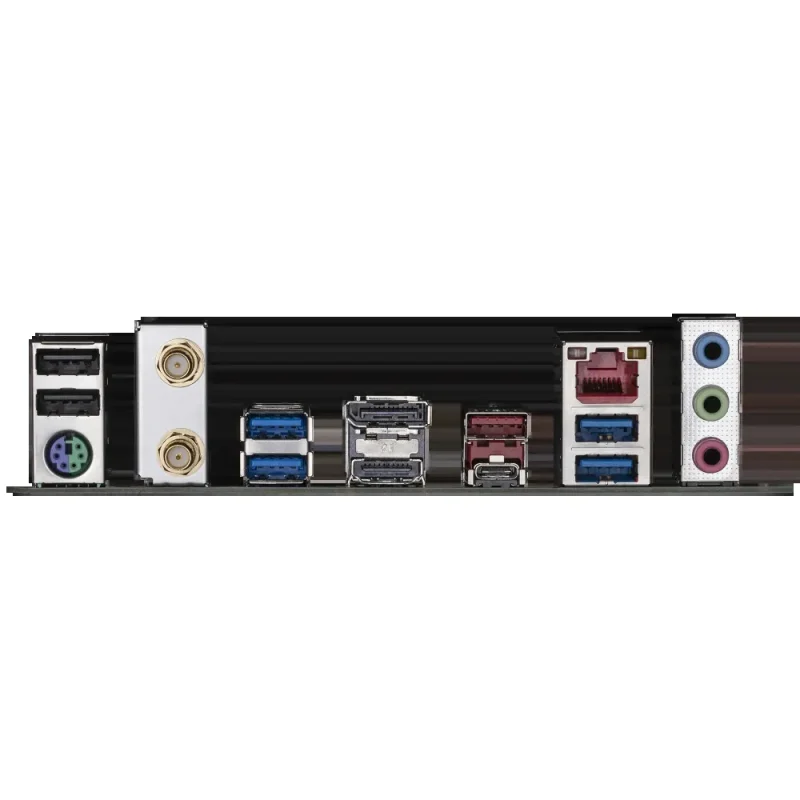
Realtek 2.5GbE sits alongside WiFi 6E and Bluetooth 5.3. PCB revision 1.0 uses Intel AX211; revision 1.1 uses Realtek RTL8852CE, so select the corresponding wireless driver. HDMI and DisplayPort require a processor with supported integrated graphics. Rear USB-C and the red USB-A port provide 10Gbps links; the front USB-C header is 5Gbps. PS/2, USB 2.0 and three audio jacks support a wider mix of peripherals.
Finish the build
Two addressable-lighting headers, front-panel audio, S/PDIF output and front USB headers support case connections. Thunderbolt add-in-card headers do not provide Thunderbolt ports by themselves, and the TPM header is specified for the GC-TPM2.0 SPI V2 module. GIGABYTE Control Center, RGB Fusion and Q-Flash provide supported board functions; choose Windows 10 or Windows 11 64-bit packages for the exact hardware revision.
| Product / catalogue SKU | GIGABYTE Z790 D AX / GA-Z790D-AX |
|---|---|
| Manufacturer revision family | Rev. 1.x; pictured PCB marked REV1.0, supplied revision must be checked |
| Chipset / socket | Intel Z790 Express / LGA1700 |
| Processor families | Listed Intel Core 12th/13th/14th Gen, Pentium Gold and Celeron; exact CPU and BIOS support entry governs |
| DIMM sockets / channels | Four DDR5 UDIMM sockets / dual channel |
| Maximum memory | 256GB total; 64GB per DIMM explicitly specified by manufacturer |
| Memory organisations | Non-ECC UDIMM 1Rx8/2Rx8/1Rx16; ECC UDIMM 1Rx8/2Rx8 operates in non-ECC mode |
| Speed qualification | Up to7600MT/s OC with listed 13th/14th Gen i9/i7; CPU, BIOS, kit and population dependent. Manufacturer lists 4800/4400MT/s for 13th Gen i5/i3 and 12th Gen/Pentium/Celeron |
| Profiles | XMP; match the exact module and population to memory support list |
| Recommended population | One module: DDR5_A2; two modules: DDR5_A2+DDR5_B2; four modules: all sockets. Match capacity, brand, speed andchips per manufacturer manual. |
| Primary slot | CPU: PCIe 5.0 x16, full-length PCIEX16; graphics card or NVMe SSD adapter |
|---|---|
| Other full-length slots | Chipset: PCIe 4.0 x4 (PCIEX4); PCIe 3.0 x1 (PCIEX1_4) |
| Short slots | Two chipset PCIe 3.0 x1 (PCIEX1_2, PCIEX1_3) |
| M2A_CPU | M-key, 2280/22110, PCIe 4.0 x4/x2; CPU connected |
| M2P_SB | M-key, 2280, PCIe 4.0 x4/x2; chipset connected |
| M2M_SB | M-key, 2280, PCIe 4.0 x4/x2 orSATA; chipset connected |
| Cabled storage | Four SATA 6Gb/s connectors |
| RAID | Manufacturer lists0/1/5/10 for supported NVMe arrays and SATA arrays; follow array-specific requirements |
| Thermal guard | M2A_CPU heatsink; follow single/double-sided drive pad instructions |
| SATA connectors | SATA3 4/5/6/7; one drive per connector. Do not mix PCIe NVMe and SATA drives in a single RAID array. |
| LAN | Realtek 2.5GbE: 2.5G/1G/100M |
|---|---|
| Wireless PCB1.0 | Intel WiFi 6E AX211; 2.4/5/6GHz, 160MHz; Bluetooth5.3 |
| Wireless PCB1.1 | Realtek WiFi 6E RTL8852CE; 2.4/5/6GHz, 160MHz; Bluetooth5.3 |
| Regional radio limits | 6GHz availability, channel width and power depend on country, OS and client equipment |
| HDMI | HDMI 2.1 TMDS, up to4096×2160 at 60Hz; HDCP 2.3 |
| DisplayPort | DisplayPort 1.2, up to4096×2304 at 60Hz; HDCP 2.3 |
| Video condition | Supported integrated graphics required; no display output implied for an F-suffix CPU without iGPU |
| USB10Gbps | One Type-C and one Type-A |
|---|---|
| USB5Gbps | Four Type-A |
| USB2.0 | Two Type-A |
| Other connections | PS/2 combo, two antenna SMA, HDMI, DisplayPort, RJ45, three audio jacks |
| Audio | Realtek HD audio; 2/4/5.1/7.1-channel through software jack configuration; S/PDIF output header |
| Main power | One 24-pin ATX; two 8-pin ATX12V |
|---|---|
| Cooling headers | CPU fan; CPU fan/pump; three system fan; one system fan/pump |
| Lighting | Two addressable LED strip headers |
| Front USB-C | One USB 3.2 Gen1 Type-C header, 5Gbps |
| Other front USB | One Gen1 header for two 5Gbps ports; two USB2.0 headers for four ports |
| Other headers | Front panel, front audio, S/PDIF, two Thunderbolt add-in-card connectors, GC-TPM2.0 SPI V2-specific TPM header |
| Controls | Reset button, Q-Flash Plus button, reset jumper, ClearCMOS jumper |
| BIOS | 256Mbit AMI UEFI; Q-Flash/Q-Flash Plus |
| Form factor / dimensions | ATX / 305 ×244mm |
|---|---|
| Supported OS | Windows 10 and Windows 11 64-bit; driver function depends on selected OS and revision |
| Utilities | GIGABYTE Control Center, RGB Fusion, Smart Fan 6, Smart Backup; features depend on board/software |
| Native supplied warranty | Three years, subject to applicable supply terms and serial/purchase validation |
| Package qualification | Confirm regional included accessories; CPU, RAM, storage, cooler and graphics card are separate |
| Manufacturer reference box contents | Board, manual, two antennas, two SATA cables, I/O shield, M.2 screw(s), M.2 rubber-pad pack forAX. Actual supplied package may vary. |
Check the PCB revision, exact CPU support entry and memory kit population before ordering components. Maximum memory capacity and maximum overclocked speed are separate limits. Use a chassis that supports full-size ATX and allow clearance for the chosen cooler and graphics card.
Use official support resources for this product. Each link opens in a new tab.
Official family manual includes Z790 D AX. Follow AX footnotes and the revision printed on the PCB; other D-series variants have different hardware.
Open official support (opens in a new tab)Compare 2–5 products side by side
Help other shoppers by sharing an honest review.
Write a reviewYou are offline. Reconnect to check prices and shop.


Reviews
There are no reviews yet.