Top of pagePrimary navigation
Flash sale Limited-time prices and current MatzoTech offers Shop offers

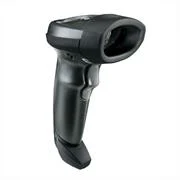
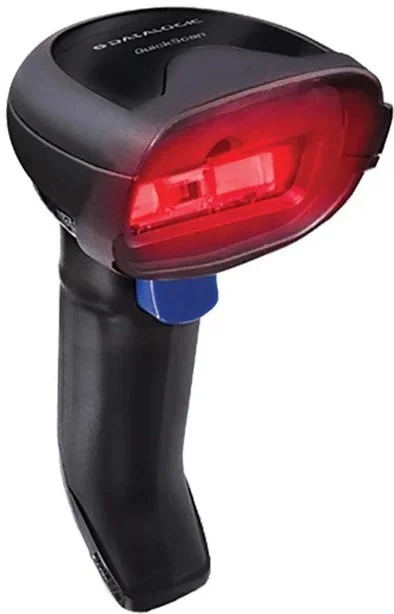
Zebra LS2208 Black with Stand USB Kit: LS2208-SR20007R Scanner; CBA-U01-S07ZAR USB Cable; 20-61019-02R Stand; 1D scanner

0.0 No reviews yet Write a review
SKU: LS2208-SR20007R-UR
New Supplier has stock — 10 avail

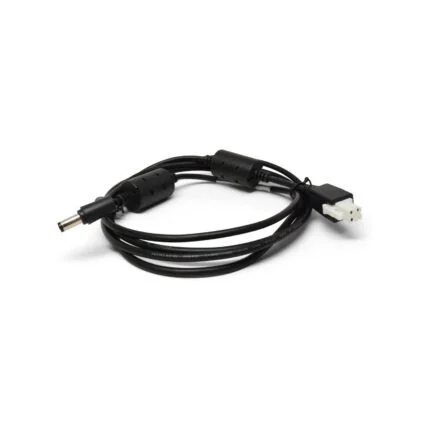
Zebra LS2208-SR20007R-UR black 1D laser scanner kit listing with LS2208-SR20007R scanner, CBA-U01-S07ZAR USB cable and 20-61019-02R stand. Check host mode, supported barcode settings and supplied revision.

R1,499.00

VAT included · Secure checkout

Supplier has stock — 10 avail

Key product details

Full specifications below
  • Mpn: LS2208-SR20007R-UR
  • Condition: New
Add to wishlist

Delivery & support

Clear fulfilment, warranty and payment details.

  • Availability Supplier has stock — 10 avail Supplier has stock — 10 avail
  • Delivery Nationwide courier delivery or collection from Strand, Cape Town. Courier nationwide or Strand collection
  • Dispatch Backorder — usually dispatched in 2–3 working days after payment verification, subject to supplier confirmation. Backorder — usually dispatched in 2–3 working days after payment verification, subject to supplier confirmation.
  • Warranty Manufacturer warranty applies where stated on the product page. As stated on this page
  • Returns See our Returns Policy for eligible change-of-mind and faulty goods procedures. See Returns Policy
  • Secure payment PayFast checkout with card, Instant EFT, and Mobicred. PayFast · card · EFT · Mobicred
Ask us a question

Official manufacturer overview

Zebra LS2208 family overview (EMEA)

Zebra Technologies · LS2208 family film (2016). The listed UR kit, cable, stand, scanner branding/revision and local service terms may differ; this film does not verify supplied package contents.

Play to load this video from YouTube.

ZEBRA / SYMBOL LS2208 · USB KIT

Keep everyday barcodes moving through the counter.

Bring single-line 1D laser scanning to a compatible checkout or inventory workstation. This black LS2208 listing includes a USB cable and IntelliStand reference, giving you handheld control and a supported hands-free position without adding wireless pairing to the workflow.

Zebra LS2208 Black with Stand USB Kit: LS2208-SR20007R Scanner; CBA-U01-S07ZAR USB Cable; 20-61019-02R Stand; 1D scanner
1D laserFor supported linear barcodes
100 scans/sManufacturer scan-rate reference
USB kitCheck exact cable and host setup
Stand kitListed hands-free stand included

LINEAR BARCODE CAPTURE

Choose it for the codes you actually use.

The 650 nm single-line laser is intended for supported 1D symbologies such as UPC/EAN, Code 39, Code 128, Code 93, Codabar, Interleaved 2 of 5 and GS1 DataBar. Match the code and its enabled settings before deployment; this is a 1D scanner rather than a QR/2D imager.

HANDHELD OR STAND

Move between items and a fixed scanning point.

Use the trigger for handheld scanning or the listed IntelliStand for supported presentation operation. The manufacturer describes automatic switching when the scanner is placed in or removed from the stand. The exact supplied cable, stand and scanner branding should be checked against the listed kit parts.

USB HOST SETUP

Send the data to the right field.

The USB kit connects a compatible computer to the scanner through its interface cable. Select the appropriate host mode and keyboard country settings in the model guide. USB HID keyboard operation sends decoded data like typed input; a virtual COM connection has separate configuration and Zebra USB CDC driver requirements.

DECODE FEEDBACK

Make a successful read easy to recognise.

Manufacturer-listed feedback includes a decode indicator, good-read LEDs and an adjustable beeper. Advanced Data Formatting can prepare scanned data before transmission to a compatible host. The 100-scans-per-second rating is a scan-engine reference, not a guaranteed number of completed checkout transactions.

HARDWARE AND CARE

Plan around the supplied hardware revision.

The native description’s single-board construction and scratch-resistant tempered-glass exit window are corroborated by the manufacturer family sheet. Published generations differ in weight, range and environmental details. Confirm the supplied unit and follow the applicable setup, care and laser instructions before relying on a particular operating limit.

Specifications

Listed kit identity

Brand / familyZebra / Symbol LS2208
Catalogue kit partLS2208-SR20007R-UR
Listed scanner partLS2208-SR20007R
Listed USB cableCBA-U01-S07ZAR
Listed stand20-61019-02R IntelliStand
ColourBlack / manufacturer Twilight Black reference
Kit verificationExact three-part combination retained from catalogue; supplied regional pack and direct current manufacturer part mapping require confirmation

Scan engine and decoding

TechnologyCorded 1D laser; single-line pattern
Light source650 nm laser diode; manufacturer Class 2 reference
Scan repetition100 scans/second family rating; product guides specify 100 ±5 scans/second
Native supported codes retainedUPC/EAN, Code39, Code128, Code93, Codabar, Interleaved2of5 and GS1DataBar; required symbologies must be enabled
Additional family-sheet codesCode11, MSI Plessey, Korean3of5 and Base32; confirm firmware/configuration applicability
Scan angle35°, manufacturer family reference
Minimum print contrastFamily sheet20% reflective difference; older guide25%, supplied revision applicability unconfirmed
Decode range scopeDepends on symbology, element width, print contrast, ambient light and hardware revision; no universal reading-distance promise
Range example2015 family sheet UPC13mil:0–63.8cm typical under its stated conditions; not a guaranteed supplied-unit range

Host and operation

Supplied interface referenceUSB kit
Other family interfacesRS-232, keyboard wedge and TGCS/IBM46XX over RS485 require appropriate cable/host configuration; not additional cables presumed in this USB kit
USB keyboard modeHID keyboard data entry; host mode and country layout must be configured
USB virtual COM modeSeparate configuration plus applicable Zebra USB CDC driver
FeedbackDirect Decode Indicator, good-decode LEDs and adjustable beeper tone/volume
Stand operationManufacturer IntelliStand presentation scanning / handheld switching reference; confirm supplied stand
FormattingAdvanced Data Formatting supported by model documentation; configuration and host/application requirements apply
Software referenceZebra123Scan / scanner utilities through official selector; select exact hardware and supported OS before use

Physical and power references

Dimensions referenceFamily sheet15.2×6.4×8.5cm(H×W×D); later product guide15.2×6.3×8.4cm; exact unit basis unconfirmed
Weight referenceNative approximately146g agrees with older manufacturer guide; later family sheet/current guide150g without cable. No single exact stock mass asserted
ConstructionSingle-board design; scratch-resistant tempered-glass exit window, manufacturer family reference
Input voltage4.5–5.5VDC manufacturer family range; host or approved external supply according to interface
Scanning / standby currentCurrent guide: <175mA scanning / <90mA standby at5VDC; exact revision/power setup applies
USB suspendCurrent guide <2.5mA; configuration-dependent

Environment, package and service

Temperature qualificationQuick-start guide declares40°C maximum while family sheet lists0–50°C operating; follow supplied-unit guide and confirm applicability
Storage qualificationFamily sheet−40–70°C; product-guide table−40–60°C. Exact supplied revision remains unconfirmed
Humidity5–95%RH non-condensing, manufacturer reference
Protection referenceIP30 in family sheet; no water-protection rating is claimed
Drop / tumble referenceFamily sheet specifies multiple1.5m concrete drops and500tumbles at0.5m; controlled ratings are not damage guarantees
Manufacturer warranty reference2015 family sheet:5years from shipment against workmanship/material defects and limited-lifetime scan-element coverage, subject to terms; current local purchased-unit entitlement unconfirmed
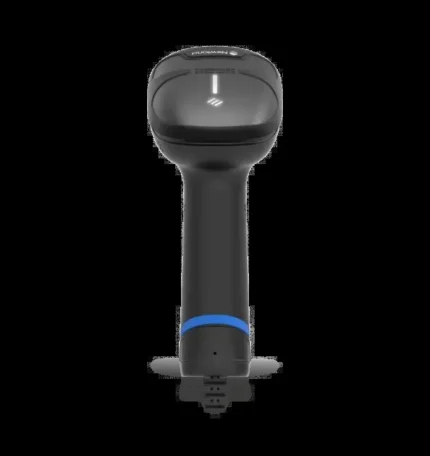
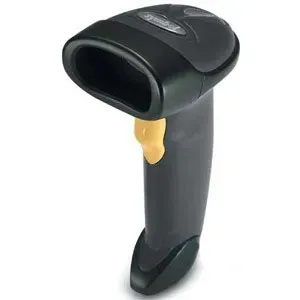
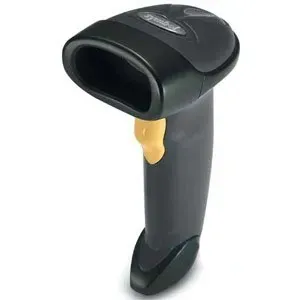
Native image scopeScanner-only legacy Symbol artwork; duplicate gallery retained commercially but not repeated editorially

Confirm the actual kit contents, scanner manufacture/revision, host configuration and purchased-unit service terms. The existing photo shows a legacy Symbol-branded LS2208 scanner without its listed cable or stand; it is not package-content proof. Manufacturer generation-specific weight and environmental references remain qualified.

Driver & Software Downloads

Use official support resources for this product. Each link opens in a new tab.

LS2208 official manuals, software and setup resources

Exact-family Zebra support selector. Match the scanner manufacture/revision and host interface, then select the applicable product guide, quick-start guide, configuration utility and OS-specific driver. HID keyboard and USB virtual COM setup differ.

Open official support (opens in a new tab)
No reviews yetBe the first to review this product.

Reviews

There are no reviews yet.

Be the first to review “Zebra LS2208 Black with Stand USB Kit: LS2208-SR20007R Scanner; CBA-U01-S07ZAR USB Cable; 20-61019-02R Stand; 1D scanner”

Your email address will not be published. Required fields are marked *

WhatsApp