
Logitech G HUB for G29 on Windows
Use Logitech’s official G HUB page for G29 setup and wheel settings on Windows 10 or Windows 11. Choose the Windows download.
Open official support (opens in a new tab)Checking which support options are available…
Who would you like help from?
Enter your name to begin your live chat with an online consultant.
What can we help you with?
Your details are used only to respond. MatzoBot requests are securely passed to the MatzoTech team.
Your request has been emailed to MatzoTech. A consultant will reply using the email address or mobile number you supplied.

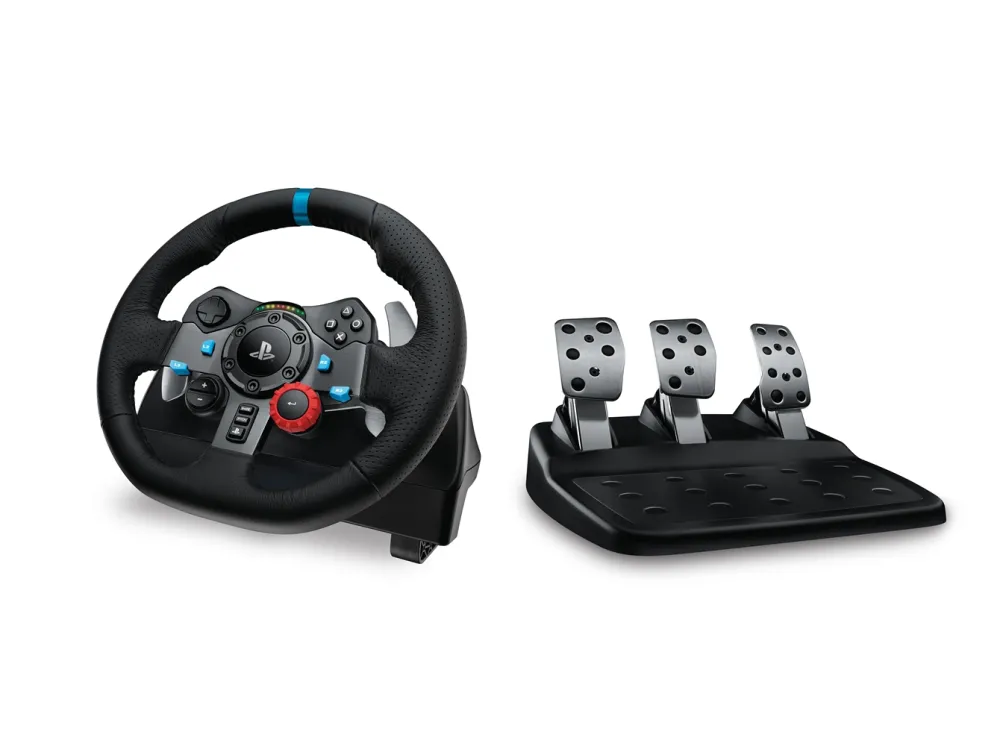
Logitech G29 Driving Force racing wheel for PlayStation 5 and PlayStation 4 and compatible Windows PC games, with dual-motor force feedback, steel paddles and three pedals.
R6,549.00
Supplier has stock — 6 avail
Clear fulfilment, warranty and payment details.
Official manufacturer overview
Logitech Support · Family troubleshooting for the G923, G29 and G920 on Windows, including the G29 on this page. The film covers power and USB checks, G HUB and an advanced Windows step.
Play to load this video from YouTube.
LOGITECH G29 DRIVING FORCE
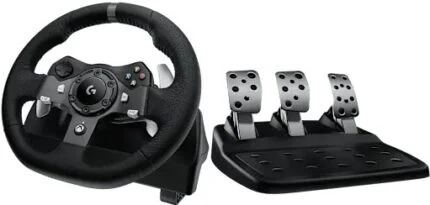
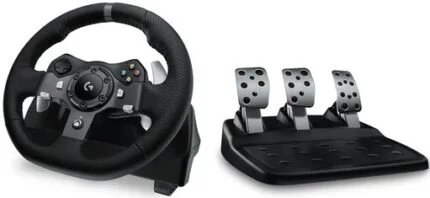
The Logitech G29 Driving Force pairs a leather-wrapped steering wheel with a separate throttle, brake and clutch. Dual-motor force feedback lets you feel changes in grip in supported racing games on PlayStation 5 and PlayStation 4, or on a compatible Windows PC.
STEERING
Two motors feed in-game steering forces through helical gears. The wheel turns up to 900°, or two and a half turns from lock to lock. Grip the hand-stitched leather rim and shift using the stainless-steel paddles behind it.
PLAYSTATION CONTROLS
The G29 puts PlayStation buttons, a directional pad and a 24-position dial on the wheel. With support from the game, the RPM lights indicate when to shift as the engine revs climb.
FLOOR PEDALS
The pedal base gives each foot control its own position, with a throttle, a nonlinear brake and a clutch. Place the base on a firm floor using its rubber feet, or deploy the retractable grip on carpet.
COCKPIT SETUP
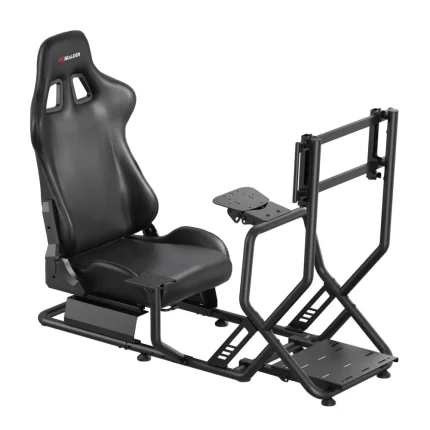
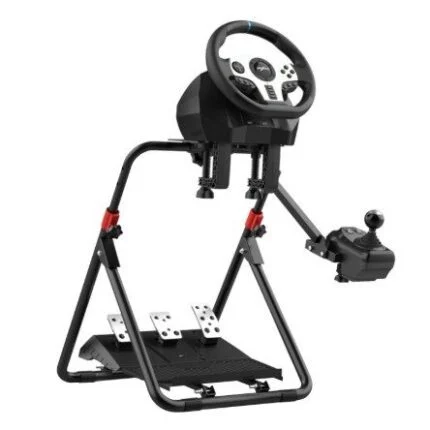
Secure the wheel with its built-in clamps or bolt it to a compatible racing rig. Connect the pedals and power adapter to the wheel, then connect the wheel by USB. For Windows setup and wheel settings, use Logitech G HUB. Check that your game supports the G29 on your platform.
| Brand | Logitech G |
|---|---|
| Model | G29 Driving Force |
| Colour | Black |
| Console platforms | PlayStation 5 and PlayStation 4 |
| PC platform | Windows 10 or Windows 11 with a USB port |
| Games | Requires a game that supports this wheel on the chosen platform |
| Steering travel | Up to 900° |
|---|---|
| Force feedback | Dual-motor system with helical gears, rated at 2.3 Nm by Logitech |
| Wheel covering | Hand-stitched leather |
| Shift paddles | Stainless steel |
| Face controls | PlayStation buttons, directional pad, 24-position dial and RPM indicator lights |
| Wheel size | 270 mm high with a 260 × 278 mm footprint |
| Wheel base weight | 2.25 kg |
| Steering sensor | Hall effect |
| Mounting | Built-in clamps and hard-mount points |
| Pedals | Throttle, brake and clutch |
|---|---|
| Brake | Nonlinear response |
| Pedal faces | Brushed stainless steel |
| Grip | Rubber feet and retractable carpet grip |
| Pedal base size | 167 mm high with a 311 × 428.5 mm footprint |
| Pedal base weight | 3.1 kg |
| Host connection | Wired USB 2.0 |
|---|---|
| Wheel USB cable | 1.8 m |
| Pedal connection | DB9 to wheel base |
| Pedal cable | 1.8 m |
| Power adapter output | 24 V DC, 1.75 A |
| Windows setup | Logitech G HUB |
| Listed contents | Steering wheel, three-pedal base, power adapter and user documentation |
|---|
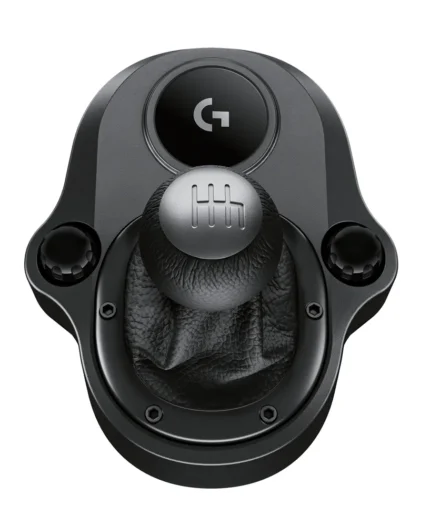
Check your game for wheel support before buying. Logitech’s Driving Force Shifter is sold separately.
Use official support resources for this product. Each link opens in a new tab.
Use Logitech’s official G HUB page for G29 setup and wheel settings on Windows 10 or Windows 11. Choose the Windows download.
Open official support (opens in a new tab)Open the exact G29 support page for platform requirements, wheel and pedal connections, and package details.
Open official support (opens in a new tab)Help other shoppers by sharing an honest review.
Write a reviewYou are offline. Reconnect to check prices and shop.
Reviews
There are no reviews yet.