
Elgato Stream Deck desktop app
Choose your operating system and select Stream Deck. The app configures the Neo’s keys and manages available firmware updates.
Open official support (opens in a new tab)Checking which support options are available…
Who would you like help from?
Enter your name to begin your live chat with an online consultant.
What can we help you with?
Your details are used only to respond. MatzoBot requests are securely passed to the MatzoTech team.
Your request has been emailed to MatzoTech. A consultant will reply using the email address or mobile number you supplied.

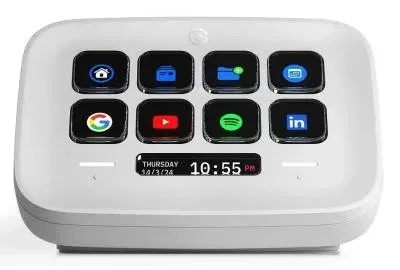
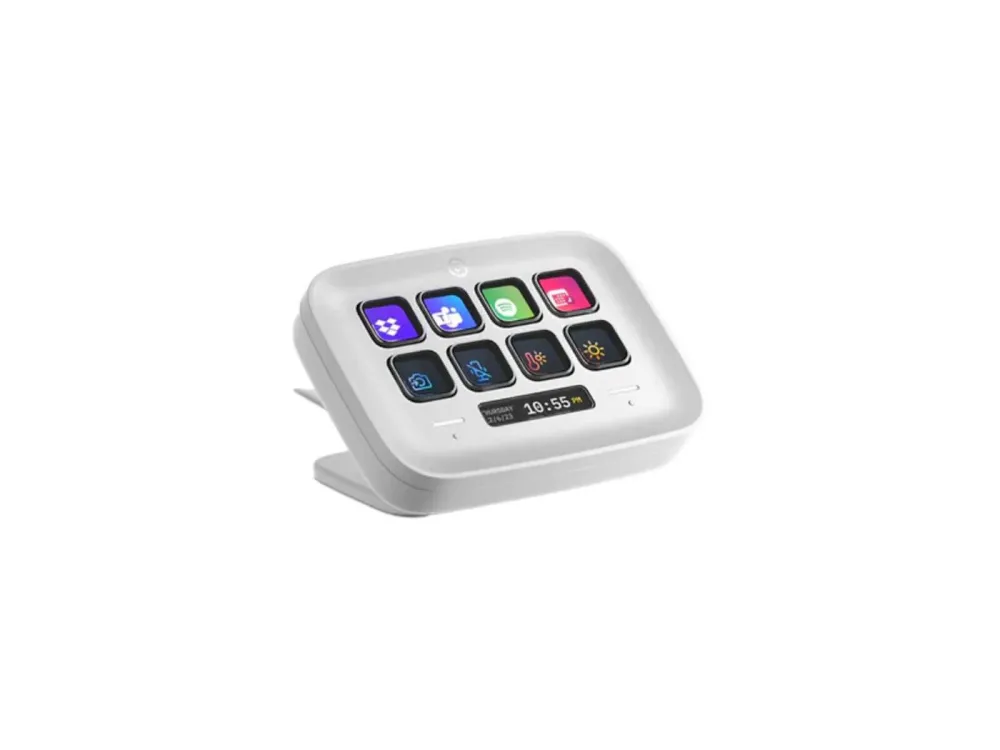
White Elgato Stream Deck Neo 10GBJ9901 with eight customisable LCD keys, two touch page controls, an Infobar and a fixed 90 cm USB-C cable.
R2,679.00
Supplier has stock — 1 avail
Clear fulfilment, warranty and payment details.
Official manufacturer overview
Elgato Workshop · Elgato’s guide shows the Stream Deck Neo stand, keys and page controls. The software screens may differ from current versions.
Play to load this video from YouTube.
Elgato Stream Deck Neo · 10GBJ9901
Give the controls you use most a place on your desk. The white Stream Deck Neo has eight programmable LCD keys, two touch controls for turning pages and a small Infobar for at-a-glance information. Set up a page for calls, one for editing and another for your stream, then switch layouts without changing windows.
Set up your keys
Use the Stream Deck desktop app to drag actions onto the keys and give them icons you recognise. Open a frequently used app, send a keyboard shortcut or assign a mute control where your app or plugin supports it. A Multi Action can put a sequence of commands behind one key.
Pages and Infobar
Use the touch controls to move between pages or group related actions in folders. Set up the Infobar to show information such as the time while you work. Profiles let you keep separate layouts for jobs such as editing, streaming and taking calls.
On your desk
The integrated stand has three positions. Connect the fixed braided cable directly to a USB-C data port, then install the Stream Deck desktop app for your operating system. Plugins, icons and ready-made profiles are available through Elgato Marketplace.
| Brand | Elgato |
|---|---|
| Model | Stream Deck Neo |
| Manufacturer part number | 10GBJ9901 |
| Finish | White |
| Action keys | 8 customisable LCD keys |
| Page controls | 2 touch points |
| Status display | Customisable LCD Infobar |
| Host connection | USB 2.0 Type-C data port or later |
|---|---|
| Cable | Fixed 90 cm braided USB-C cable |
| Stand | Integrated, three positions |
| Published dimensions | 107 × 26 × 78 mm |
| Weight | 210 g |
| Desktop app | Elgato Stream Deck |
|---|---|
| Current app requirements | Windows 11 (64-bit, Intel or AMD) or macOS Ventura 13 or later |
| Earlier systems | Older Stream Deck app releases had different requirements. Check Elgato’s release notes before relying on Windows 10 or macOS 12. |
| Firmware | Managed from the Stream Deck app when an update is offered |
| In the box | Stream Deck Neo with fixed USB-C cable |
Connect directly to a USB-C data port as directed in the quick-start guide. Available controls vary by app and installed plugin.
Use official support resources for this product. Each link opens in a new tab.
Choose your operating system and select Stream Deck. The app configures the Neo’s keys and manages available firmware updates.
Open official support (opens in a new tab)Help other shoppers by sharing an honest review.
Write a reviewYou are offline. Reconnect to check prices and shop.
Reviews
There are no reviews yet.