
j5create JUA161C setup and Android app
Open the exact adapter instructions and follow the manufacturer’s link to the Android display app. Check install compatibility on the phone you intend to use.
Open official support (opens in a new tab)Checking which support options are available…
Who would you like help from?
Enter your name to begin your live chat with an online consultant.
What can we help you with?
Your details are used only to respond. MatzoBot requests are securely passed to the MatzoTech team.
Your request has been emailed to MatzoTech. A consultant will reply using the email address or mobile number you supplied.

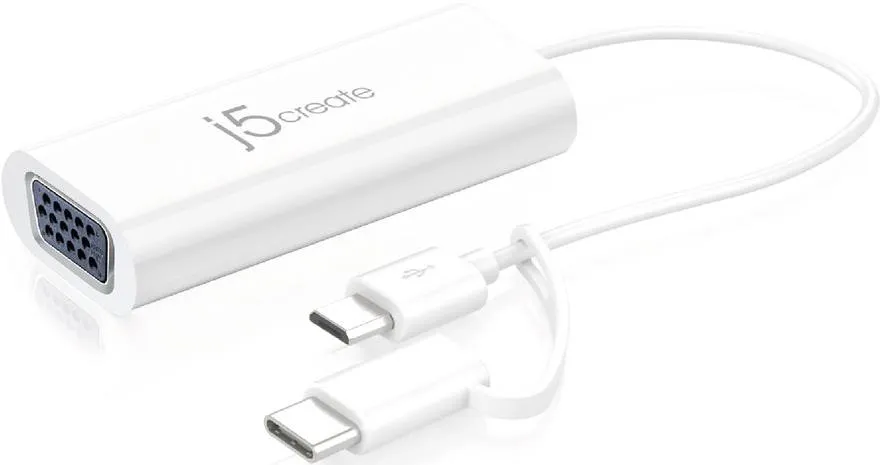

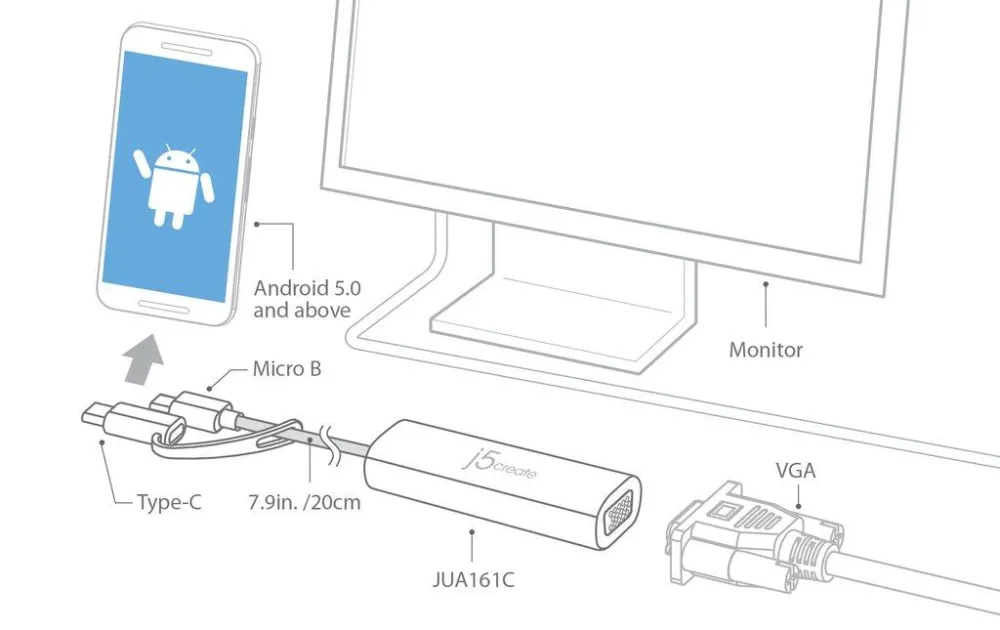
j5create JUA161C Android display adapter with USB Micro-B or USB-C input, VGA output and up to 1080p at 60 Hz. Requires the j5 app.
R609.00
In Stock with Supplier 2 — 4 avail
Clear fulfilment, warranty and payment details.
j5create JUA161C | Android to VGA
The JUA161C sends a compatible Android device’s screen to a VGA monitor or projector. It has USB Micro-B and USB-C host plugs, a female VGA output and a manufacturer app for setup. The display can run at up to 1,920 × 1,080 at 60 Hz when supported.
Setup
Install the j5 Display Adapter app on a supported phone or tablet, plug the matching USB connector into it and connect the VGA cable from the display. Allow the app to start screen sharing when Android prompts for it.
Display modes
The maker documents Video and Text modes. For documents and presentations, choose the Text mode. Power comes from the Android host and usage time depends on the host and mode.
Physical fit
The ABS enclosure is 68 × 26 × 15 mm and the product weighs about 22 g. Check both the host’s physical port and the display’s VGA input before buying.
| Model | JUA161C |
|---|---|
| Host connectors | USB Micro-B and USB-C |
| Display output | VGA socket |
| Maximum output | 1,920 × 1,080 at 60 Hz |
| Manufacturer minimum OS | Android 5.0, subject to device and current app installation support |
|---|---|
| Required app | j5 Display Adapter |
| Modes | Video and Text |
| Power | USB bus-powered, up to 300 mA |
| Housing | ABS plastic |
|---|---|
| Main body | 68 × 26 × 15 mm |
| Attached cable | 150 mm |
| Product weight | Approximately 22 g |
| Supplied | Adapter and quick installation guide |
Check that the j5 Display Adapter app installs on your specific phone or tablet before relying on the adapter.
Use official support resources for this product. Each link opens in a new tab.
Open the exact adapter instructions and follow the manufacturer’s link to the Android display app. Check install compatibility on the phone you intend to use.
Open official support (opens in a new tab)Help other shoppers by sharing an honest review.
Write a reviewYou are offline. Reconnect to check prices and shop.
Reviews
There are no reviews yet.