
Official MF293N user guides
Choose the applicable country or region and MF293N user guide. Match the supplied router and operator firmware before following model-specific instructions.
Open official support (opens in a new tab)Checking which support options are available…
Who would you like help from?
Enter your name to begin your live chat with an online consultant.
What can we help you with?
Your details are used only to respond. MatzoBot requests are securely passed to the MatzoTech team.
Your request has been emailed to MatzoTech. A consultant will reply using the email address or mobile number you supplied.

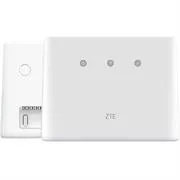
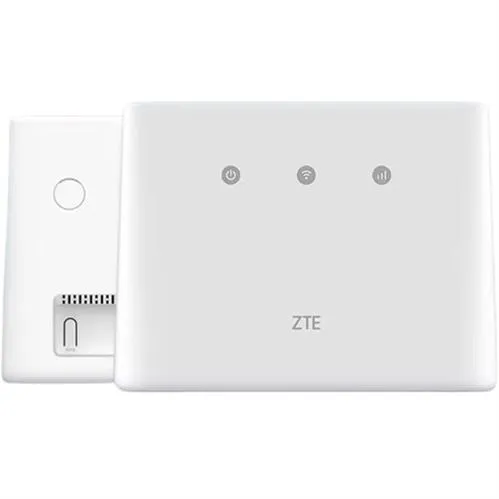
ZTE MF293N 4G LTE Wi-Fi router with nano-SIM setup, Ethernet connectivity and browser-based settings. Retail box; one-year limited warranty.
R1,399.00
Supplier has stock — 1 avail
Clear fulfilment, warranty and payment details.
ZTE MF293N · 4G LTE router
The ZTE MF293N shares a mobile-data connection through Wi-Fi or its Ethernet connection. Insert a suitable nano-SIM, connect the power adapter and use the settings printed on the device label to get started. This MF293N1 offer retains its retail-box packaging and one-year limited warranty.
Mobile connection
The MF293N guide uses a nano-SIM card and an external power adapter. The label supplies the initial Wi-Fi name, Wi-Fi key and device-management details. Confirm that your SIM, mobile plan and network are suitable for the supplied router; coverage and service availability depend on your provider.
Wi-Fi and Ethernet
Connect your device to the router’s Wi-Fi network, or use an RJ45 network cable with the WAN/LAN port. ZTE also documents Cable Broadband Mode for a compatible wired broadband service, using the provider’s connection settings. Operation modes and network services depend on the supplied firmware and provider.
Local control
Use a browser and the management address printed on the router label to change the Wi-Fi name, password and other settings. The WPS button provides a supported-client connection method; the front indicators identify power, Wi-Fi and mobile-network status.
Connections and installation
The MF293N reference layout includes two external-antenna connections, a WAN/LAN port, a PHONE port and a power connection. Telephone service requires suitable operator and firmware support. Check the supplied unit and provider requirements before selecting antennas or planning voice service.
| Brand | ZTE |
|---|---|
| Model | MF293N |
| Catalogue code | MF293N1 |
| Product type | 4G LTE Wi-Fi router |
| Packaging | Retail box, as listed |
| Offer warranty | One-year limited warranty, as listed |
| SIM format | nano-SIM |
|---|---|
| Client connections | Wi-Fi or RJ45 Ethernet connection |
| Network port | WAN/LAN port |
| Wired broadband mode | Cable Broadband Mode documented; requires compatible service and provider settings |
| Device management | Browser-based configuration using the device-label address and login |
| Wireless setup control | WPS button for supported clients |
| Status indicators | Power, Wi-Fi and mobile-network status |
| External antenna connections | Two connections shown in the MF293N reference layout |
| Telephone connector | PHONE port; service depends on operator and firmware support |
| Power connection | External power adapter; match the supplied unit rating |
Use official support resources for this product. Each link opens in a new tab.
Choose the applicable country or region and MF293N user guide. Match the supplied router and operator firmware before following model-specific instructions.
Open official support (opens in a new tab)Help other shoppers by sharing an honest review.
Write a reviewYou are offline. Reconnect to check prices and shop.
Reviews
There are no reviews yet.