
Optics
Frame a defined stretch of ground
Choose the mounting point for the 4 mm lens and set the bracket angle by hand. This variant has a 75.1° horizontal field of view and records a 4 MP stream.
Checking which support options are available…
Who would you like help from?
Enter your name to begin your live chat with an online consultant.
What can we help you with?
Your details are used only to respond. MatzoBot requests are securely passed to the MatzoTech team.
Your request has been emailed to MatzoTech. A consultant will reply using the email address or mobile number you supplied.

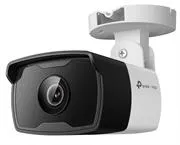
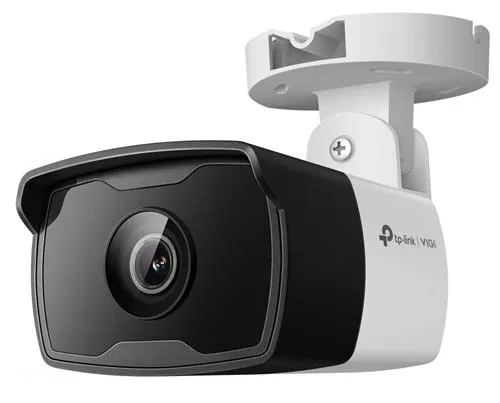
TP-Link VIGI C340I 4 mm outdoor IR bullet camera with 4 MP video, a 75.1° horizontal view, IP67 housing and PoE or 12 V DC. Retail box with a 1-year warranty.
R979.00
Supplier has stock — 1 avail
Clear fulfilment, warranty and payment details.
Official manufacturer overview
TP-Link Global Support · VIGI outdoor IR bullet camera family setup using a C330I body. The listing is for the C340I with a 4 mm lens. Check the exact C340I guide for hardware details.
Play to load this video from YouTube.
TP-Link VIGI C340I 4 mm
The VIGI C340I 4 mm camera brings a fixed view and 2560 × 1440 recording to a wired surveillance installation. Its 75.1° horizontal view covers an entry or path, and infrared illumination keeps the scene visible after dark.
Optics
Choose the mounting point for the 4 mm lens and set the bracket angle by hand. This variant has a 75.1° horizontal field of view and records a 4 MP stream.
Infrared
Built-in infrared lights the scene without visible white lighting. Smart IR helps manage infrared exposure close to the camera.
Alerts
Configure line-crossing or area alerts and use human and vehicle classification to focus attention on the movement that matters to the site.
Wired installation
An Ethernet run can carry data and power from compatible PoE equipment. The camera also supports 12 V DC when the network connection and power supply are run separately.
The photograph shows the C340I body. Check the lens and hardware version on the carton or camera label before selecting firmware.
| Brand | TP-Link VIGI |
|---|---|
| Model | C340I |
| Sensor | 1/3-inch progressive-scan CMOS |
| Lens | Fixed 4 mm, f/2.2, M12 mount |
| Field of view (H × V × D) | 75.1° × 41.5° × 88.7° |
| DORI reference distances (detect / observe / recognise / identify) | 80 m / 33 m / 16 m / 8 m |
| Maximum resolution | 2560 × 1440 (4 MP) |
|---|---|
| Main-stream codecs | H.265+, H.265, H.264+ and H.264 |
| Sub-stream codecs | H.265 and H.264 |
| Illumination | Infrared LEDs, 850 nm |
| Image adjustment | Smart IR, digital WDR and 3D noise reduction |
| Audio | No built-in microphone or speaker |
| Recording storage | Use a compatible network recorder or recording client |
| Network interface | 10/100 Mbps RJ45 Ethernet |
|---|---|
| Protocols | ONVIF and RTSP |
| Power | PoE (IEEE 802.3af/at, Class 0) or 12 V DC |
| Housing | IP67-rated plastic enclosure |
| Operating temperature | −30 to 60 °C |
| Packaging | Retail box |
|---|---|
| Warranty | 1 year |
The photograph shows the C340I body. Check the lens and hardware version on the carton or camera label before selecting firmware.
Use official support resources for this product. Each link opens in a new tab.
This South African lens-specific page lists V1.20 resources. Use manuals and firmware only for the hardware version printed on the camera label.
Open official support (opens in a new tab)Help other shoppers by sharing an honest review.
Write a reviewYou are offline. Reconnect to check prices and shop.
Reviews
There are no reviews yet.