Official manufacturer overview
Set up and mount the Deco X50-Outdoor
TP-Link Global Support · TP-Link shows app setup and mounting using the Deco X50-Outdoor. The guide applies to the model. Check the label for your hardware revision before selecting firmware.
Play to load this video from YouTube.
TP-Link Deco X50-Outdoor | One unit
Bring your Deco mesh out into the open
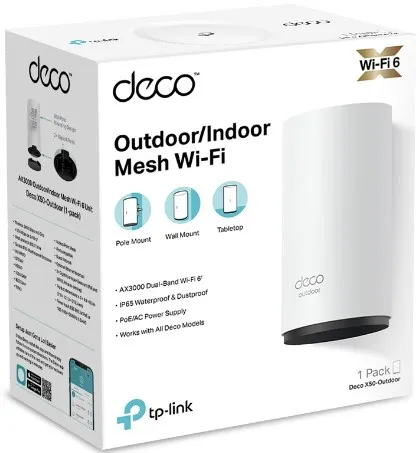
Extend a Deco network to a patio or courtyard with one Deco X50-Outdoor unit. The enclosure is rated IP65, and a compatible Power over Ethernet source can carry power and network data on one cable. Wall, pole and tabletop setups are supported.

Inside and outside
Add an outdoor access point to your Deco network
Add this unit to other Deco models through the Deco app. Choose a wired Ethernet connection or use a wireless link to another Deco. A wired link avoids depending on the wireless signal through the wall. You can also set the Deco to router or access point mode.
Installation
Choose a wall, pole or tabletop position
The IP65 enclosure suits outdoor installation when the cable seals and cover are fitted as shown in the mounting instructions. The one-unit pack includes mounting hardware, an Ethernet cable and an AC cord.
Network and power
Run one cable with a suitable PoE source
Use a compatible IEEE 802.3at PoE switch or injector for power and data on the same cable. The two gigabit ports automatically detect WAN or LAN roles. AC power is an option where a suitable outlet is available.
Radio and controls
Set up Wi-Fi and manage it in the Deco app
The 5 GHz band is rated up to 2,402 Mbps and the 2.4 GHz band up to 574 Mbps. These are link rates. Client capability and installation conditions affect actual throughput. The app also provides guest networking and HomeShield controls, with some features depending on the plan and region.
Reviews
There are no reviews yet.