
Logi Options+ for Spotlight 2
Choose Windows 10 or later or macOS 14 or later to configure Spotlight 2 highlighting, shortcuts and device updates.
Open official support (opens in a new tab)Checking which support options are available…
Who would you like help from?
Enter your name to begin your live chat with an online consultant.
What can we help you with?
Your details are used only to respond. MatzoBot requests are securely passed to the MatzoTech team.
Your request has been emailed to MatzoTech. A consultant will reply using the email address or mobile number you supplied.

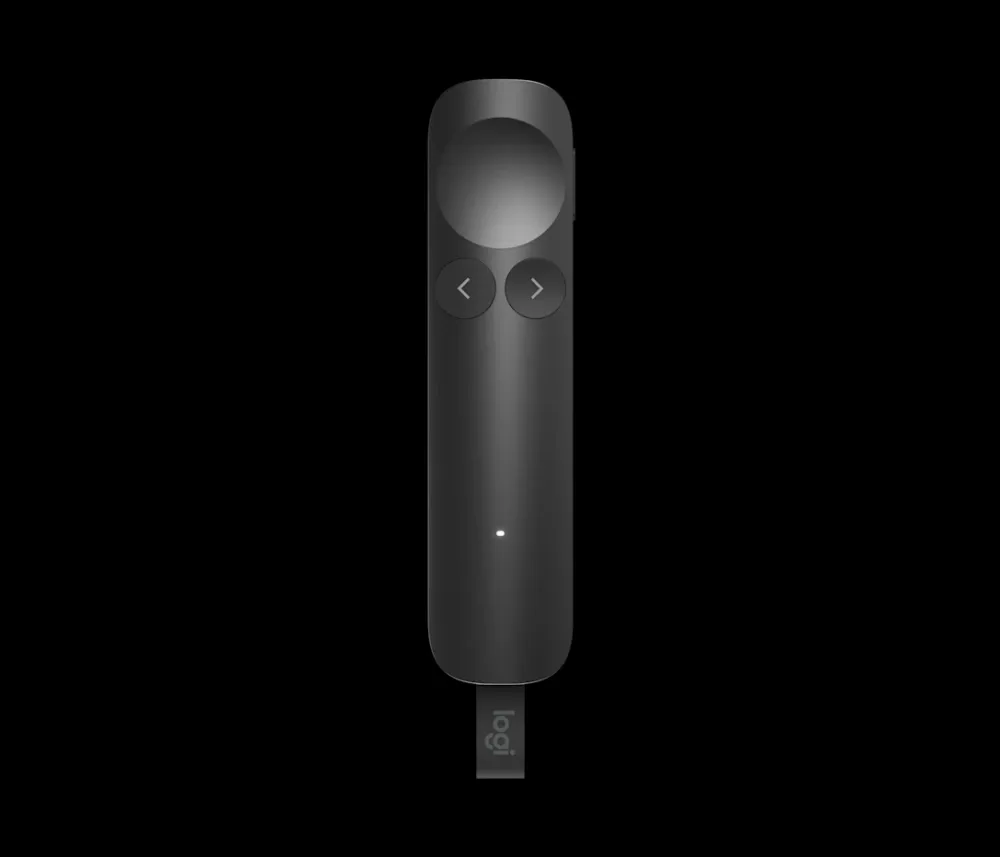
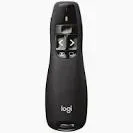
Graphite Logitech Spotlight 2 remote with haptic feedback, digital and laser pointing, Bluetooth and a stowed Logi Bolt USB-C receiver.
R2,599.00
Supplier has stock — 1 avail
Clear fulfilment, warranty and payment details.
Official manufacturer overview
Logitech · Logitech introduces the Spotlight 2 remote and demonstrates its presentation controls.
Play to load this video from YouTube.
LOGITECH SPOTLIGHT 2 · GRAPHITE
Spotlight 2 puts slide navigation, highlighting and a programmable shortcut within reach of one hand. Use the digital pointer to bring a small detail into focus for remote viewers, or switch to the physical laser when everyone is in the room. The graphite remote pairs over Bluetooth or connects through its stowed Logi Bolt USB-C receiver.
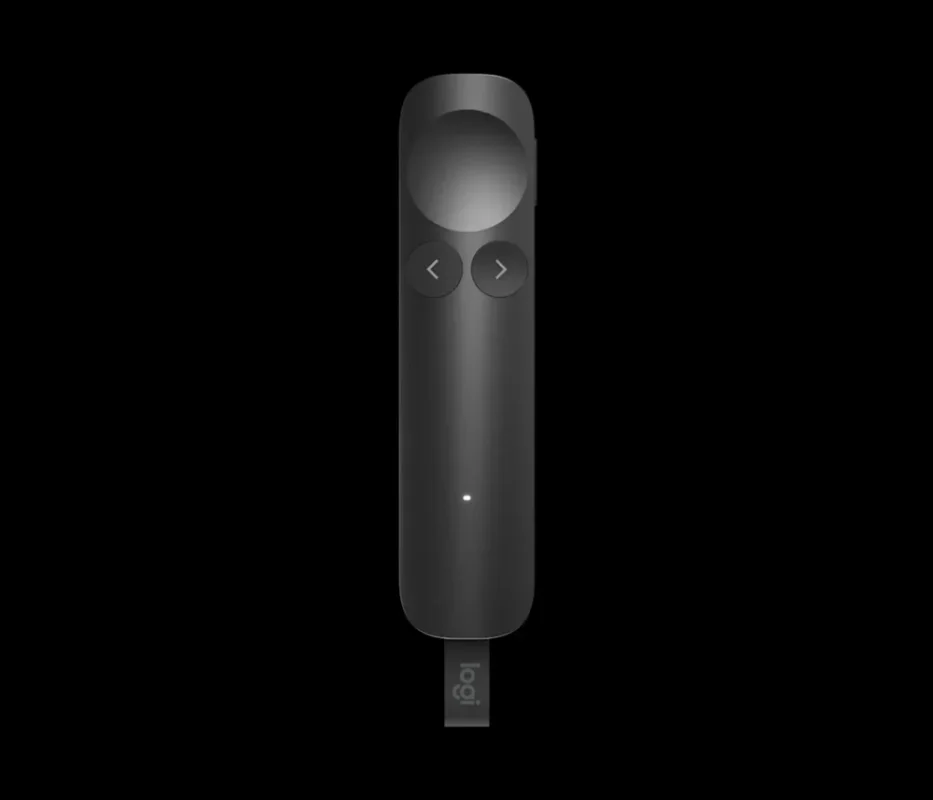
ON-SCREEN TOOLS
Isolate one region of a slide with Spotlight or Squarelight, zoom in with Magnify, or mark a point with Annotate. The digital pointer and advanced effects run through Logi Options+ on a supported Windows PC or Mac.
TACTILE CONTROLS
A vibration confirms when you press the highlight button. The side action button can take a shortcut you often use during a talk, such as starting or pausing playback. Assign it in Logi Options+.
WIRELESS SETUP
The included Logi Bolt USB-C receiver slots into the remote for travel. Plug it into an available USB-C port or use Bluetooth Low Energy pairing. Logitech specifies up to 30 m of range with an open line of sight, with actual reach depending on the room and computer setup.
CHARGING
Charge the replaceable battery through the remote’s USB-C port using a separately sold cable. Logitech rates a full charge for up to 90 days and a one-minute top-up for up to three hours of use, depending on how and where you present.
| Manufacturer | Logitech |
|---|---|
| Model | Spotlight 2 |
| Part number | 910-007672 |
| EAN | 5099206135833 |
| Colour | Graphite |
| Body material | Aluminium |
| Presenter dimensions | 125 × 30 × 13.5 mm without receiver; 145 × 30 × 13.5 mm with receiver |
| Presenter weight | 52.5 g without receiver; 54 g with receiver |
| Receiver dimensions | 40.3 × 13.6 × 7 mm including pull tab |
| Receiver weight | 1.5 g |
| Buttons | Next, Back, Highlight and side Action button |
|---|---|
| Feedback | Haptic vibration and status LED |
| Sensors | Pressure and gyroscope |
| Pointers | Physical laser and software-enabled digital pointer |
| Physical laser | Class 1; maximum output 0.3 mW; wavelength 635 nm |
| Digital effects | Spotlight, Squarelight, Magnify and Annotate via Logi Options+ |
| Connection modes | Logi Bolt USB-C receiver or Bluetooth Low Energy |
|---|---|
| Range | Up to 30 m in open line of sight; environment and computer setup affect range |
| Battery | 100 mAh rechargeable lithium-polymer; replaceable |
| Rated battery life | Up to 90 days per charge, depending on usage and operating conditions |
| Quick charging | Up to three hours of use after a one-minute charge |
| Charging port | USB-C, cable sold separately |
| With receiver | Windows 10/11 or later, macOS 14 or later, ChromeOS or Linux; available USB-C port required |
|---|---|
| Over Bluetooth | Windows 10/11 or later, macOS 14 or later, ChromeOS, Linux, Android 14 or later, or iPadOS 17 or later |
| Advanced controls | Logi Options+ for Windows 10 or later or macOS 14 or later; basic functions on other listed systems |
| In the box | Spotlight 2 remote, stowed Logi Bolt USB-C receiver and user documentation |
| Manufacturer warranty | Two-year limited hardware warranty, subject to terms |
Use the digital pointer for an audience viewing a screen share. The physical laser points at the display in the room. Basic slide navigation and the physical laser are available without the app.
Use official support resources for this product. Each link opens in a new tab.
Choose Windows 10 or later or macOS 14 or later to configure Spotlight 2 highlighting, shortcuts and device updates.
Open official support (opens in a new tab)Official Logitech guide covering USB-C receiver setup, Bluetooth pairing, controls, charging and compatibility.
Open official support (opens in a new tab)Help other shoppers by sharing an honest review.
Write a reviewYou are offline. Reconnect to check prices and shop.





Reviews
There are no reviews yet.