
LG · 34U601B-B · 34-INCH ULTRAWIDE
A wider view of the work in front of you.
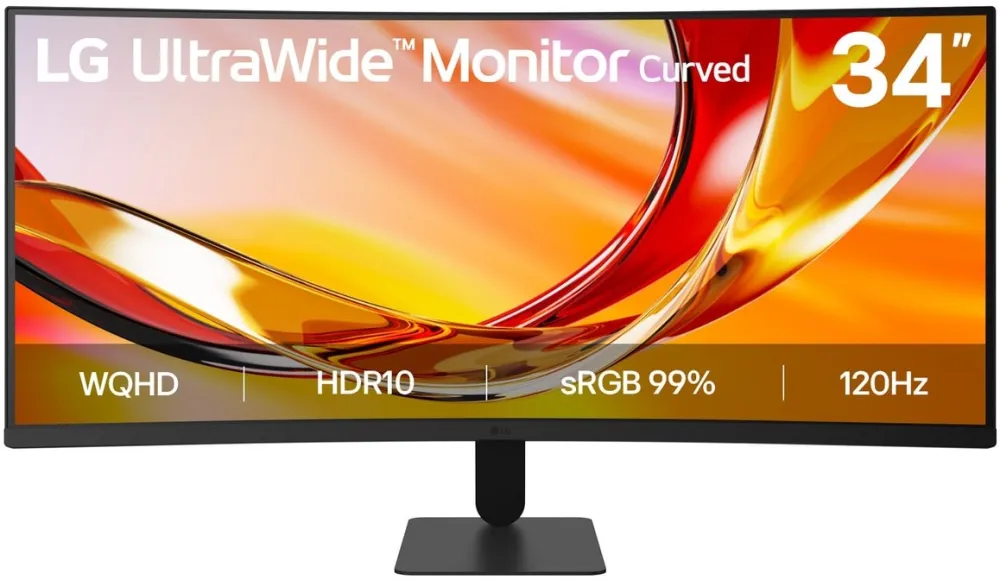
A 34-inch curved UltraWide monitor with 3440 × 1440 WQHD resolution, a 21:9 VA panel and 1800R curvature. The LG 34U601B-B brings a broad desktop, up to 120 Hz refresh, HDR10 compatibility and a tilt stand together for everyday multitasking, content work and supported gaming setups.

A WIDER WORKSPACE
Keep the conversation beside the work.
A 34-inch, 21:9 screen gives documents, timelines and applications room to sit alongside one another. The 3440 × 1440 WQHD resolution adds horizontal workspace without stretching a standard 16:9 desktop. Choose an arrangement that suits the work in front of you, from reference material beside a draft to a wider editing timeline.
1800R CURVED VA DISPLAY
A curved view across the whole desktop.
The VA panel uses an 1800R curve and a three-side virtually borderless design. The curve brings the wide screen’s outer areas around the viewing position, while the anti-glare surface helps manage reflections. Adjust the screen position and room lighting to suit your workspace.
COLOUR AND HDR FORMAT SUPPORT
sRGB coverage, with the brightness clearly stated.
Typical sRGB coverage is 99%, with 8-bit colour, 250 cd/m² typical brightness and 3000:1 typical contrast. HDR10 compatibility lets the monitor handle supported HDR signals. These published brightness and gamut figures describe the display; HDR-format support is separate from colour calibration or an HDR performance certification.
REFRESH AND RESPONSE
Up to 120 Hz, with the right signal path.
At native 3440 × 1440 resolution, the manufacturer’s manual lists up to 100 Hz through HDMI and up to 120 Hz through DisplayPort. The 5 ms grey-to-grey figure applies at the Faster setting; it is separate from refresh rate or total system latency. Select a supported graphics output, cable and display mode to reach the intended setting.
ADAPTIVE SYNC FOR COMPATIBLE SYSTEMS
Keep the display in step with supported graphics.
AMD FreeSync Premium and variable refresh support help match display updates to a compatible graphics source. Dynamic Action Sync and Black Stabilizer provide additional gaming controls. Use a supported graphics connection and choose the display settings that suit the game.
HDMI AND DISPLAYPORT
Two essential video inputs.
Connect through one HDMI 2.0 input or one DisplayPort 1.4 input. Choose the port and cable for the resolution and refresh mode your computer can deliver. The exact model support page provides manuals and applicable software resources; the external power adapter powers the display separately from its video connection.
WORKSPACE AND VIEWING CONTROLS
Arrange the screen around your routine.
LG Switch offers software-based workspace layouts, including arrangements of up to six sections. The model also lists Dual Controller, Reader Mode and Flicker Safe. Reader Mode adjusts the viewing presentation for documents, while Flicker Safe addresses screen flicker. Select the applicable Windows or Mac software from the model support page.
PLAN THE DESK FIT
A tilt stand, or your own VESA mounting plan.
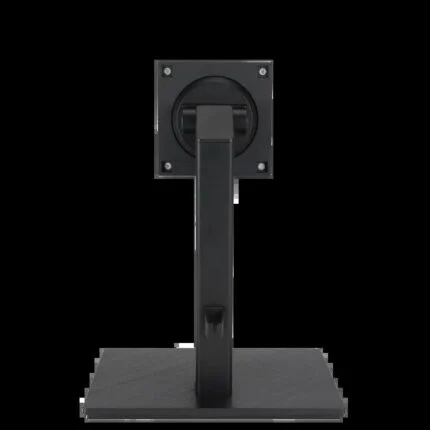
With its stand, the monitor measures 808.5 × 457.7 × 240 mm and weighs 6.2 kg. The stand tilts from −5° to +20°; height and swivel adjustment are not listed. A 100 × 100 mm VESA pattern provides a mounting option, with the display weighing 5.0 kg without its stand. Match any separate mount to the display’s size, weight and installation requirements.
Reviews
There are no reviews yet.