
Keychron C3 Pro user guide
Official original C3 Pro guide, manual and shortcut resources. Select the original model rather than C3 Pro 8K.
Open official support (opens in a new tab)Checking which support options are available…
Who would you like help from?
Enter your name to begin your live chat with an online consultant.
What can we help you with?
Your details are used only to respond. MatzoBot requests are securely passed to the MatzoTech team.
Your request has been emailed to MatzoTech. A consultant will reply using the email address or mobile number you supplied.

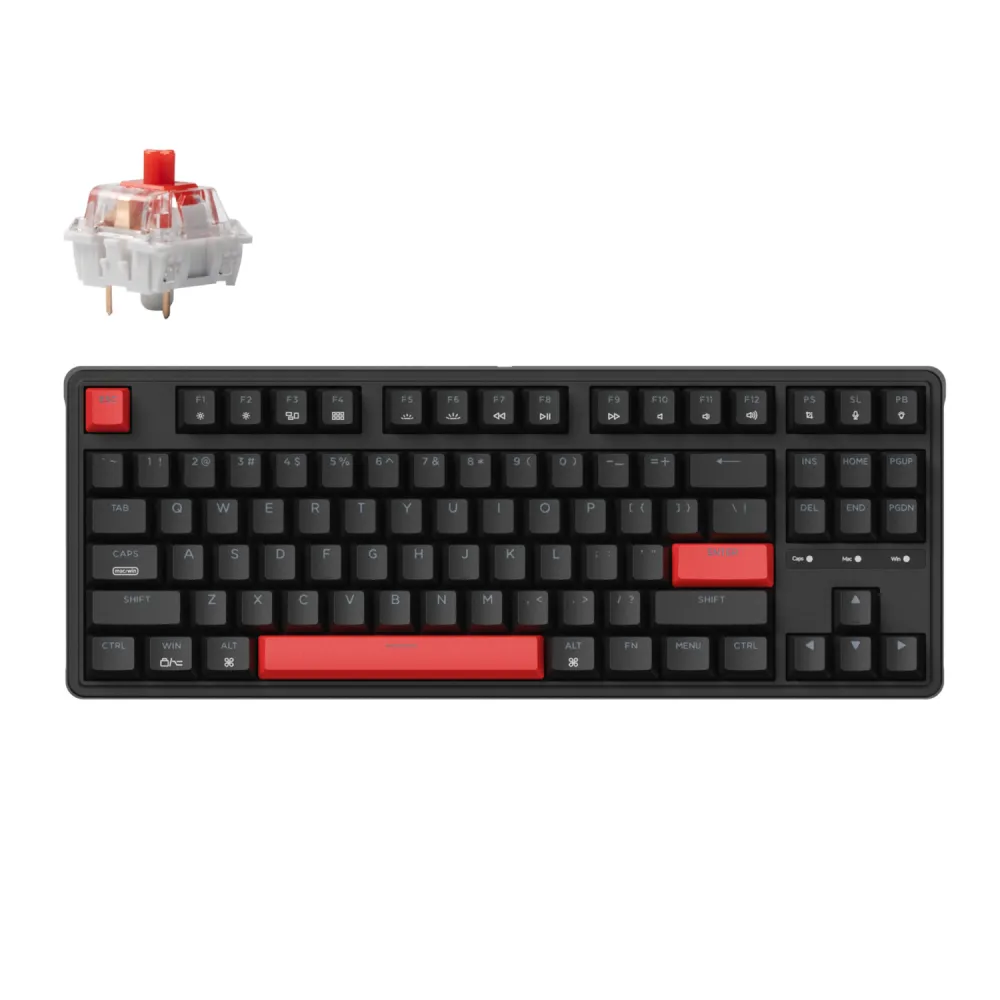
Keychron C3P-A1 wired tenkeyless mechanical keyboard with Red switches, red backlighting, QMK/VIA programming, gasket structure and 1000 Hz polling.
R949.00
Supplier has stock — 10 avail
Clear fulfilment, warranty and payment details.
Keychron • C3 Pro C3P-A1 • Red switches
The C3P-A1 is the original wired C3 Pro with Keychron mechanical Red switches, red backlighting and an 80% tenkeyless layout. It keeps the function row, navigation cluster and arrow keys while removing the number pad. QMK/VIA programming, a gasket-mounted steel plate and shine-through ABS keycaps provide a practical starting point for a personalised desk setup.
Layout and switches
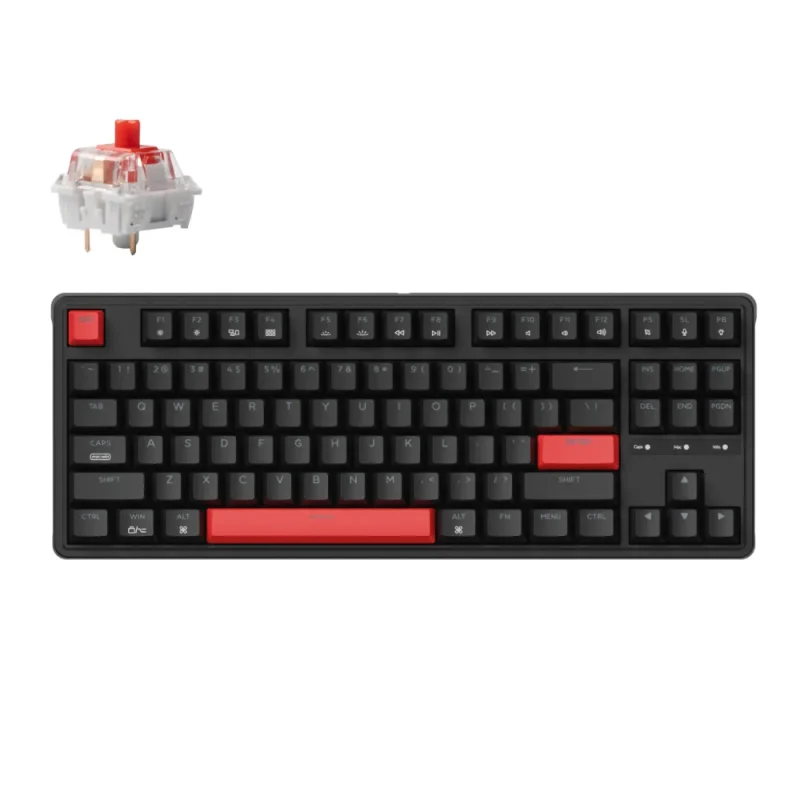
The tenkeyless layout retains the navigation and arrow keys without a separate numeric pad. This C3P-A1 configuration has Keychron mechanical Red switches and a black case with red accent keys. The manufacturer describes the switches as factory pre-lubricated, excluding clicky switch types. This is the original red-backlit C3 Pro, so RGB and 8K features from other C3 versions should not be assumed.
Gasket structure
The steel plate sits within a gasket-mount structure, accompanied by sound-absorbing and case foam. These materials influence the typing feel and reduce resonance, while plate-mounted stabilisers support the larger keys. Sound and feel also depend on the desk surface and typing style; the construction is not a guarantee of silence.
QMK and VIA
QMK firmware and VIA support let you remap keys and create macros. The guide defines Mac layers 0 and 1 and Windows layers 2 and 3, with FN + CAPS switching between the two system layouts. If VIA does not recognise the keyboard, use the manufacturer’s exact ANSI red-backlight keymap instructions. Select files for this original model rather than RGB, ISO, JIS or C3 Pro 8K variants.
Keycaps and lighting
OEM-profile double-shot ABS keycaps allow the north-facing red LEDs to illuminate their legends. More than fourteen red lighting modes and side lighting provide different effects. FN + Q cycles effects, FN + TAB toggles lighting, and FN + W or FN + S adjusts brightness. The lighting remains red; it is not per-key RGB.
Connection and response
A USB Type-A-to-Type-C cable connects the keyboard to the computer, with three cable-routing directions under the case. The 1000 Hz polling specification describes the keyboard’s USB report rate rather than an end-to-end input-lag measurement. N-key rollover is supported and enabled by default in the guide; FN + N switches between six-key and N-key rollover.
Positioning and package
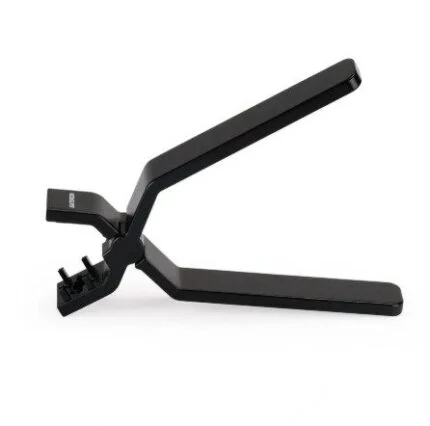
The feet provide 4°, 6° and 8.7° typing angles, and the listed weight is 912 ±10 g. The package is listed with the keyboard, USB cable and a two-in-one keycap/switch puller; extra system keycaps and documentation are also listed in the manufacturer’s guide, with pack contents subject to regional variation. A puller does not establish hot-swap capability: check the switch-mount design before attempting switch removal. The listed warranty is twelve months, subject to applicable local terms.
| Model | Keychron C3 Pro |
|---|---|
| SKU | C3P-A1 |
| GTIN | 4894979013545 |
| Layout | 80% tenkeyless; ANSI red-backlight variant |
| Switches | Keychron mechanical Red |
| Finish | Black with red accent keys |
| Connection | Wired USB Type-C; Type-A-to-Type-C cable |
| Case | ABS plastic |
|---|---|
| Plate | Steel |
| Mount | Gasket mount with acoustic/case foam |
| Stabilisers | Plate-mounted |
| Keycaps | OEM-profile shine-through double-shot ABS |
| Polling | 1000 Hz, wired |
| Rollover | NKRO; guide default NKRO with FN + N six-key/NKRO toggle |
| MCU | ARM Cortex-M4 32-bit STM32F402RC; 256 KB flash |
| Backlight | North-facing red LED; not RGB |
|---|---|
| Effects | 14+ red lighting modes and side lights |
| Programming | QMK / VIA; use exact ANSI red-backlight files |
| System switch | FN + CAPS: Mac / Windows |
| System compatibility | macOS / Windows; manufacturer product page also lists Linux |
| Guide layers | Mac 0/1; Windows 2/3 |
| Variant caution | Do not substitute C3 Pro RGB/ISO/JIS or C3 Pro 8K firmware |
| Front height with keycaps | 31.8 mm |
|---|---|
| Typing angle | 4° / 6° / 8.7° |
| Weight | 912 ±10 g |
| Operating environment | −10°C to 50°C |
| Listed package | Keyboard, Type-A-to-Type-C cable, combined keycap/switch puller; guide also lists extra keycaps and documentation |
| Warranty | 12 months listed; applicable local conditions apply |
| Switch replacement | Confirm switch-mount design before removal; included puller is not a hot-swap guarantee |
| Dimensions | 364.5 × 129.3 mm; rear height 41.5 mm including keycaps |
Use the original ANSI red-backlight support files and confirm switch-mount design before attempting switch replacement.
Use official support resources for this product. Each link opens in a new tab.
Official original C3 Pro guide, manual and shortcut resources. Select the original model rather than C3 Pro 8K.
Open official support (opens in a new tab)Official S/C Pro support selector. Use C3 Pro ANSI red-backlight files for this variant; follow manufacturer instructions and do not flash a working keyboard unnecessarily.
Open official support (opens in a new tab)Compare 2–5 products side by side
Help other shoppers by sharing an honest review.
Write a reviewYou are offline. Reconnect to check prices and shop.

Reviews
There are no reviews yet.