

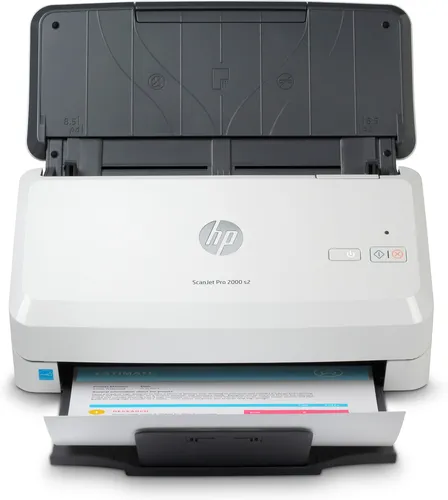
HP ScanJet Pro 2000 s2 Sheet-Feed Scanner
HP ScanJet Pro 2000 s2 sheet-feed scanner with 50-sheet feeder, USB 3.0 and single-pass two-sided scanning.
R7,489.00
In Stock with Supplier 2 — 3 avail
Key product details
Full specifications below- Upc: 193808948459
- Gtin: 193808948459
- Brand: Hp
Delivery & support
Clear fulfilment, warranty and payment details.
- Availability In Stock with Supplier 2 — 3 avail In Stock with Supplier 2 — 3 avail
- Delivery Nationwide courier delivery or collection from Strand, Cape Town. Courier nationwide or Strand collection
- Dispatch Backorder — usually dispatched in 2–3 working days after payment verification, subject to supplier confirmation. Backorder — usually dispatched in 2–3 working days after payment verification, subject to supplier confirmation.
- Warranty Manufacturer warranty applies where stated on the product page. As stated on this page
- Returns See our Returns Policy for eligible change-of-mind and faulty goods procedures. See Returns Policy
- Secure payment PayFast checkout with card, Instant EFT, and Mobicred. PayFast · card · EFT · Mobicred
HP SCANJET PRO 2000 S2
Turn double-sided paper into a single scan job
Load a stack into the 50-sheet feeder and capture both sides as each sheet passes through. Save batches to a computer as searchable PDFs or use image files for originals that need individual handling.
BATCH SCANNING
Keep the two sides in order
Single-pass duplex scanning captures both sides during the same feed. The ADF handles cut sheets, business cards and suitable long originals within HP's limits.
DESK SETUP
Allow space for both trays
The folded scanner is 172 mm deep. Keep space in front for the open paper path and connect the scanner to the computer over USB.
FILES
Set a format for each document job
Choose searchable PDF for text retrieval or image formats for graphics and photos. On compatible computers, HP Scan shortcuts can call up a preselected workflow.
Specifications
Scanning
| Part number | 6FW06A |
|---|---|
| Type | Colour sheet-feed CIS scanner with single-pass duplex ADF |
| Rated speed | Up to 35 ppm / 70 ipm at 300 ppi |
| Hardware resolution | 600 × 600 dpi; up to 1,200 ppi software output |
| Bit depth | 24 bit external, 48 bit internal |
Originals
| ADF capacity | 50 sheets |
|---|---|
| ADF minimum and maximum | 50.8 × 50.8 to 216 × 3,100 mm, subject to feed mode and media |
| Paper weight | 40–210 g/m² |
| Card support | Suitable plastic cards up to 1.24 mm |
Connection and software
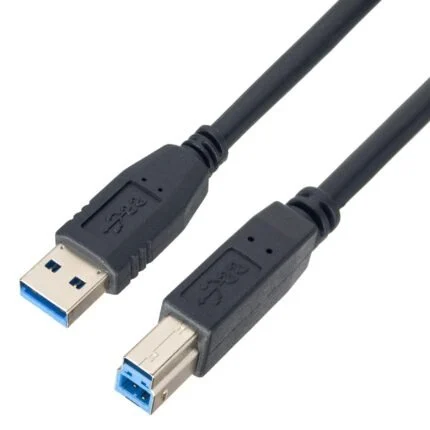
| Connection | USB 3.0 |
|---|---|
| Operating systems listed by HP | Windows 11/10/8.1/7, macOS 10.13–10.15, Linux and Citrix. Confirm drivers for your version. |
| Scan interfaces | Windows TWAIN 2.1, WIA and ISIS. HP Easy Scan or ICA with supported Macs. |
| File types | PDF, PDF/A, encrypted PDF, searchable PDF, JPEG, PNG, BMP, TIFF and supported office formats. |
Physical and power
| Size folded | 300 × 172 × 154 mm |
|---|---|
| Maximum size | 300 × 410 × 310 mm |
| Weight | 2.7 kg |
| External adapter input | 90–264 V AC, 50/60 Hz |
| Consumption | 24 W scanning, 4.4 W ready, 1.2 W sleep |

Reviews
There are no reviews yet.