Top of pagePrimary navigation
Flash sale Limited-time prices and current MatzoTech offers Shop offers

HP Poly Studio V12 USB Video Bar No Power Supply

0.0 No reviews yet Write a review
SKU: A9DD8AA
New Supplier has stock — 1 avail

HP Poly Studio V12 A9DD8AA USB video bar for small meeting rooms: 4K 20MP camera, 120° horizontal view, DirectorAI framing, four microphones and stereo speakers. Requires compatible host and separately purchased PoE++ or 65W USB-C power.

R19,869.00

VAT included · Secure checkout

Supplier has stock — 1 avail

Key product details

Full specifications below
  • Mpn: A9DD8AA
  • Brand: Hp
  • Condition: New
Add to wishlist

Delivery & support

Clear fulfilment, warranty and payment details.

  • Availability Supplier has stock — 1 avail Supplier has stock — 1 avail
  • Delivery Nationwide courier delivery or collection from Strand, Cape Town. Courier nationwide or Strand collection
  • Dispatch Ships within 24 hours. Ships within 24 hours
  • Warranty Manufacturer warranty applies where stated on the product page. As stated on this page
  • Returns See our Returns Policy for eligible change-of-mind and faulty goods procedures. See Returns Policy
  • Secure payment PayFast checkout with card, Instant EFT, and Mobicred. PayFast · card · EFT · Mobicred
Ask us a question

HP Poly Studio V12 • A9DD8AA • No power supply

Bring the small meeting room into focus.

The Poly Studio V12 combines a wide-angle 4K camera, four microphones and stereo speakers in a USB video bar for huddle spaces and small meeting rooms. Connect it to a compatible conferencing computer, then choose the framing and audio settings for your room. This A9DD8AA listing excludes the power supply: plan a suitable separately purchased PoE++ source or USB-C power adapter before installation.

HP Poly Studio V12 USB Video Bar No Power Supply
4K UHD20MP camera sensor
120°Horizontal field of view
4 micsUp to 4.57m pickup
PowerPurchased separately

A view built around the room

Wide framing, with people in mind.

The single-lens camera uses a 20MP sensor, fixed focus and up to 5× digital zoom. Its 120° horizontal and 132° diagonal fields of view give small meeting spaces a broad camera view. Poly DirectorAI offers group, people and speaker framing. Select the appropriate mode in supported software; room layout, lighting and the conferencing application influence the result.

Audio for both sides

Four microphones. Two speakers. One conversation.

Four digital MEMS microphones have a manufacturer-listed pickup range of up to 4.57m. Stereo speakers provide 2 × 5W output. Poly NoiseBlockAI and Acoustic Fence offer noise-management tools, with automatic gain control also listed by HP. Microphone reach is an upper specification rather than a guarantee in every acoustic environment.

A USB room peripheral

Keep the meeting on your conferencing computer.

Studio V12 is a USB video bar, connected to a computer or compatible room PC that supports USB cameras. It is not a standalone meeting-room computer. The native Microsoft Teams, Zoom and Google Meet contexts are retained; HP lists Teams and Zoom certification, with current support also listing Google Meet interoperability. Platform features, licences and supported host software determine the available meeting experience.

Separate data and power

Plan the power source before the meeting.

The rear connections include a USB-C host connection, a separate USB-C power input, two USB-A ports and Gigabit Ethernet with PoE++ power support. The exact HP datasheet limits the USB-A ports to mouse and keyboard peripherals; they are not advertised here as general storage or display expansion. A 65W USB-C power adapter or appropriate PoE++ injector/source is purchased separately. Do not assume a laptop’s ordinary USB port can power the bar.

Mount, cover and manage

Set up the room deliberately.

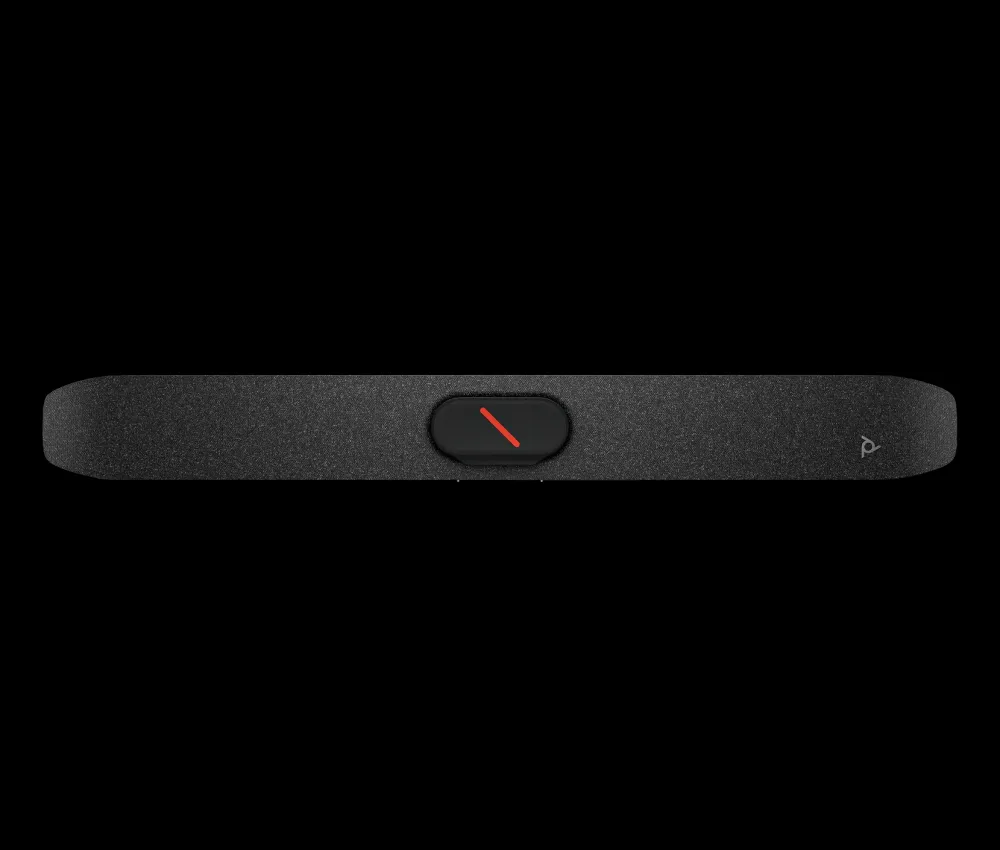
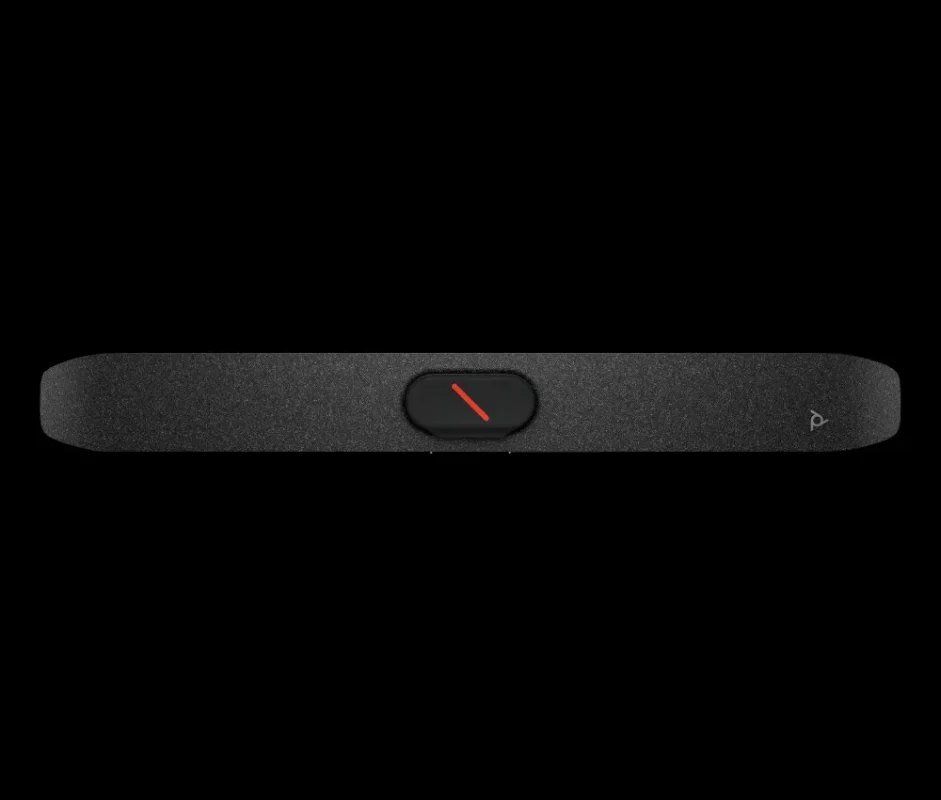
The listed box includes a removable monitor clamp and privacy cap, a 1.83m USB-C cable, a 2m Ethernet cable and the quick-start guide. Optional VESA/wall mounting, table stand and remote accessories are separate purchases. The native local image shows the dark front grille with the camera privacy area covered. Use the removable cap when you want physical lens coverage.

Software with a clear path

Use the exact model’s official support.

HP documents Windows computer deployment using Poly Lens Desktop, and Windows-based Teams or Zoom room deployment using Poly Lens Room. Current HP support includes Studio V12 setup guides and software guidance; product software naming and supported operating systems can change. The Downloads tab provides the verified manufacturer user guide. Consult HP Support for software appropriate to the host and deployment; no driver or firmware package is linked here.

Specifications

Identity and camera

Manufacturer / modelHP Poly Studio V12
Part numberA9DD8AA — no power supply
Product typeUSB video bar for huddle spaces / small meeting rooms; requires compatible host computer
Sensor20MP, single-lens camera
Maximum video resolution4K UHD / 2160p (3840 × 2160)
Video rate30fps in manufacturer quick-start guide
FocusFixed focus
Digital zoomUp to 5×
Horizontal / diagonal field of view120° / 132°
FramingPoly DirectorAI: group, people and speaker framing
PrivacyRemovable lens privacy cap
USB video standardUVC 1.1 and later

Audio

Microphones4 digital MEMS
Pickup rangeUp to 4.57m; room acoustics affect results
Audio processingPoly NoiseBlockAI; Poly Acoustic Fence; automatic gain control
SpeakersStereo; 2 × 5W
Speaker frequency range100Hz to 20kHz
Microphone frequency range120Hz to 20kHz
Speaker sensitivity80dB (1W / 1m)
Signal-to-noise ratio65dB
Microphone expansion3-pin / Mini Phoenix audio connector; compatible expansion accessory and supporting software required

Connections and power

Host USB1 × USB-C, 5Gbps signalling
USB power input1 × USB-C; manufacturer specifies 65W USB power delivery
Peripheral USB2 × USB-A, 5Gbps signalling; HP datasheet limits these ports to mouse and keyboard
Ethernet1 × RJ-45, 10/100/1000Mbps; PoE++ power support
PoE standard802.3bt Class 6 in quick-start guide
WirelessWi-Fi 802.11a/b/g/n/ac; Bluetooth 5.0 (radio-equipped version)
Power supply includedNo
Required power accessoriesSuitable PoE++ source/injector with power cable, or compatible USB-C power adapter with power cable; purchased separately

Deployment and package

CollaborationMicrosoft Teams and Zoom certification; Google Meet interoperability listed by HP support
Host requirementComputer / room PC supporting USB cameras; check current model support and platform requirements
Documented managementPoly Lens; Windows Desktop and Windows-based Teams/Zoom room deployment in manufacturer user guide
Included itemsStudio V12; removable privacy cap; removable monitor clamp; 1.83m USB-C cable; 2m Ethernet cable; quick-start guide
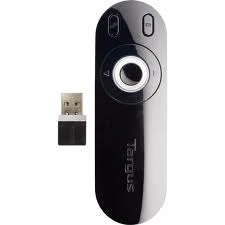
Optional accessoriesPower adapter/injector, remote, VESA/wall mount, table stand and expansion microphone are separate; select compatible model accessories
SecurityKensington standard lock slot

Physical and environmental

DimensionsApproximately 6.68 × 57.65 × 7.8cm (manufacturer datasheet order)
WeightManufacturer sources differ; exact supplied variant weight requires confirmation
Operating temperature0°C to 40°C
Operating humidity15% to 80%
Non-operating temperature−40°C to 70°C
Non-operating humidity5% to 95%
Manufacturer warrantyPoly standard one-year limited warranty; applicable regional terms apply

No power supply is included. Provide suitable separately purchased power and a compatible conferencing computer. USB-A ports are limited to mouse and keyboard in the reviewed HP datasheet. Confirm regional hardware variant, OS support and mounting/accessory fit before deployment.

Driver & Software Downloads

Use official support resources for this product. Each link opens in a new tab.

HP Poly Studio V12 — official setup and user guide

Manufacturer Studio V12 guide covering deployment, setup and management. Confirm the supplied variant and host requirements. The current model-support landing could not be verified accessible; no software or firmware package is linked.

Open official support (opens in a new tab)
No reviews yetBe the first to review this product.

Reviews

There are no reviews yet.

Be the first to review “HP Poly Studio V12 USB Video Bar No Power Supply”

Your email address will not be published. Required fields are marked *

Compare 2–5 products side by side

WhatsApp