
Dell PV15250 drivers and software
Use the actual Service Tag and select Windows 11 Home / the installed OS. Check package applicability before installing drivers or BIOS; no latest-version claim.
Open official support (opens in a new tab)Checking which support options are available…
Who would you like help from?
Enter your name to begin your live chat with an online consultant.
What can we help you with?
Your details are used only to respond. MatzoBot requests are securely passed to the MatzoTech team.
Your request has been emailed to MatzoTech. A consultant will reply using the email address or mobile number you supplied.

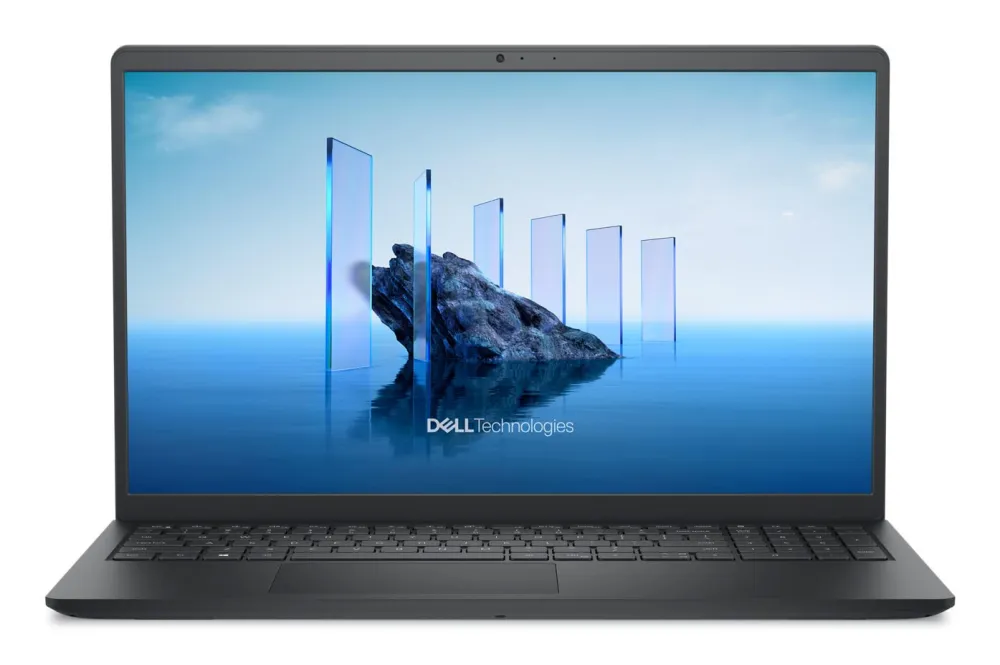
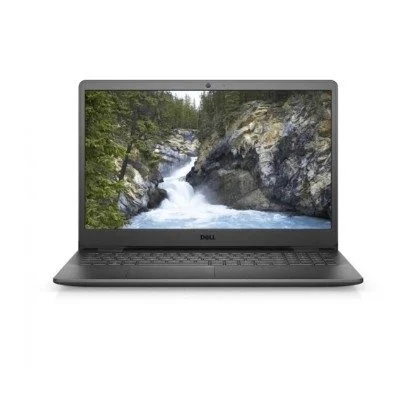
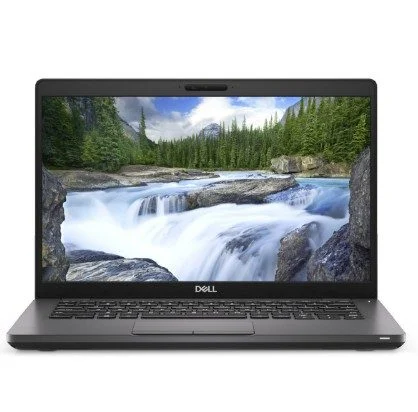
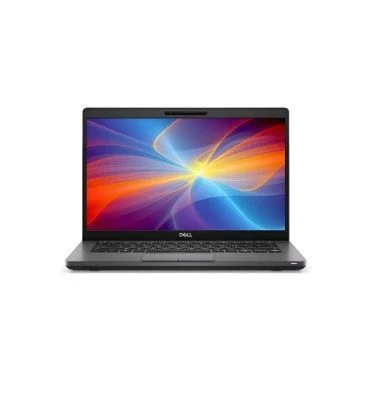
Dell Pro 15 Essential PV15250 with Core i5-1334U, 8GB DDR5, 512GB NVMe SSD, 15.6-inch Full HD 120Hz display and Windows 11 Home. Fingerprint reader, numeric keypad, three-cell battery and 65W adapter.
R20,849.00
Supplier has stock — 10 avail
Clear fulfilment, warranty and payment details.
Dell Pro 15 Essential • PV15250
A 15.6-inch Full HD notebook with Intel Core i5-1334U processing, 8GB DDR5 memory and a 512GB NVMe SSD. This Windows 11 Home configuration brings a numeric keypad, fingerprint reader and a supplied 65W adapter to everyday work and study.
Everyday workspace
The 15.6-inch Full HD display provides a 1920 × 1080 workspace for documents, browsing and everyday study. This supplied specification lists a 120Hz IPS-level panel. Dell’s matching 120Hz model option is non-touch, anti-glare and rated at 250 nits with 45% NTSC colour coverage. A separate numeric keypad keeps number entry close at hand. Refresh rate describes the screen, rather than the frame rate an application will deliver.
Processor and graphics
The Intel Core i5-1334U combines two Performance-cores with eight Efficient-cores and supports twelve threads. Its maximum turbo frequency is 4.6GHz, backed by 12MB cache. Integrated Intel graphics shares system memory. Iris Xe branding depends on the required memory configuration, so this 8GB machine is described as Intel integrated graphics rather than promising Iris Xe performance. Actual responsiveness depends on software, cooling and workload.
Memory and upgrades
The supplied memory is 8GB DDR5. Dell documents 8GB and 16GB single-module configurations for PV15250, with a 16GB system ceiling. DDR5 runs at 4400MT/s on the data-only USB-C configuration or 5200MT/s on the DisplayPort/Power Delivery configuration. The exact fitted branch is not established by this order code. Confirm the Service Tag and compatible module before an upgrade; the processor’s separate memory-controller limit does not raise the notebook’s supported capacity.
Storage
The 512GB PCIe NVMe SSD holds Windows, applications and files in a compact M.2 format. Dell documents one M.2 2230 SSD position with PCIe Gen4 ×4 and capacities up to 1TB. Increasing internal capacity therefore means replacing the installed drive rather than assuming an empty second SSD slot. Check brackets, thermal hardware and the service procedure first, and back up files before servicing.
Connections
PV15250 provides one USB-A 3.2 Gen 1 port, one USB-A 2.0 port, an SD-card reader and a universal headset connection. HDMI 1.4 is limited by Dell to 1920 × 1080 at 60Hz. Its single USB-C 5Gbps port is available as data-only or with DisplayPort 1.4 and Power Delivery. Confirm the supplied variant before buying a USB-C display dock or charger; the connector shape alone does not establish those functions. A dedicated 4.5mm DC input accepts the supplied 65W adapter.
Wireless and calls
The supplied specification names Realtek RTL8852BE Wi-Fi 6 with Bluetooth, a fingerprint reader and a 720p HD webcam. Dell lists the RTL8852BE option for 2.4GHz and 5GHz Wi-Fi, with Bluetooth functionality depending on the operating system and driver. Two integrated speakers handle audio, while the headset jack supports a wired headset. Confirm the radio revision and camera configuration through the Service Tag when a particular Bluetooth feature or video resolution is essential.
Power and portability
This configuration includes a three-cell battery and a 65W adapter. Dell specifies 41Wh lithium-ion polymer for the three-cell option. Battery capacity is not a runtime promise: brightness, applications, network activity and charging settings affect time away from the socket. The chassis family is 358.5mm wide, with depth, height and weight varying by construction and fitted equipment. Check the actual chassis dimensions before selecting a close-fitting case.
Windows and support
Windows 11 Home 64-bit is included in this supplied configuration. The stated service is Basic Onsite Service after remote diagnosis, with hardware-only support for twelve months; onsite attendance is subject to the applicable Dell service terms and diagnosis. Use the machine’s Service Tag to confirm entitlement and original build. The separate Downloads tab provides official model support: select the installed operating system and applicable package before installing drivers or BIOS updates.
| Manufacturer / model | Dell Pro 15 Essential PV15250 |
|---|---|
| Exact SKU | PV15250_RPLU_001_P8L_HOM |
| Condition | New |
| Operating system | Windows 11 Home, 64-bit |
| Included service wording | Basic Onsite Service after remote diagnosis with Hardware-Only Support, 12 months; confirm entitlement and applicable service terms by Service Tag |
| Processor | Intel Core i5-1334U, 13th generation |
|---|---|
| Cores / threads | 10 cores / 12 threads |
| Core arrangement | 2 Performance-cores + 8 Efficient-cores |
| Maximum turbo | 4.6GHz; workload and thermal conditions dependent |
| Cache | 12MB Intel Smart Cache |
| Processor power reference | 15W base / 55W maximum turbo at processor level; not a measured notebook draw |
| Graphics | Integrated Intel graphics, shared system memory; Iris Xe branding requires qualifying memory configuration |
| Discrete GPU | No discrete graphics specified |
| Screen | 15.6-inch Full HD, 1920 × 1080, 16:9 |
|---|---|
| Refresh rate | 120Hz in supplied specification |
| Panel | IPS-level in supplied specification; matching Dell 120Hz option is IPS, non-touch, anti-glare |
| Matching panel reference | 250 nits typical / 45% NTSC; confirm fitted panel by Service Tag |
| Keyboard | Numeric keypad; exact regional layout and backlighting not confirmed |
| Fingerprint reader | Included in supplied configuration |
| Webcam | 720p HD in supplied configuration; Dell plastic-chassis option records 1280 × 720 at 30fps |
| Speakers | Two; Dell model reference 2W each average |
| Microphone | Integrated; single or dual-array depends on chassis configuration |
| Supplied RAM | 8GB DDR5; exact fitted memory rate not confirmed |
|---|---|
| Memory configurations | Dell documents 1 × 8GB or 1 × 16GB |
| System memory ceiling | 16GB per model manual; upgrade requires compatible replacement module |
| DDR5 data-only USB-C branch | 4400MT/s |
| DDR5 DisplayPort / PD USB-C branch | 5200MT/s |
| Supplied storage | 512GB PCIe NVMe SSD; usable capacity is lower after formatting and software |
| Internal SSD support | One M.2 2230 SSD, PCIe Gen4 ×4, up to 1TB per model manual |
| Additional SSD position | Not documented; do not assume a second drive can be added |
| USB-A fast port | 1 × USB 3.2 Gen 1, up to 5Gbps |
|---|---|
| USB-A legacy port | 1 × USB 2.0, up to 480Mbps |
| USB-C | 1 × USB 3.2 Gen 1, up to 5Gbps; data-only or DisplayPort 1.4 / Power Delivery variant; confirm actual build |
| HDMI | 1 × HDMI 1.4; maximum 1920 × 1080 at 60Hz per Dell |
| Audio jack | 1 × universal audio / headset connection |
| Card reader | 1 × SD-card slot |
| DC input | 4.5mm standard plug |
| Security cable slot | Not supported per model manual |
| Wireless | Realtek RTL8852BE Wi-Fi 6 in supplied specification |
| Wireless bands | 2.4GHz / 5GHz for documented RTL8852BE option |
| Bluetooth | Included; supplied text says 5.2, current Dell RTL8852BE table says 5.3; exact fitted revision / supported functions require confirmation |
| Battery | 3-cell; matching Dell option 41Wh lithium-ion polymer |
|---|---|
| Adapter | 65W supplied |
| Adapter input reference | 100–240V AC, 50–60Hz; verify supplied adapter label / local mains cable |
| Battery runtime | Depends on operating conditions; no fixed runtime claimed |
| Width | 358.50mm model reference |
| Plastic chassis reference | 235.56mm depth; 16.96–18.99mm front-to-rear height; maximum 1.90kg |
| Aluminium chassis reference | 234.90mm depth; 15.52–17.50mm front-to-rear height; maximum 1.94kg |
| Actual chassis variant | Not confirmed for this exact supplied order code; model alternatives are not exact-unit measurements |
Exact supplied configuration is PV15250_RPLU_001_P8L_HOM. Confirm the Service Tag for chassis construction, USB-C display/charging functions, fitted memory rate, graphics branding, wireless revision and service entitlement. Model-option references do not establish the supplied build.
Use official support resources for this product. Each link opens in a new tab.
Use the actual Service Tag and select Windows 11 Home / the installed OS. Check package applicability before installing drivers or BIOS; no latest-version claim.
Open official support (opens in a new tab)Confirm model PV15250 and document revision before memory, SSD or battery service. Follow Dell safety instructions.
Open official support (opens in a new tab)Compare 2–5 products side by side
Help other shoppers by sharing an honest review.
Write a reviewYou are offline. Reconnect to check prices and shop.
Reviews
There are no reviews yet.