Official manufacturer overview
DeepCool AK700 DIGITAL NYX — official software guide
DeepcoolOfficial · Official AK700 DIGITAL NYX DeepCreative software guide for Windows 10/11. Software interfaces and available controls may change with releases; this is a setup guide, not a cooling benchmark.
Play to load this video from YouTube.
DeepCool • AK700 DIGITAL NYX
Seven heat pipes. A clearer view of your CPU.
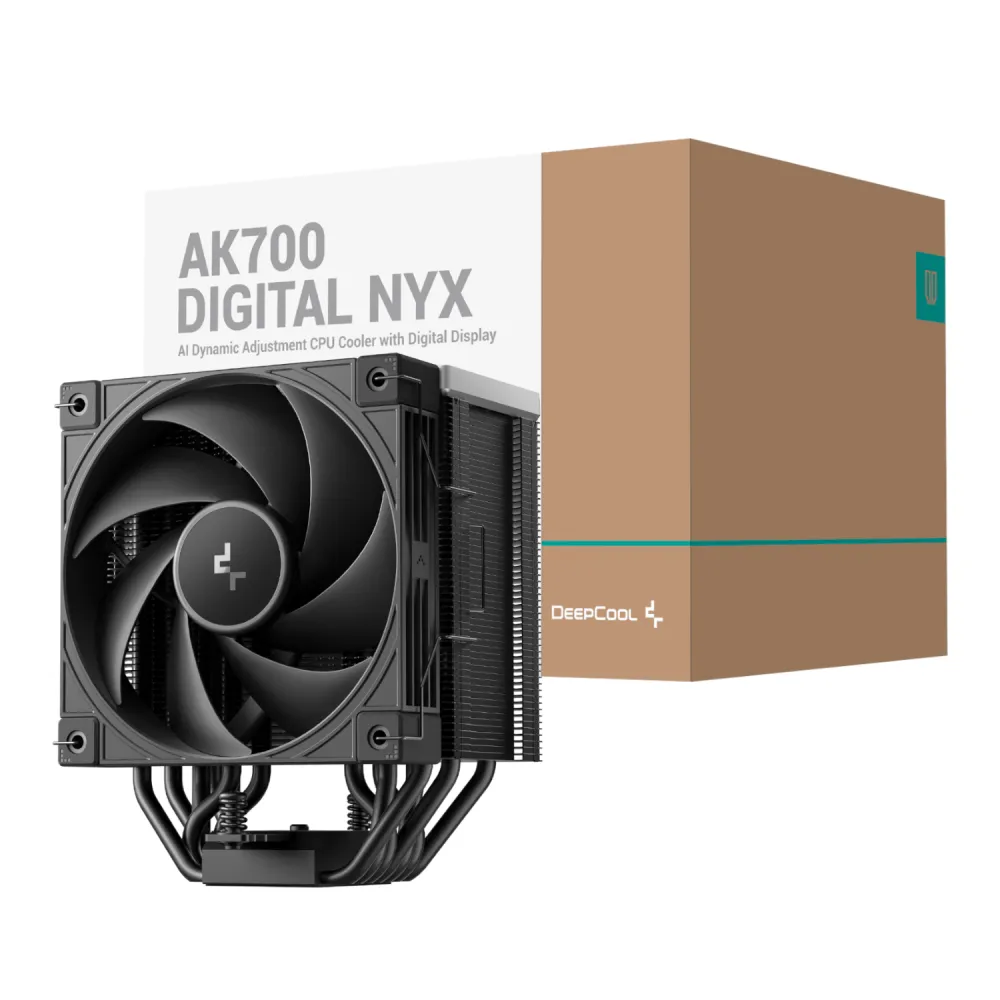
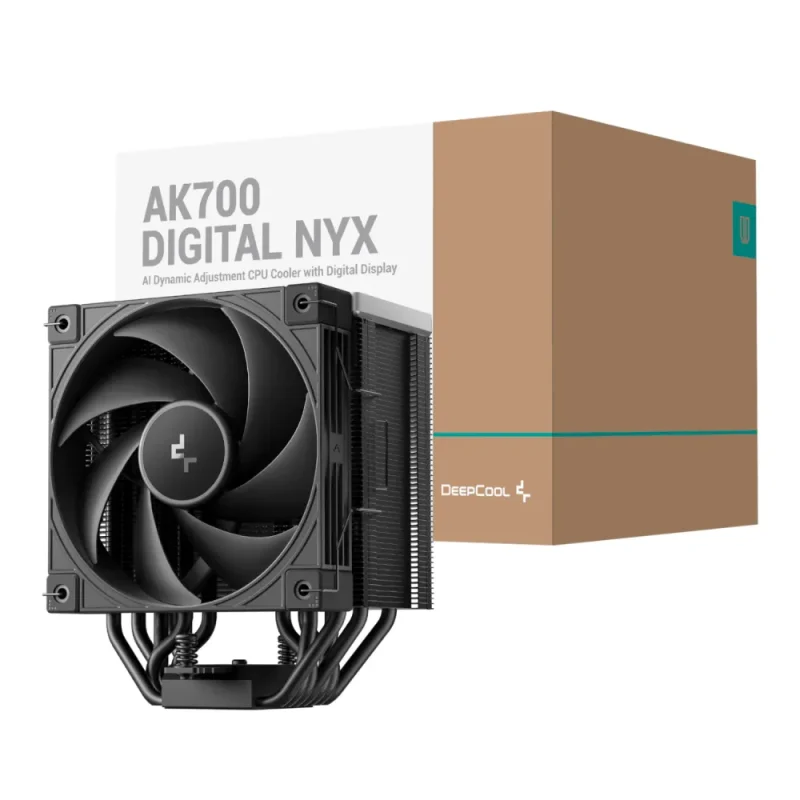
A black single-tower cooler with seven copper heat pipes, a 120mm PWM fan and a four-segment top display. The AK700 DIGITAL NYX combines physical cooling hardware with CPU monitoring and DeepCreative fan control in a 157mm-high assembly.

Seven paths for heat
A substantial single tower.
A precision-machined copper base, seven 6mm copper heat pipes and a dense matrix fin stack form the cooling core. DeepCool calls its base and heat-pipe design Core Touch Technology 2.0. The black single-tower layout pairs with one 120mm fan; cooling results still depend on the processor, its power settings, installation and case airflow.
Information in view
Four readings. One clear top display.
The 29 × 39mm quad-segment display shows CPU temperature, utilisation, power and frequency. Temperature can be displayed in Celsius or Fahrenheit, with a visual temperature alert. An available internal 9-pin USB 2.0 header and DeepCool software are needed for its digital functions; this is a system-monitoring display rather than a claimed custom-image screen.
Control through DeepCreative
Choose a curve for the way you work.
DeepCreative offers automatic fan balancing and Sleep, Office, Gaming and Overclocking environmental modes. DeepCool describes a full-speed response above 80°C, returning to the selected preset below that temperature. These software modes are control options, not promises of a particular CPU temperature, noise level or safe overclock. The model manual lists Windows 10 and Windows 11 for software operation.
A fan with range
PWM control, including a stop state.
The 120 × 120 × 25mm hydro-bearing fan has a maximum speed of 2700 RPM ±10%, with a manufacturer-listed 0-RPM state below 5% PWM. Its three-phase, six-slot, four-pole motor and Activate Clearing Tech form part of the design. ACT performs an automatic clearing action during the first eight seconds after power-on; it does not remove the need for periodic cleaning. Listed noise figures describe the fan, not a guaranteed complete-PC sound level.
Plan the whole assembly
157mm high. Check the space around it.
The complete cooler measures 126 × 98 × 157mm and weighs 1252g. Offset heat pipes make room around the memory slots, but no universal RAM-height limit is specified here. Check the exact motherboard layout, memory heat spreaders and case CPU-cooler clearance before choosing it. Socket support alone does not establish clearance or a suitable thermal result for every processor.
Platform-specific mounting
Intel and AMD, with the correct hardware.
The supplied mounting system supports Intel LGA1851, LGA1700, LGA1200 and LGA115X, plus AMD AM5 and AM4. The manual shows separate Intel and AMD procedures: Intel uses the supplied backplate, while AMD installation retains the motherboard backplate. Follow the appropriate spacer and bracket positions, remove the protective base film, apply thermal paste and secure the spring-loaded mount as illustrated. The kit does not establish support for unlisted sockets.
Two motherboard connections
Connect cooling and monitoring deliberately.
The installation diagram routes the fan through the cooler lead and connects its 4-pin lead to CPU_FAN or CPU_OPT, with a separate 9-pin USB 2.0 connection for the display. Check header availability and the motherboard manual before installation. The fan is rated at 12V DC, 0.35A and 4.2W; the display module is rated at 5V DC, 0.13A ±10% and 0.65W. Neither lead should be treated as an RGB connector.

Reviews
There are no reviews yet.