
WI-FI AND ETHERNET
Connect everyday devices
Two fixed antennas support a 2.4 GHz wireless link rated up to 300 Mbps. The WAN and LAN ports run at 10/100 Mbps. Actual wireless throughput depends on your device, distance and interference.
Checking which support options are available…
Who would you like help from?
Enter your name to begin your live chat with an online consultant.
What can we help you with?
Your details are used only to respond. MatzoBot requests are securely passed to the MatzoTech team.
Your request has been emailed to MatzoTech. A consultant will reply using the email address or mobile number you supplied.

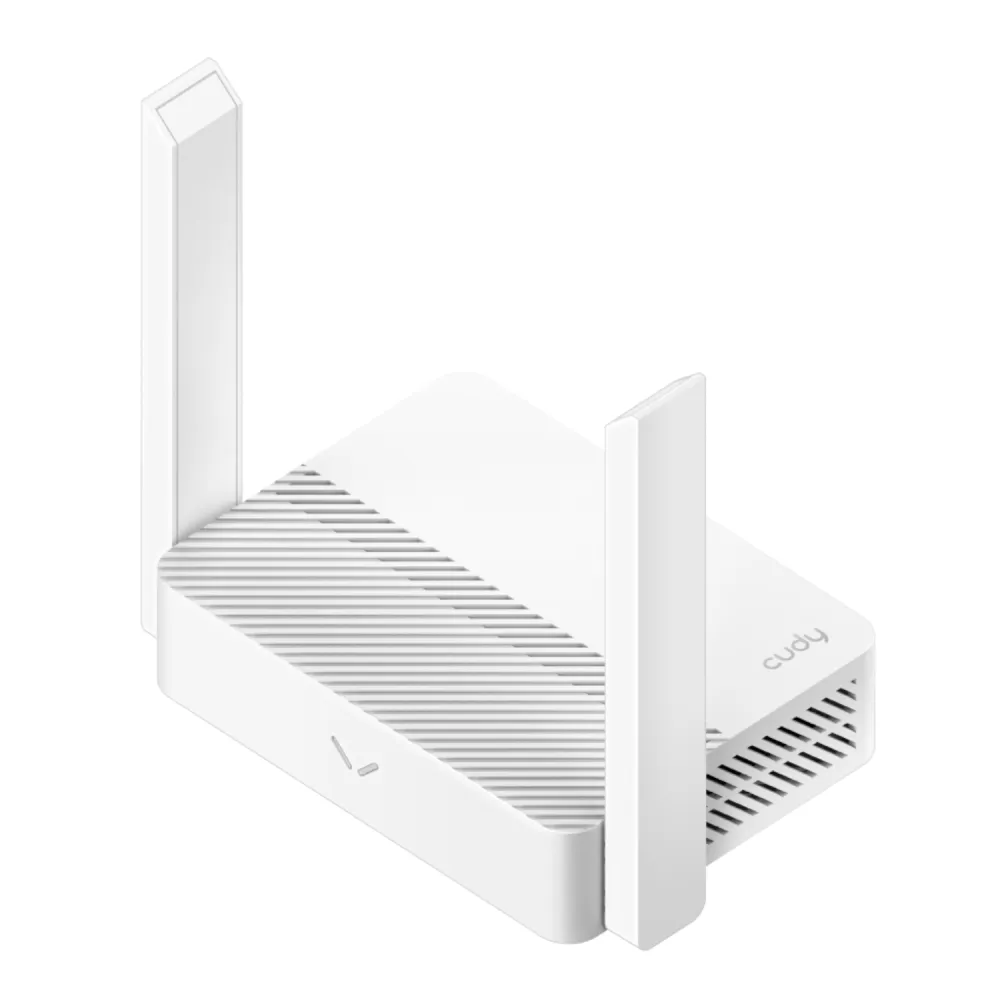
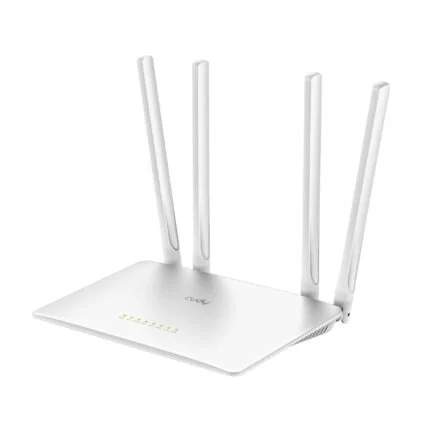
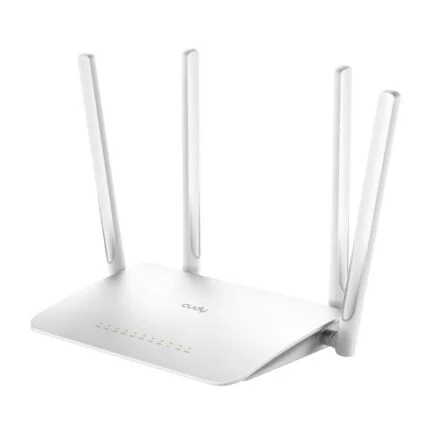
Cudy WR300 desktop router with 2.4 GHz Wi-Fi, one 10/100 Mbps WAN port, three LAN ports and multiple ways to connect.
R449.00
Supplier has stock — 10 avail
Clear fulfilment, warranty and payment details.
CUDY · WI-FI ROUTER
Use the Cudy WR300 to share an Ethernet internet connection over 2.4 GHz Wi-Fi or give an existing wired network a wireless access point. One WAN port and three LAN ports let you connect your incoming line plus wired devices such as a desktop or media player.
WI-FI AND ETHERNET
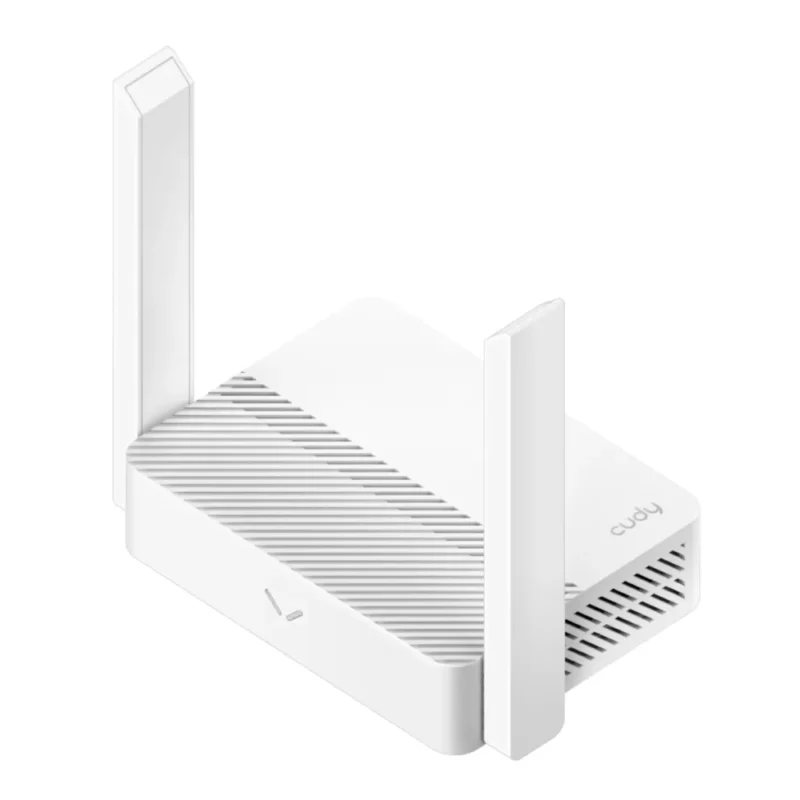
Two fixed antennas support a 2.4 GHz wireless link rated up to 300 Mbps. The WAN and LAN ports run at 10/100 Mbps. Actual wireless throughput depends on your device, distance and interference.
OPERATING MODES
Use Access Point mode to add Wi-Fi to an existing wired network. Range Extender and WISP modes use an upstream wireless connection. With a compatible Cudy Mesh system the WR300 can serve as a satellite.
NETWORK CONTROLS
A 2.4 GHz guest network gives visitors their own Wi-Fi access. The router supports IPv4 and IPv6, DHCP address reservations, IPTV VLAN settings and per-device rate controls. Feature availability depends on firmware.
ADMINISTRATION
Use the local web setup to configure your connection and Wi-Fi password. Before downloading firmware, read the WR300 hardware version on the device label and choose its matching support page. Use the power supply specified on that label.
| Standard | Wi-Fi 4 (IEEE 802.11b/g/n), 2.4 GHz |
|---|---|
| Rated link speed | Up to 300 Mbps at 2.4 GHz. Actual throughput varies. |
| Antennas and streams | 2 fixed antennas, 2 spatial streams |
| Channel width | 20 MHz, 40 MHz or Auto |
| Security | WPA2 supported. Cudy lists WPA/WPA2/WPA3 on current software specifications. Available settings depend on firmware. |
| Guest network | 2.4 GHz guest network |
| Ethernet | 1 × 10/100 Mbps WAN and 3 × 10/100 Mbps LAN |
|---|---|
| Controls | WPS and reset buttons, system LED |
| Operating modes | Router, access point, range extender, WISP or client. Compatible Cudy Mesh satellite operation. |
| WAN configuration | Dynamic IP (DHCP), static IP or PPPoE. Cudy also lists PPTP and L2TP WAN types. |
| IP versions | IPv4 and IPv6 |
|---|---|
| IPv6 options | Relay, dynamic SLAAC/DHCPv6, fixed IP, passthrough, 464XLAT, MAP-E and DS-Lite in Cudy’s software specifications. |
| DHCP | Server, client list and address reservations |
| Traffic and forwarding | Per-device rate limiting, port forwarding, port triggering, UPnP and DMZ |
| VLAN and IPTV | Tagged VLAN and IPTV controls on supported firmware |
| VPN client | Cudy specifies WireGuard, PPTP and L2TP. Check the hardware version’s firmware for available settings. |
| Management | Local web setup. Cudy App local management requires compatible firmware. Cudy also documents DNS options, TR-069 management and Wake on LAN. |
| Catalogue code | WR300 |
|---|---|
| Colour | White |
| Processor | 580 MHz single-core MIPS |
| Memory and flash | 64 MB DDR2 and 8 MB NOR flash |
| Size (W × D × H) | 118 × 80 × 27.5 mm, main body |
| Operating environment | 0–40 °C, 10–90% relative humidity, non-condensing |
| Power | Check the device label and use the power supply specified for the supplied hardware version. |
| Included items | Cudy lists the router, Ethernet cable and installation guide for both documented revisions. Power accessory depends on the supplied revision. |
| Warranty | 24 months |
Use official support resources for this product. Each link opens in a new tab.
Choose this page only if the device label says WR300 1.0. Firmware applies to the router hardware version and is independent of your computer operating system.
Open official support (opens in a new tab)Choose this page only if the device label says WR300 2.0. Firmware applies to the router hardware version and is independent of your computer operating system.
Open official support (opens in a new tab)Help other shoppers by sharing an honest review.
Write a reviewYou are offline. Reconnect to check prices and shop.
Reviews
There are no reviews yet.