
ASUS exact model software support
Official model support page. Select an operating system and review available software requirements before downloading.
Open official support (opens in a new tab)Checking which support options are available…
Who would you like help from?
Enter your name to begin your live chat with an online consultant.
What can we help you with?
Your details are used only to respond. MatzoBot requests are securely passed to the MatzoTech team.
Your request has been emailed to MatzoTech. A consultant will reply using the email address or mobile number you supplied.

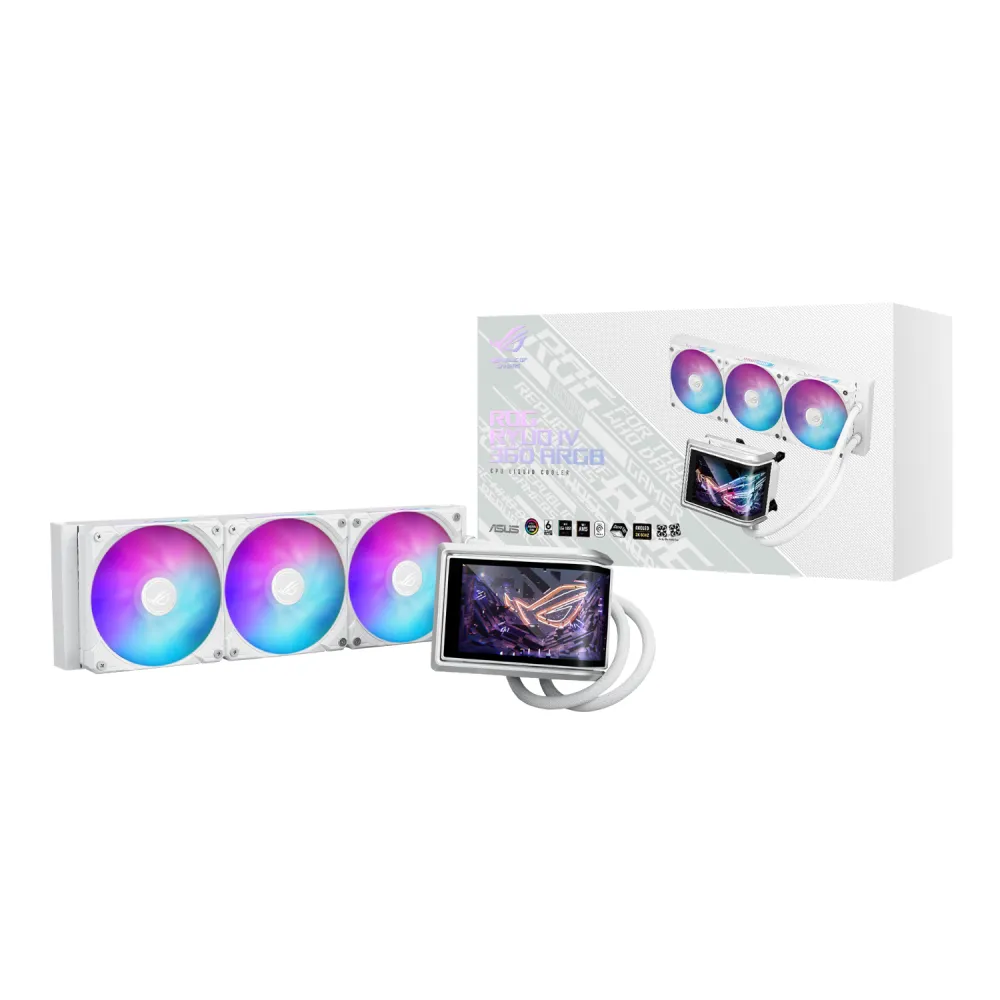
White 360 mm AIO CPU cooler with curved 6.67-inch AMOLED screen, preinstalled ARGB fans, Asetek Emma Gen8 V2 pump and 400 mm tubes.
R8,329.00
Supplier has stock — 1 avail
Clear fulfilment, warranty and payment details.
Official manufacturer overview
ROG Global · ROG Ryuo IV series ASUS InfoHub software control guide. Demonstrates software workflows; display hardware and layouts can differ by model. It is not an exact colour/variant hardware introduction.
Play to load this video from YouTube.
ASUS ROG • ROG Ryuo IV 360 ARGB White Edition
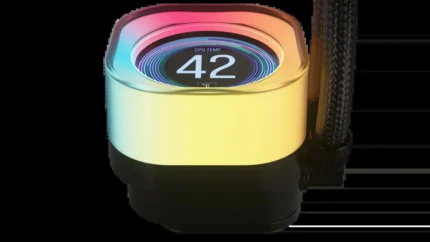
The ROG Ryuo IV 360 ARGB White Edition combines a 6.67-inch curved 2K AMOLED display with an Asetek Emma Gen8 V2 pump and three preinstalled ARGB fans. This standard Ryuo IV model uses 400 mm sleeved rubber tubing and a 399.5 × 120 × 30 mm radiator. Its sliding screen, daisy-chained fans and dedicated InfoHub controls bring the visible and practical parts of a build together.
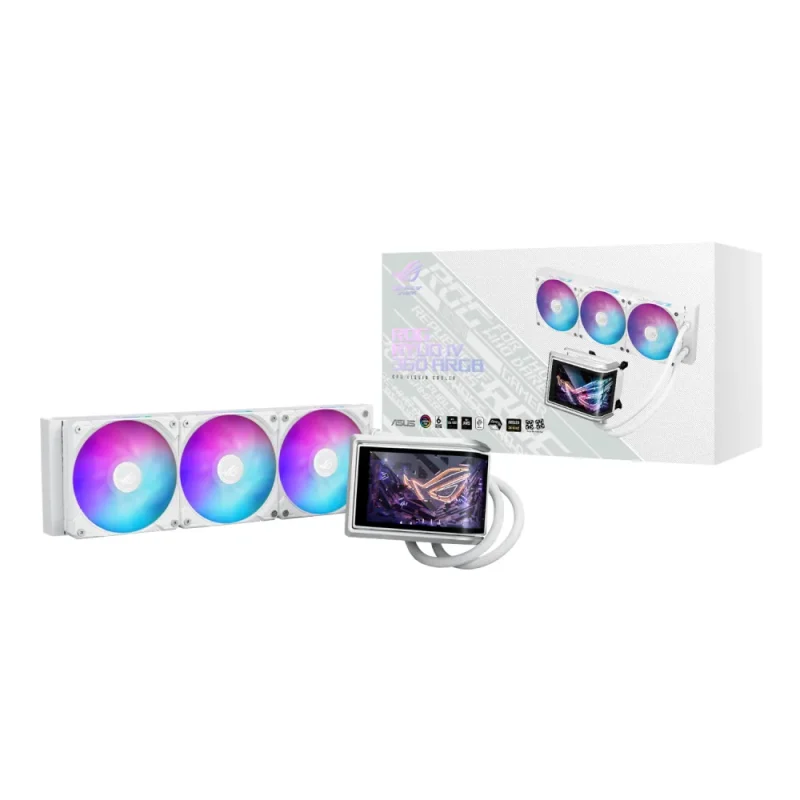
Curved screen
The 6.67-inch curved 2K AMOLED screen can display hardware information alongside custom images, GIFs and videos. ASUS InfoHub provides screen splitting, content importing and a built-in style library. Supported artwork can use naked-eye 3D effects; the display does not add a graphics-processing performance benefit.
Sliding display
The screen module slides horizontally to help reduce interference with memory and surrounding motherboard components. The complete water block measures 133 × 105 × 137 mm. Check that envelope, the panel’s travel and the tube exit against the actual board and installed memory.
Pump and mounting
ASUS uses the Asetek Emma Gen8 V2 pump, a copper CPU contact plate and a premium metal backplate. Its Precision Mount System is designed to distribute contact pressure for Intel Core Ultra Series 2 processors. The thermal compound is pre-applied for the initial installation; follow the correct mounting sequence rather than assuming identical hardware for every socket.
Preinstalled fans
The three ROG RYUO IV MF-12C ARGB fans are pre-attached and daisy-chained, combining their motor power and lighting connection into one cable arrangement. Each 120 × 120 × 25 mm fan is rated at 500–2000 RPM ±10%, 56.66 CFM airflow and 3.56 mm H₂O static pressure, with PWM/DC control. Front and side lighting supports Aura Sync.
Radiator and acoustics
The aluminium radiator measures 399.5 × 120 × 30 mm and uses 400 mm sleeved rubber tubes. Allow another 25 mm for the fans, plus fasteners, bends and surrounding components. ASUS’s 30.7 dB(A) figure is a fan specification; actual computer noise depends on speed, mounting and other components.
Socket and software planning
Intel LGA1851, LGA1700, LGA1200 and LGA115x, plus AMD AM5 and AM4, are listed by ASUS. Match the supplied bracket and backplate to the socket and follow the installation guide. Socket support does not establish clearance around a particular motherboard or guarantee fit in every case. Use the exact model support page to confirm software and operating-system options, and check the installation guide’s required internal headers and power connections before ordering.
Package and coverage
The package includes one liquid cooler with pre-applied compound, three ARGB radiator fans, a quick-start guide, screws and mounting brackets, and a thank-you card. ASUS also lists a ROG sticker for this White Edition. ASUS specifies six years for the AIO cooler module and two years for the display module, subject to applicable regional warranty terms.
| Model | ROG Ryuo IV 360 ARGB White Edition |
|---|---|
| Supplier SKU | ROGRYUOIV360ARGB WH |
| Colour | White |
| Type | All-in-one CPU liquid cooler; 360 mm radiator fan format |
| Pump | Asetek Emma Gen8 V2 |
|---|---|
| CPU plate | Copper |
| Block dimensions | 133 × 105 × 137 mm |
| Intel sockets | LGA1851, LGA1700, LGA1200, LGA115x |
| AMD sockets | AM5, AM4 |
| Thermal compound | Pre-applied |
| Fit qualification | Check actual case/radiator, block, memory, tube and motherboard clearances |
| Radiator dimensions | 399.5 × 120 × 30 mm |
|---|---|
| Radiator material | Aluminium |
| Tube length | 400 mm |
| Tube construction | Sleeved rubber |
| Fan thickness to allow | 25 mm |
| Included | 3 × ROG RYUO IV MF-12C ARGB fans |
|---|---|
| Each fan dimensions | 120 × 120 × 25 mm |
| Speed | 500–2000 RPM ±10% |
| Airflow | 56.66 CFM |
| Static pressure | 3.56 mm H₂O |
| Noise | 30.7 dB(A), manufacturer fan rating; not whole-system noise |
| Control | PWM/DC |
| Lighting | ARGB; Aura Sync |
| Cable arrangement | Preinstalled daisy-chain; shared motor/lighting cable arrangement |
| Display | 6.67-inch curved 2K AMOLED |
|---|---|
| Content | Hardware monitoring, custom images/GIFs/videos, built-in styles and split content |
| Software | ASUS InfoHub |
| OS selection | Confirm current supported OS and available packages on exact model support page |
| Contents | 1 × cooler with pre-applied compound, 3 × radiator fans, quick-start guide, screws/brackets and thank-you card; ROG sticker also listed for White Edition |
|---|---|
| Manufacturer warranty | AIO module: 6 years; display module: 2 years; regional terms apply |
| Display adjustment | Horizontal sliding module |
|---|---|
| Backplate | Metal |
| Mount system | Precision Mount System; Intel Core Ultra Series 2 design focus |
| Internal headers | Check exact installation guide for required motherboard headers and power connections before purchase |
Confirm the case, mounting position, motherboard connections and software operating system before ordering.
Use official support resources for this product. Each link opens in a new tab.
Official model support page. Select an operating system and review available software requirements before downloading.
Open official support (opens in a new tab)Official manual selector. Check mounting instructions, header connections and the applicable revision before installation.
Open official support (opens in a new tab)Compare 2–5 products side by side
Help other shoppers by sharing an honest review.
Write a reviewYou are offline. Reconnect to check prices and shop.





Reviews
There are no reviews yet.