
Antec C6 Curve Air White manuals and downloads
Choose Download on Antec’s exact white-case page to open the C6 Curve installation manual and the White model spec sheet.
Open official support (opens in a new tab)Checking which support options are available…
Who would you like help from?
Enter your name to begin your live chat with an online consultant.
What can we help you with?
Your details are used only to respond. MatzoBot requests are securely passed to the MatzoTech team.
Your request has been emailed to MatzoTech. A consultant will reply using the email address or mobile number you supplied.

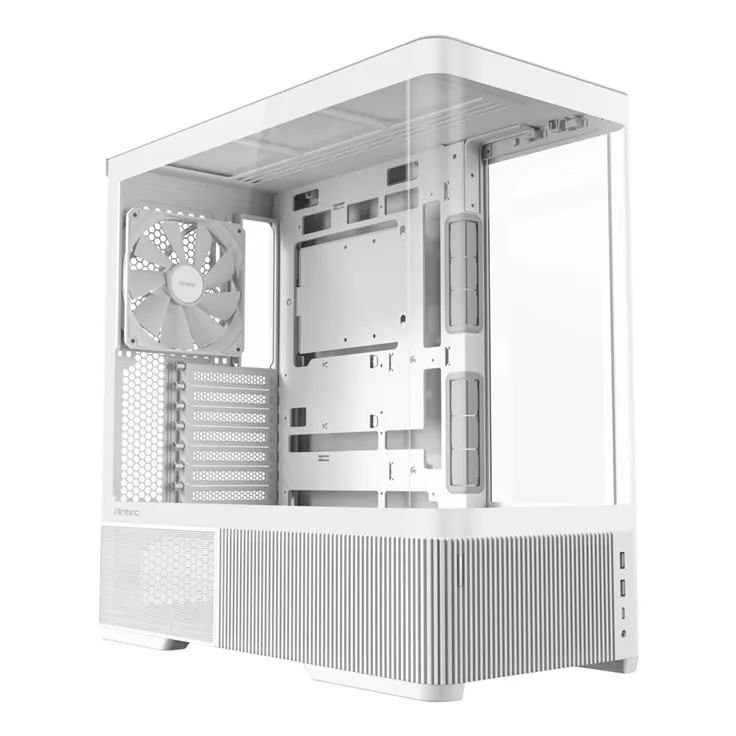
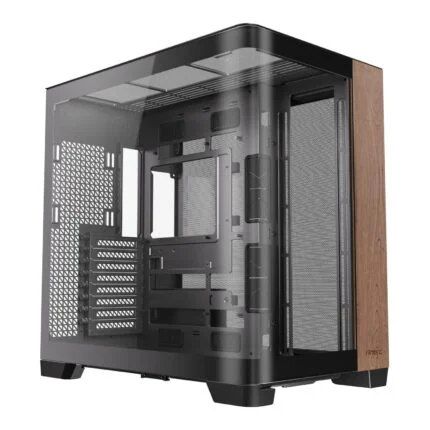
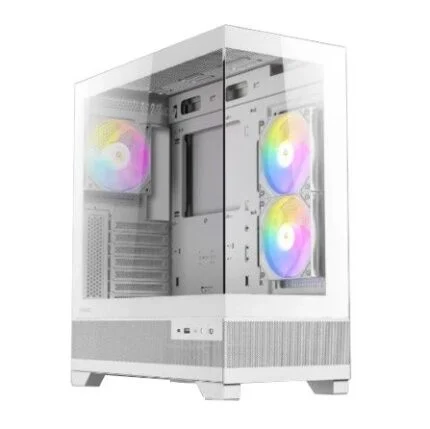
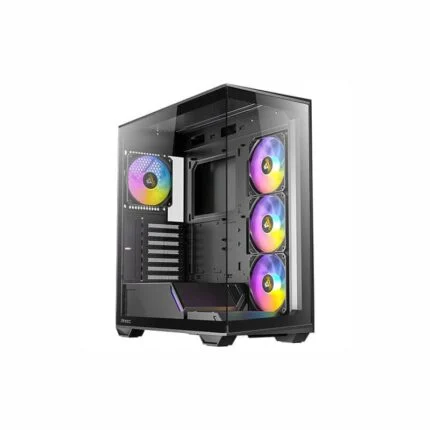
White Antec C6 Curve Air ATX mid-tower with 4 mm panoramic glass, three PWM fans, up to 450 mm GPU clearance and top support for a 360 mm radiator.
R2,499.00
Supplier has stock — 10 avail
Clear fulfilment, warranty and payment details.
Official manufacturer overview
Antec · This Antec C6 Curve family overview includes black and white builds. This listing is the white C6 Curve Air case with three included PWM fans. The other components shown are separate.
Play to load this video from YouTube.
Antec C6 Curve Air · White mid-tower
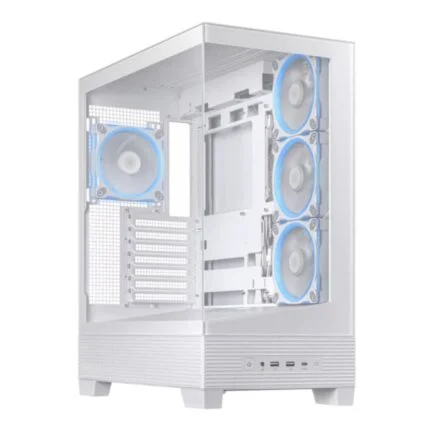
The white C6 Curve Air wraps three sides of the build in curved tempered glass. Two reverse intake fans on the PSU shroud feed air toward the graphics card, and a 140 mm fan exhausts at the rear. Use an ATX, Micro-ATX or Mini-ITX board and plan clearances before mounting the radiator and power supply.
Airflow
Two 120 mm PWM reverse fans sit in recessed mounts on the power-supply shroud. The 140 mm rear fan completes the included cooling setup. The fine-mesh roof and vents around the lower chamber give air more routes through the case. Pull out the bottom filter and remove the lower front filter for cleaning.
Cooling fit
The roof accepts three 120 mm fans, two 140 mm fans or a radiator up to 360 mm. A 120 mm radiator also fits at the rear. If you use an air cooler, the height limit is 180 mm. Check combined radiator and fan thickness alongside tall memory and motherboard heatsinks.
Hardware fit
The chassis gives the graphics card up to 450 mm in length. Check the card’s thickness and power-cable clearance as well. Standard PSU mounting allows 150 mm and side mounting allows 160 mm, excluding cables. Remove the PSU chamber fan bracket for a modular unit in the standard position, as shown by Antec.
Access and routing
The top and side panels come off without tools. The lower mesh sections detach, and rear-connector motherboards can use the space behind the tray with up to 30 mm available for cable routing. The PSU module can rotate by 90 degrees for the alternate mounting position.
Everyday connections
Use either of the two USB-A ports or the 10 Gbps USB-C port with the corresponding motherboard headers. A combined headphone and microphone jack sits beside them. The case provides one 2.5-inch drive bay, one 3.5-inch bay and seven expansion slots.
| Manufacturer | Antec |
|---|---|
| Model | C6 Curve Air White |
| Store SKU | C6 CURVED AIR W |
| UPC | 761345102766 |
| Chassis | White mid-tower |
| Materials | Steel, plastic and glass |
| Side panel | 4 mm tempered glass |
| Motherboard fit | ATX, Micro-ATX and Mini-ITX. Back-connect layout supported. |
| Graphics card clearance | Up to 450 mm |
| CPU air cooler clearance | Up to 180 mm |
| PSU clearance, standard position | Up to 150 mm, excluding cables. Remove PSU chamber fan bracket for modular PSUs. |
| PSU clearance, side position | Up to 160 mm, excluding cables |
| PSU mounting | 90° rotatable module with 13 A internal extension cable |
| Cable routing depth | Up to 30 mm behind motherboard |
| Drive bays | 1 × 2.5-inch and 1 × 3.5-inch |
| Expansion slots | 7 |
| Included fans | 2 × 120 mm reverse PWM on PSU shroud, 1 × 140 mm PWM at rear |
|---|---|
| Top fan mounts | 3 × 120 mm or 2 × 140 mm |
| PSU shroud fan mounts | 2 × 120 mm |
| Rear fan mount | 1 × 120 mm or 1 × 140 mm |
| Top radiator sizes | 120, 140, 240, 280 or 360 mm |
| Rear radiator size | 120 mm |
| Dust filters | Lower front and bottom |
| Front controls and ports | Power button, 2 × USB 3.0 Type-A, 1 × USB-C 3.2 Gen 2 (10 Gbps), headphone/mic combo |
|---|---|
| Dimensions (D × W × H) | 480 × 235 × 470 mm |
| Net weight | 9.12 kg |
| Packaged weight | 10.79 kg |
| In the box | Chassis with three pre-installed fans. Power supply and pictured build components are separate. |
| Manufacturer warranty | 2 years |
Use official support resources for this product. Each link opens in a new tab.
Choose Download on Antec’s exact white-case page to open the C6 Curve installation manual and the White model spec sheet.
Open official support (opens in a new tab)Help other shoppers by sharing an honest review.
Write a reviewYou are offline. Reconnect to check prices and shop.
Reviews
There are no reviews yet.