
Dell AW520H — official manuals and setup
Exact AW520H manuals, including setup and user guides. Select the required language; Dell may redirect to a regional support page.
Open official support (opens in a new tab)Checking which support options are available…
Who would you like help from?
Enter your name to begin your live chat with an online consultant.
What can we help you with?
Your details are used only to respond. MatzoBot requests are securely passed to the MatzoTech team.
Your request has been emailed to MatzoTech. A consultant will reply using the email address or mobile number you supplied.

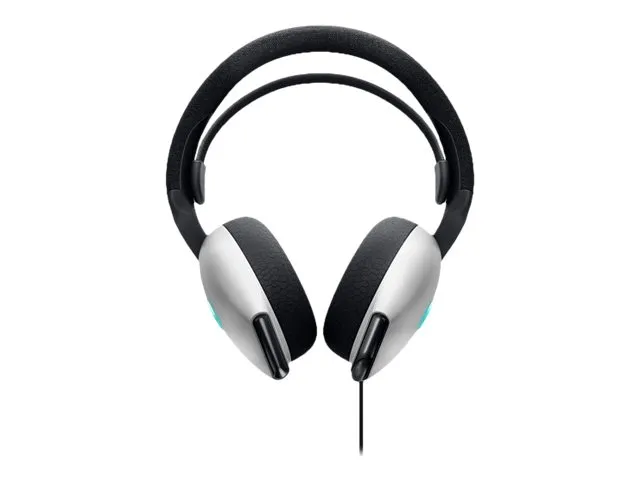
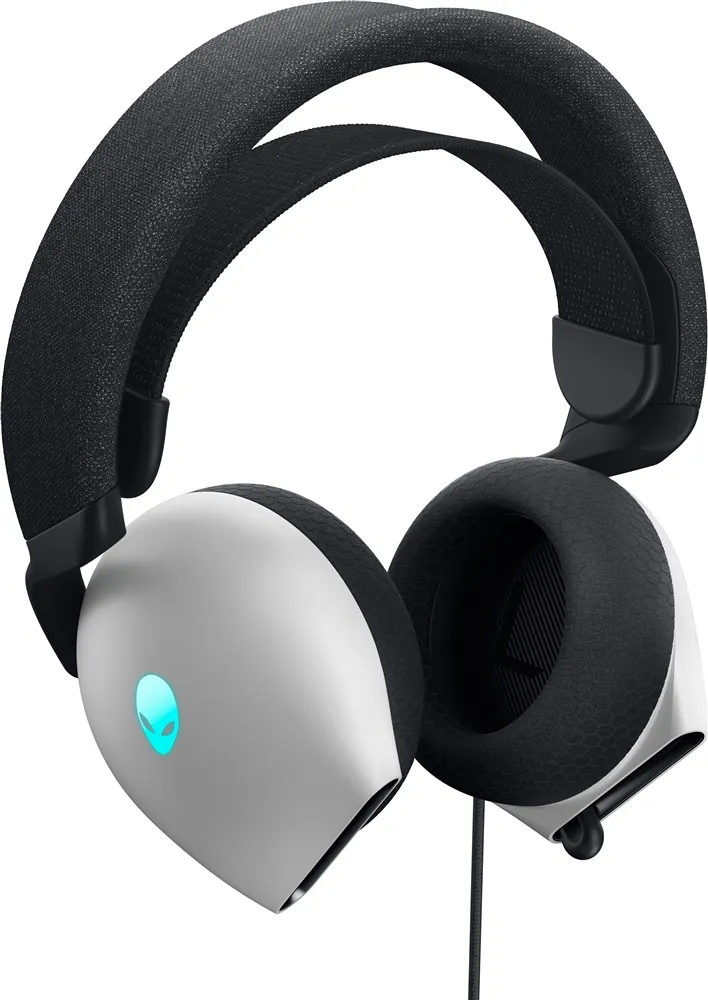
Alienware AW520H Lunar Light wired headset with 40mm Hi-Res drivers, retractable microphone, USB-A and 3.5mm adapter, suspension headband and USB AlienFX lighting.
R1,799.00
Supplier has stock — 10 avail
Clear fulfilment, warranty and payment details.
Alienware AW520H • Lunar Light
The Lunar Light AW520H pairs 40mm Hi-Res certified drivers with a retractable boom microphone, a soft suspension fit and a choice of USB-A or 3.5mm audio connection. Connect through USB on a supported Windows PC to use its Dolby Atmos support, AI microphone noise reduction and custom AlienFX logo lighting.
The sound stage
Hi-Res certified drivers cover a manufacturer-specified 20Hz–40kHz frequency range. Dolby Atmos spatial audio support is available through the USB connection on a supported Windows setup. Audio behaviour also depends on the application and content; the frequency range is a driver specification, not a promise of positional advantage.
Voice within reach
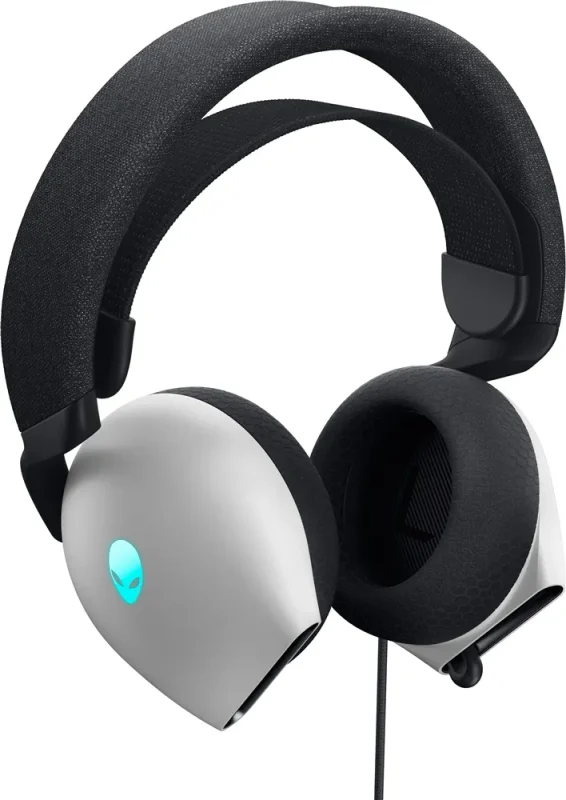
The unidirectional boom microphone retracts into the headset when it is not needed. AI-driven microphone noise reduction works over USB to help reduce ambient pickup. A microphone mute button and volume control sit on the headset, with a mute indicator for the USB setup. This voice feature is separate from active noise cancellation for the listener.
Fit with adjustment
Slide the suspension headband and adjust the inner strap tension to find a suitable fit. Memory foam ear pads have a breathable fabric covering, with black cushioning set against the Lunar Light outer shells. Dell specifies a 297g headset weight without its cable; the retained catalogue lists 337g without stating the measurement conditions.
PC to analogue audio
For PC use, connect the wired USB-A plug to a USB Type-A port on a Windows 10 or Windows 11 64-bit computer. For a compatible PlayStation, Xbox, Switch or mobile audio port, attach the supplied 3.5mm audio adapter to the headset USB plug, then connect its 3.5mm end to the device or controller. Confirm the exact endpoint has a suitable audio port; the platform name alone does not establish a working socket.
A deliberate glow
AlienFX logo lighting supports 16.8 million colours and customisation through Alienware Command Center. USB is required for the logo lighting, microphone-mute LED, AI microphone reduction and Dolby Atmos features. Alienware Command Center does not recognise the headset through the 3.5mm adapter, so analogue use should not be expected to reproduce the PC feature set.
Plan the setup
The listed 2m headset cable gives a defined reach from your PC or adapter. The model package comprises the headset,3.5mm audio adapter and documentation; the documents may vary by region. Use the exact AW520H support page for manuals and software selection, confirming the operating system and applicability before downloading. No software or firmware installation is performed by this page.
| Manufacturer | Dell / Alienware |
|---|---|
| Model | AW520H |
| Catalogue SKU / MPN | 545-BBFJ |
| Colour | Lunar Light |
| Type | Full-size wired gaming headset |
| Ear pads | Memory foam with breathable fabric covering |
| Headband | Sliding suspension headband; adjustable inner strap tension |
| Dimensions (W × D × H) | 183.91 ×111.67 ×214.39mm; manufacturer model-story diagram |
| Manufacturer headset-only weight | 297g without cable |
| Retained catalogue weight | 337g; original measurement basis unspecified; not a cable-inclusive weight claim |
| Drivers | 40mm; Hi-Res certified |
|---|---|
| Frequency response | 20Hz–40kHz; manufacturer driver specification |
| Impedance | 32Ω; exact545-BBFJ manufacturer indexed specification |
| Maximum sound pressure | 117dB; manufacturer listed value, not a recommended listening level |
| Spatial audio | Dolby Atmos support over USB on a supported Windows setup |
| Listener noise cancellation | No active headphone noise cancellation listed |
| Microphone | Retractable boom; unidirectional |
| Microphone noise reduction | AI-driven; USB connection required |
| Microphone sensitivity | −40dBV/Pa |
| Microphone signal-to-noise ratio | 61dB |
| Controls | Headset volume and microphone on/mute; mute LED available over USB |
| Primary connection | Wired USB Type-A |
|---|---|
| Analogue connection | Supplied adapter accepts headset USB-A plug and connects to a3.5mm audio port |
| Listed headset cable | 2m |
| Windows system requirements | Windows10 or Windows11 64-bit; USB Type-A port |
| Other platforms | PlayStation, Xbox, Switch and mobile devices with a compatible3.5mm audio connection; check exact device/controller socket |
| AlienFX | RGB logo lighting;16.8million colours; customisable through Alienware Command Center |
| USB-only features | Dolby Atmos; AI microphone noise reduction; microphone-mute LED; AlienFX lighting |
| 3.5mm feature limits | Alienware Command Center and headset LED lighting unavailable through the analogue adapter |
| Software selection | Use exact AW520H support and select applicable Windows OS; installed version and current download availability must be checked |
| Manufacturer model package | AW520H headset;3.5mm audio adapter; documents. Regional documentation may vary |
|---|---|
| Listed warranty | 2-year limited warranty; existing local catalogue agrees with exact545-BBFJ manufacturer indexed listing; regional terms,proof of purchase and serial eligibility apply |
| Support route | Exact AW520H manuals and software landing pages; no binary mirrored or installed |
| Image scope | Both original local Lunar Light product views retained; lighting appearance is illustrative |
USB is required for Dolby Atmos, AI microphone noise reduction, AlienFX and the microphone-mute LED. Confirm the exact 3.5mm device/controller port. Manufacturer headset-only weight is 297g; the retained 337g catalogue figure has no stated measurement basis. Regional warranty eligibility and current software downloads require confirmation.
Use official support resources for this product. Each link opens in a new tab.
Exact AW520H manuals, including setup and user guides. Select the required language; Dell may redirect to a regional support page.
Open official support (opens in a new tab)Choose AW520H and the applicable Windows operating system before selecting software or firmware. Check the listed requirements and release details.
Open official support (opens in a new tab)Compare 2–5 products side by side
Help other shoppers by sharing an honest review.
Write a reviewYou are offline. Reconnect to check prices and shop.
Reviews
There are no reviews yet.