
Alienware AW2725DF user guide — English
Official exact model guide covering input-rate limits, USB connections, OSD, OLED maintenance and setup. Rev A02, June 2024; no latest-version claim.
Open official support (opens in a new tab)Checking which support options are available…
Who would you like help from?
Enter your name to begin your live chat with an online consultant.
What can we help you with?
Your details are used only to respond. MatzoBot requests are securely passed to the MatzoTech team.
Your request has been emailed to MatzoTech. A consultant will reply using the email address or mobile number you supplied.

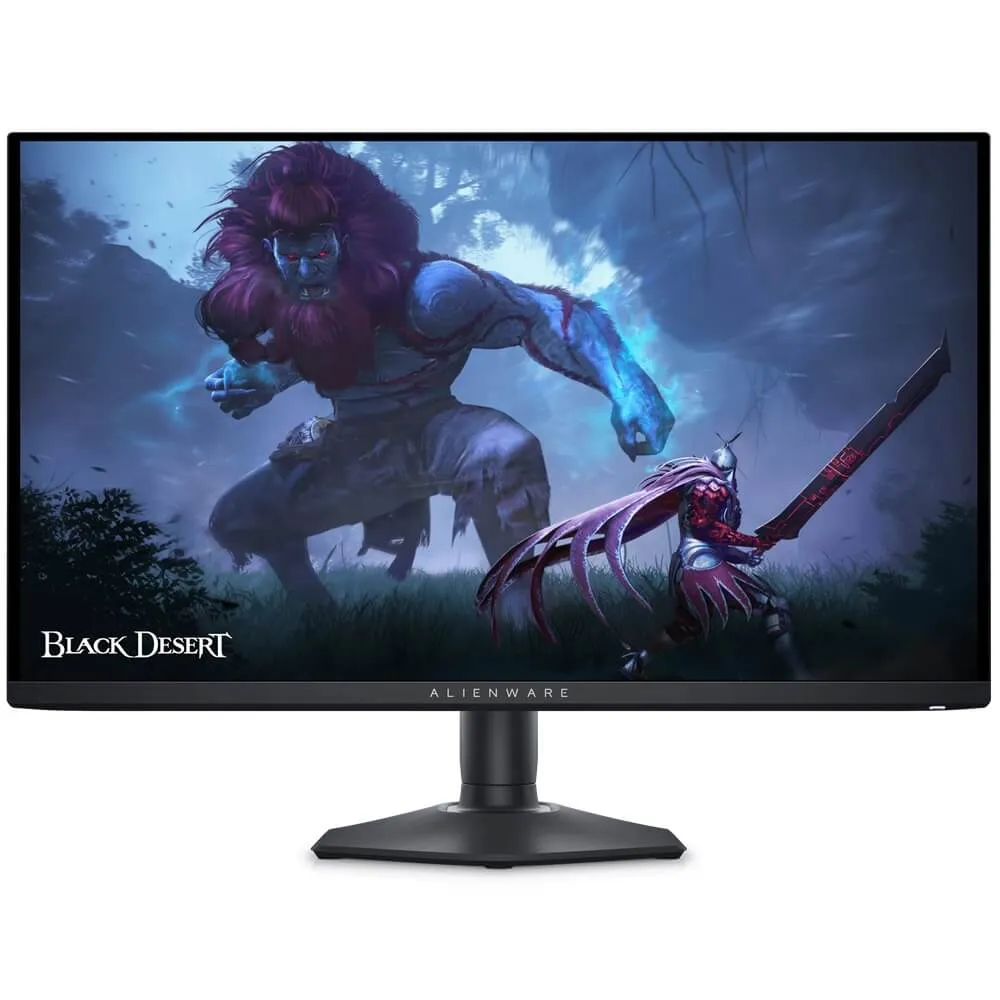
26.7-inch QHD QD-OLED gaming monitor with up to 360 Hz over DisplayPort, 0.03 ms rated GTG response, AdaptiveSync and an adjustable stand.
R16,749.00
Supplier has stock — 1 avail
Clear fulfilment, warranty and payment details.
Alienware • AW2725DF • 26.7-inch QD-OLED
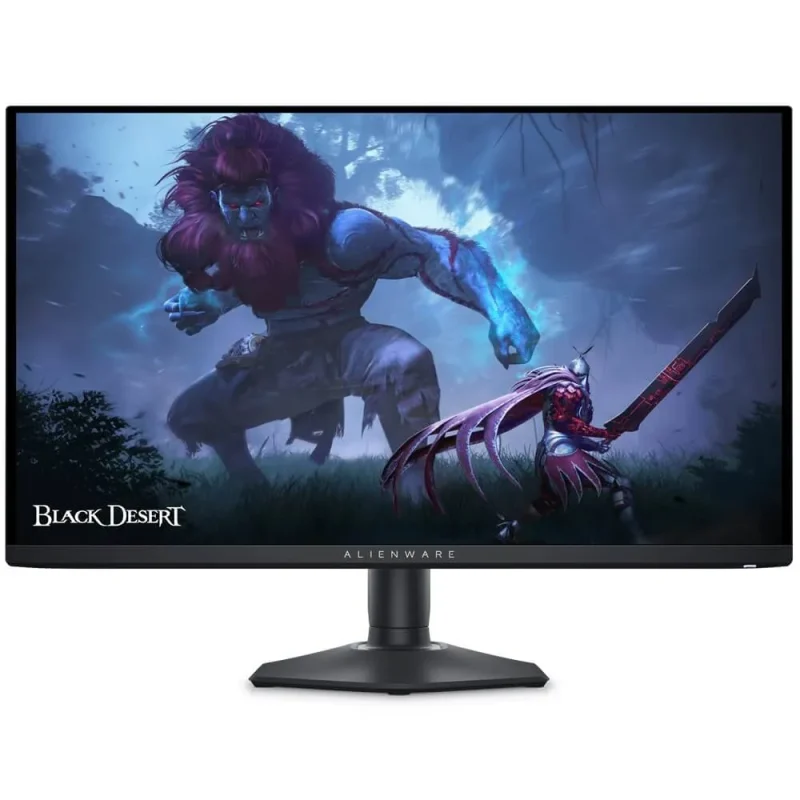
The Alienware AW2725DF pairs a flat 26.7-inch QD-OLED panel with 2560 × 1440 resolution. Its DisplayPort inputs support up to 360 Hz with DSC, while HDMI supports up to 144 Hz at QHD. Self-emissive pixels, wide colour gamut and a compact adjustable stand make it a focused display for a capable gaming system.
Motion and inputs
Two DisplayPort 1.4 inputs support QHD up to 360 Hz with DSC enabled. The HDMI 2.1 TMDS input supports QHD up to 144 Hz rather than the same 360 Hz mode. Source graphics hardware, driver settings and cable capability must support the selected mode. Dell’s 0.03 ms figure describes grey-to-grey pixel response; it is not a measurement of the entire system’s input latency.
QD-OLED and colour
The flat 26.7-inch panel uses quantum-dot OLED technology, with an anti-reflection surface, 111 PPI and 1.07 billion displayed colours. Dell specifies 99.3% typical DCI-P3 coverage using CIE 1976. Average Delta E 2000 below 2 is documented for the sRGB and DCI-P3 preset modes; calibration results and gamut coverage should be interpreted within their stated modes and measurement conditions.
HDR modes
VESA DisplayHDR True Black 400 certification and the Smart HDR modes support HDR content. The guide specifies 250 cd/m² typical SDR brightness on a full-white pattern and up to 1000 cd/m² in the HDR Peak 1000 mode. The True Black 400 mode has a different brightness target. Peak highlights do not mean that the entire screen remains at 1000 cd/m², and the selected HDR mode affects the image.
Variable refresh and controls
AMD FreeSync Premium Pro and VESA AdaptiveSync Display support variable refresh with compatible hardware and settings. The joystick OSD provides game presets, AlienVision, a timer, frame-rate information and display alignment tools. Picture-in-picture and picture-by-picture are also supported, with mode interactions described in the manual. No frame-rate or competitive-result guarantee is implied.
USB and audio planning
A USB 3.2 Gen 1 Type-B upstream connection enables the 5 Gbps hub’s three Type-A downstream ports and one Type-C downstream port. The Type-C connection provides data and up to 15 W charging for suitable devices; it is not a USB-C video input or a high-power laptop dock. Connect video through DisplayPort or HDMI. The monitor has no built-in speakers, so plan a separate audio connection through the computer or console.
OLED care
The OSD includes OLED Panel Maintenance, Pixel Refresh and Panel Refresh. Dell documents automatic Pixel Refresh after accumulated use exceeds four hours when the monitor enters standby or is switched off with its power button. Follow the guide’s prompts and allow refresh routines to complete. Vary static content and use the recommended maintenance settings; OLED care remains relevant even where warranty terms include burn-in coverage.
Stand and physical fit
The stand provides 110 mm of height adjustment, tilt from −5° to +21°, swivel ±20° and pivot ±90°. A 100 × 100 mm VESA interface supports a suitably rated arm. The panel weighs 4.3 kg without its stand or cables, and the complete monitor measures 609.11 mm wide by 243.69 mm deep with the stand. Its Dark Side of the Moon finish and rear AlienFX lighting complete the presentation.
Software, package and coverage
The guide documents Windows 10 and later compatibility, Dell Display Manager functions and Alienware Command Center support; individual application and firmware requirements vary. The listed package includes the stand, I/O cover, DisplayPort cable, USB-C-to-DisplayPort cable, USB upstream cable, power cable, microfiber cloth and setup/calibration documents. Dell’s exact UK 210-BLHH listing specifies three-year Advanced Exchange and Premium Panel Exchange, including OLED burn-in. Local entitlement and service conditions must be confirmed for the supplied unit.
| Model | Alienware AW2725DF |
|---|---|
| Dell part | 210-BLHH |
| Manufacturer part in exact UK listing | KM03T |
| Finish | Dark Side of the Moon |
| Viewable diagonal | 26.7 inches / 678.20 mm |
| Panel | Flat QD-OLED; anti-reflection surface |
| Aspect ratio | 16:9 |
| Resolution | 2560 × 1440 QHD |
| Pixel density | 111 PPI |
| Pixel pitch | 0.2292 × 0.2292 mm |
| Active area | 590.42 × 333.72 mm |
| Viewing angles | 178° horizontal / vertical, typical |
| DisplayPort maximum | QHD 2560 × 1440 at approximately 360 Hz; DSC enabled |
|---|---|
| HDMI maximum | QHD 2560 × 1440 at approximately 144 Hz; TMDS |
| DP vertical range | 48–360 Hz |
| HDMI vertical range | 48–144 Hz |
| Response time | 0.03 ms GTG, manufacturer rating |
| Variable refresh | AMD FreeSync Premium Pro; VESA AdaptiveSync Display |
| DCI-P3 gamut | 99.3% typical, CIE 1976 |
| Display colours | 1.07 billion |
| Calibration | Average Delta E 2000 < 2 in sRGB and DCI-P3 preset modes |
| Contrast | 1.5 million:1, manufacturer SDR/HDR specification |
| HDR certification | VESA DisplayHDR True Black 400 |
|---|---|
| SDR luminance | 250 cd/m² typical, full-white pattern |
| HDR peak mode | Up to 1000 cd/m²; mode/content dependent |
| True Black mode | Separate HDR True Black 400 mode; see guide for mode conditions |
| Panel maintenance | Pixel Refresh and Panel Refresh through OSD; follow guide prompts |
| Pixel Refresh behaviour | Automatic after accumulated use exceeds 4 hours when entering standby or powering off via monitor button |
| DisplayPort | 2 × DisplayPort 1.4; HDCP 1.4 / 2.3 |
|---|---|
| HDMI | 1 × HDMI 2.1 TMDS; HDCP 1.4 / 2.3 |
| USB upstream | 1 × USB 3.2 Gen 1 Type-B, 5 Gbps |
| USB downstream | 3 × Type-A; 1 × Type-C; USB 3.2 Gen 1, 5 Gbps |
| USB-C power | Downstream charging up to 15 W; not a video input |
| Audio | No built-in speakers; use separate source audio solution |
| Security | Kensington-type security-lock slot; cable sold separately |
| OS documented in guide | Windows 10 and later; individual software/firmware requirements vary |
|---|---|
| Software documented | Dell Display Manager; Alienware Command Center |
| Tools | AlienVision, OSD presets, timer, frame-rate display, PIP/PBP |
| Lighting | AlienFX |
| Eye-care features | ComfortView Plus; TÜV hardware low-blue-light solution; flicker-free |
| Height adjustment | 0–110 mm |
|---|---|
| Tilt | −5° to +21° |
| Swivel | ±20° |
| Pivot | ±90° |
| VESA mount | 100 × 100 mm |
| With stand W×H×D | 609.11 × 406.20–516.20 × 243.69 mm |
| Without stand W×H×D | 609.11 × 359.00 × 67.60 mm |
| Panel-only mounting weight | 4.30 kg, no stand/cables |
| With stand and cables | 6.70 kg, guide figure |
| Packaged weight | 9.97 kg |
| Supply | 100–240 V AC, 50/60 Hz, 2 A typical rating |
|---|---|
| On-mode consumption | 27.6 W, specified test method |
| Maximum consumption | 130 W at maximum brightness/contrast with all USB ports loaded |
| Standby / off | 0.5 W / 0.3 W, specified test methods |
| Operating temperature | 0–40°C |
| Operating humidity | 10–80%, non-condensing |
| Cables listed | Power cable (country-specific), DP1.4 cable 1.8 m, USB-C-to-DP1.4 cable 1.0 m, USB upstream cable 1.8 m |
|---|---|
| Other items listed | Stand riser/base, I/O cover, microfiber cloth, quick-start guide, safety/regulatory information, factory calibration report, Alienware sticker |
| Service in exact UK listing | 3-year Advanced Exchange and Premium Panel Exchange including OLED burn-in; confirm local supplied-unit entitlement/conditions |
Confirm the source device, cable, refresh mode and supplied-unit service entitlement before ordering.
Use official support resources for this product. Each link opens in a new tab.
Official exact model guide covering input-rate limits, USB connections, OSD, OLED maintenance and setup. Rev A02, June 2024; no latest-version claim.
Open official support (opens in a new tab)Help other shoppers by sharing an honest review.
Write a reviewYou are offline. Reconnect to check prices and shop.

Reviews
There are no reviews yet.