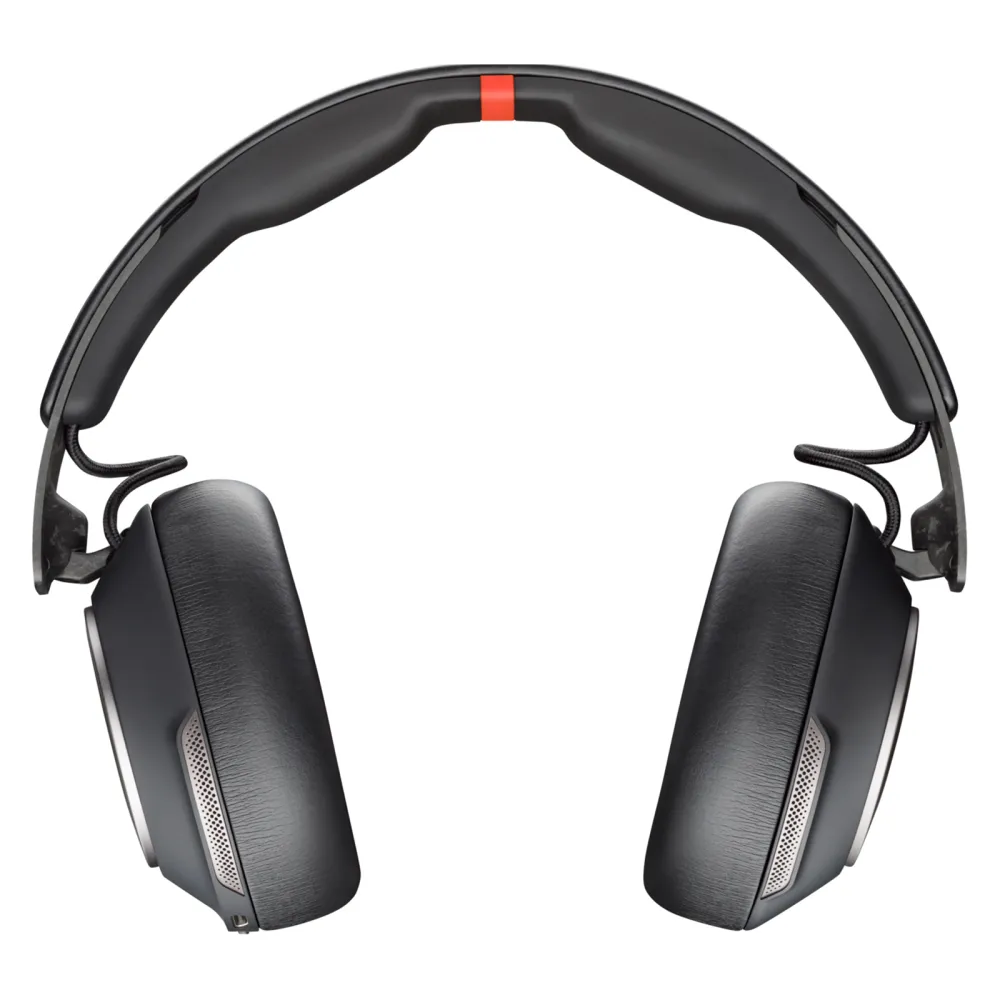
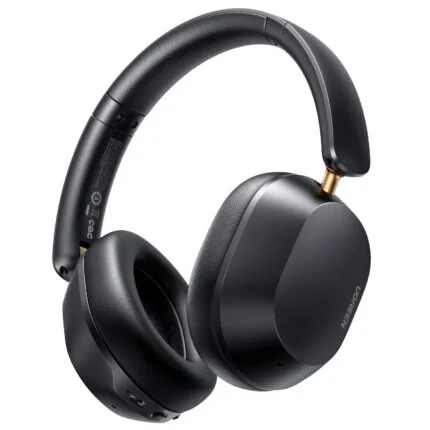
Poly Voyager Surround 85 UC Teams headset with adaptive ANC, six boomless call microphones, Bluetooth 5.3, BT700 USB-C adapter, USB-C/A adapter and wireless charging stand.
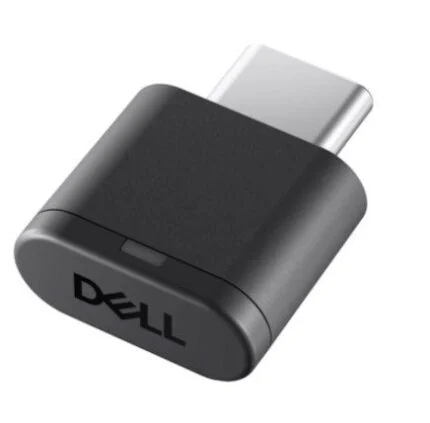
Move between conversation and music with an over-ear Bluetooth headset built around six boomless call microphones and adaptive noise cancellation. This Microsoft Teams-certified 8G7T8AA package includes the BT700 USB-C adapter, a USB-C to USB-A adapter and the Voyager Surround 85 wireless charging stand.
Teams certifiedOpen Office microphone specification
Adaptive ANCPlus Transparency mode
Bluetooth 5.3BT700 USB-C adapter included
Charging standIncluded with this 85 UC package
A quieter workspace
Choose what you hear around you.
Adaptive active noise cancellation works with the over-ear cushions to reduce surrounding distractions. Switch to Transparency mode when you want more awareness of the room. Six built-in microphones handle your voice without a projecting boom, while four additional microphones support ANC. Results depend on fit and the surrounding environment.
The Teams version
Keep meeting controls within reach.
This is the Microsoft Teams-certified model, including the Open Office microphone specification. Touch controls on the right earcup handle calls, volume and music, with a dedicated physical mute button. Teams-specific interaction requires the Teams application and a supported connection; call and media controls can vary between applications and web clients.
Computer and phone
A small adapter. Several ways to connect.
Use the included BT700 USB-C Bluetooth adapter with a computer, adding the supplied USB-C to USB-A adapter when needed. Bluetooth also connects compatible smartphones. The headset supports up to two connected devices, and the supplied USB-C and USB-C-to-3.5mm cables provide corded audio options. The 3.5mm cable carries audio without charging the battery.
Between meetings
Give the headset a place to recharge.
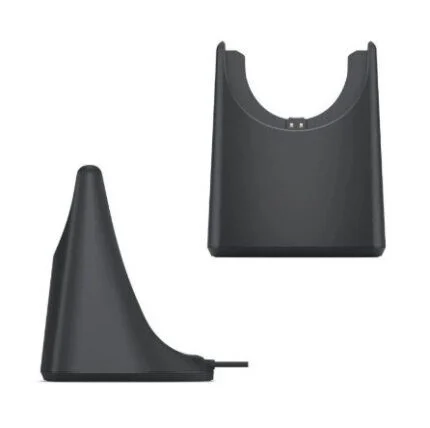
Set the headset on its included wireless charge stand and use the stand’s LED to check charging status. The stand connects to a suitable USB-C power source through its stored cable. The user guide gives approximately five hours for a full wireless-stand charge; a USB cable offers another charging route. Up to 21 hours of talk time or 24 hours of listening are manufacturer maximums, with actual use affected by settings, connection, volume and battery condition.
Fit and listening
Over-ear comfort, with room to adjust.
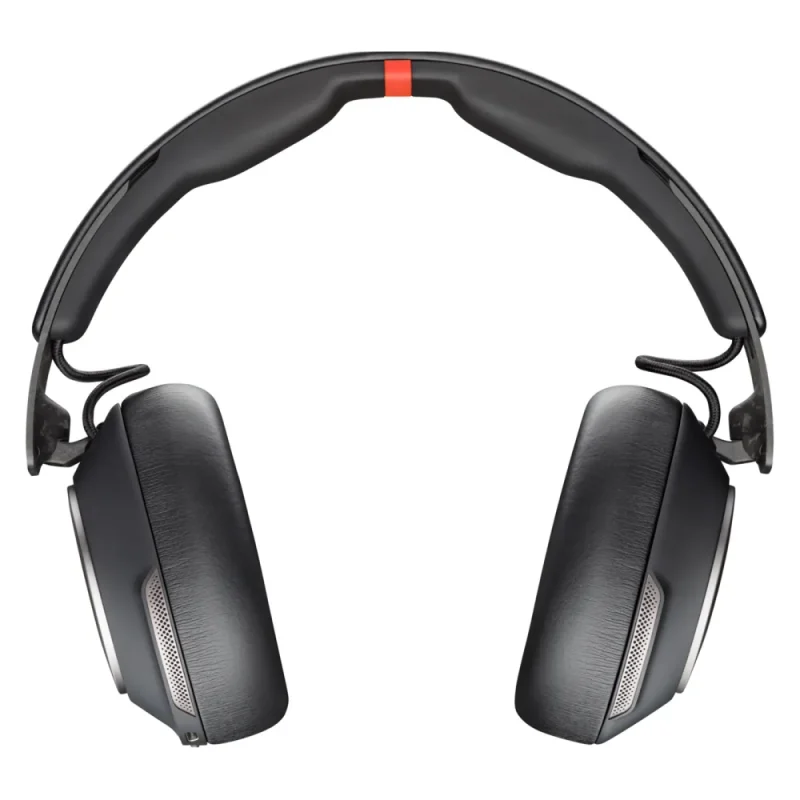
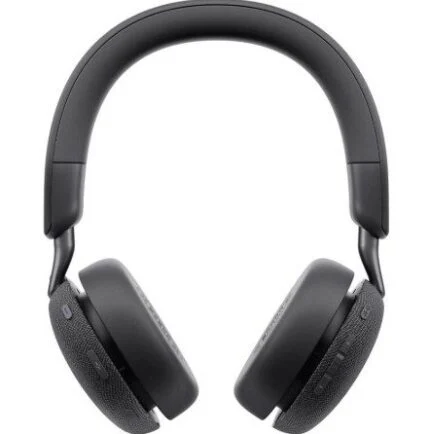
The adjustable headband and cushioned earcups provide a stereo over-ear fit. The headband has a centre gap, with angled drivers inside the earcups. A pair of 40mm drivers covers calls and music, and the carrying case keeps the headset together between workspaces.
Setup and ownership
Keep settings matched to your device.
Use the official user guide for pairing, controls and the included charging stand. Product documentation identifies Poly Lens for settings and device management; some SoundGuard Digital functions require its desktop software. Confirm the supported application, headset model and operating system before installation.
Specifications
Identity and fit
Brand and model
Poly Voyager Surround 85 UC
Part number
8G7T8AA
Edition
Microsoft Teams-certified USB-C package with USB-C/A adapter and charging stand
Design
Stereo over-ear headset; boomless microphones
Colour
Black
Ear cushions
Artificial leather surface
Headband
Adjustable; centre pressure-relief gap design
Headset dimensions
Approximately 191 × 77 × 181mm (W × D × H); primary sheet rounds to 7.52 × 3.03 × 7.13in
Headset weight
Approximately 275g listed; manufacturer sheet rounds to 0.6lb
Voice and listening
Microphones
10 total: 6 call microphones plus 4 supporting adaptive ANC
ANC
Hybrid adaptive active noise cancellation
Ambient mode
Transparency mode
Speaker size
40mm
Speaker bandwidth
20Hz–20kHz
Microphone bandwidth
20Hz–16kHz manufacturer specification
Microphone frequency response
100Hz–6.8kHz manufacturer specification; distinct from stated bandwidth
Up to 2 simultaneously connected devices; application and connection limitations apply
Range
Up to approximately 30m; environment and connected equipment affect range
Bluetooth profiles
A2DP, AVRCP, HFP, HSP, AVDTP
Host devices
Compatible PCs and smartphones
Documented operating systems
Windows 11, Windows 10, macOS, Android and iOS; feature and application support vary. OS listing does not promise ongoing lifecycle support
Controls and software
Touch controls
Volume, play/pause, track forward/back and programmable touch function
Physical controls
Mute and power/pairing
Teams features
Teams-specific controls require supported Teams application; features vary by platform and connection
Sensors
Smart sensor technology; configure supported behaviours in compatible software
Management software
Poly Lens named in product documentation; consult official model support for applicable current software
Software boundary
Teams and browser call controls depend on application, operating system and connection.
Battery and charging
Battery
Rechargeable lithium-ion, 1100mAh
Talk time
Up to 21 hours; manufacturer maximum, not a measured guarantee
Listening time
Up to 24 hours; manufacturer maximum, not a measured guarantee
Runtime conditions
Actual duration depends on settings, volume, connection, battery condition and use.
Wireless charging
Included Poly wireless charge stand
Wireless-stand charge time
Approximately 5 hours for a full charge according to user guide
USB charging
USB-C cable charging supported; no unverified method-specific full-charge time promised
Stand power connection
USB-C; stored cable approximately 1.5m
Charge indication
Stand LED pulses during charging and turns off when full; headset LEDs indicate cable charging
Package and support
In the box
Wireless headset; charging stand; BT700 USB-C Bluetooth adapter; USB-C-to-USB-A adapter; USB-C-to-3.5mm audio cable; USB charging cable; carrying case; user guide
Warranty
Poly standard two-year limited manufacturer warranty documented; local entitlement and accompanying terms apply
Support selection
Match Voyager Surround 85 UC, Teams model and host operating system
Family distinction
Surround 85 UC wireless charging stand is included here; do not substitute Surround 80 package assumptions
Battery and range figures are manufacturer maximums, not measured results. Control, Teams and software functions depend on host application and connection. Wireless-stand charging differs from cable charging. Use official support to check applicable software and local warranty entitlement.
Driver & Software Downloads
Use official support resources for this product. Each link opens in a new tab.
Poly Voyager Surround 85 UC — official user guide (PDF)
Official Voyager Surround 85 UC guide covering pairing, controls, corded audio and wireless-stand charging. Check the model and connection instructions before setup. Software and firmware selection requires the exact HP model support service.
Necessary cookies keep the site, cart, checkout, account, and security features working. With your permission, we also use optional analytics and advertising cookies to measure and improve our service. “Accept optional cookies” consents only to that optional processing; use of the site remains separately governed by our Terms. You can choose Necessary only and change your choice at any time.


Reviews
There are no reviews yet.