
Official manufacturer overview
Samsung QHC / QMC / QBC — official family overview
Samsung · QHC/QMC/QBC family overview; sizes, brightness and features vary. This listing is the 43-inch-class QM43C with 500-nit typical brightness. Accessories and cloud services may be separate purchases.
Play to load this video from YouTube.
Samsung professional signage • QM43C
A clear message. A considered space.
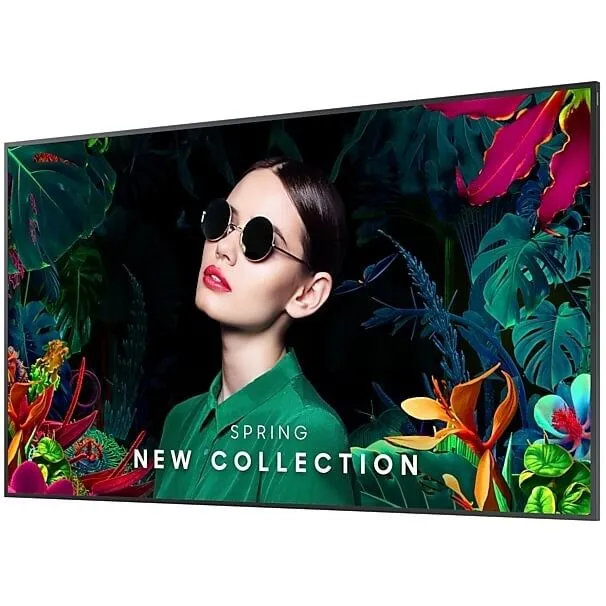
Bring 4K detail into retail, reception and shared workspaces with the Samsung QM43C. Its 43-inch-class display combines 500-nit typical brightness, a non-glare surface and 24/7 operating support in a slim 28.5mm cabinet. An integrated Tizen signage player, flexible source connections and landscape or portrait installation give your content a purposeful place to live.

The visual canvas
Give the message room to breathe.
The 43-inch-class 4K canvas gives menus, promotional artwork and workplace information a clear structure. A 500-nit typical brightness rating and 25% haze surface support indoor signage where reflections need managing. Dynamic Crystal Color brings Samsung’s one-billion-shade colour presentation, while Quantum Processor Lite 4K handles picture processing and UHD upscaling. Results depend on the original content and format.
A considered installation
A slim profile. An even frame.
At 28.5mm deep, QM43C keeps the cabinet close to the wall. Matching 11.5mm bezels give landscape and portrait layouts a consistent edge, while the 200 ×200mm VESA pattern sits centrally at the rear. Plan mounting hardware, cable clearance and ventilation together; the compatible stand and Slim Fit Wall Mount are optional accessories.
Built for the working day
Keep the schedule moving around the clock.
Samsung rates QM43C for 24/7 operation within its specified installation and environmental limits. Choose landscape for broad messages or portrait for tall-format content, then follow the supplied guide for mounting orientation. The display measures 969.5 ×557.8mm across its face and weighs 8.8kg without a stand, useful starting points for a considered site plan.
Player inside
Run the content from within the display.
Tizen 7.0, Samsung Smart Signage Platform 10.0 and the built-in MagicINFO S10 player bring a signage platform into the screen. The internal quad-core Cortex-A73 processor and 16GB nominal storage support the integrated workflow, with 10GB listed as available in the manufacturer specification. Home UI groups Favourites, Sources and Settings for day-to-day access.
Sources and control
Connect the installation, not just a picture.
Three HDMI 2.0 inputs and one DisplayPort 1.2 input accommodate external players and computers; two USB 2.0 ports serve the supported media and service workflows. Ethernet and RS 232C input/output provide wired control paths, with Wi-Fi and Bluetooth also built in. Two-channel 10W speakers and a stereo mini-jack output give you audio options without implying a separate sound system is included.
Shared spaces
Move between screens with less friction.
SmartView+ supports wireless screen sharing from compatible sources. Smart Calibration uses a compatible mobile device and the SmartThings app to help align colour between screens. For a managed deployment, Samsung VXT combines content and device management in a separately purchased cloud service; network access, licence and regional availability need to suit the project.
Choose the supplied variant
Get the panel detail right before installation.
QM43C is documented with VA and IPS regional panel variants. Samsung lists typical static contrast of 4000:1 for VA and 1200:1 for IPS; this catalogue SKU does not specify the full regional model suffix. Confirm the supplied unit label when panel type, regional software, accessories or service entitlement is decisive. The common 4K resolution, 500-nit typical brightness, 25% haze and 24/7 rating form the verified basis of this overview.

Reviews
There are no reviews yet.