
Dell AC16251 manuals and service documentation
Choose Alienware 16X Aurora AC16251 and the applicable document revision; Service Tag identifies the actual supplied build.
Open official support (opens in a new tab)Checking which support options are available…
Who would you like help from?
Enter your name to begin your live chat with an online consultant.
What can we help you with?
Your details are used only to respond. MatzoBot requests are securely passed to the MatzoTech team.
Your request has been emailed to MatzoTech. A consultant will reply using the email address or mobile number you supplied.

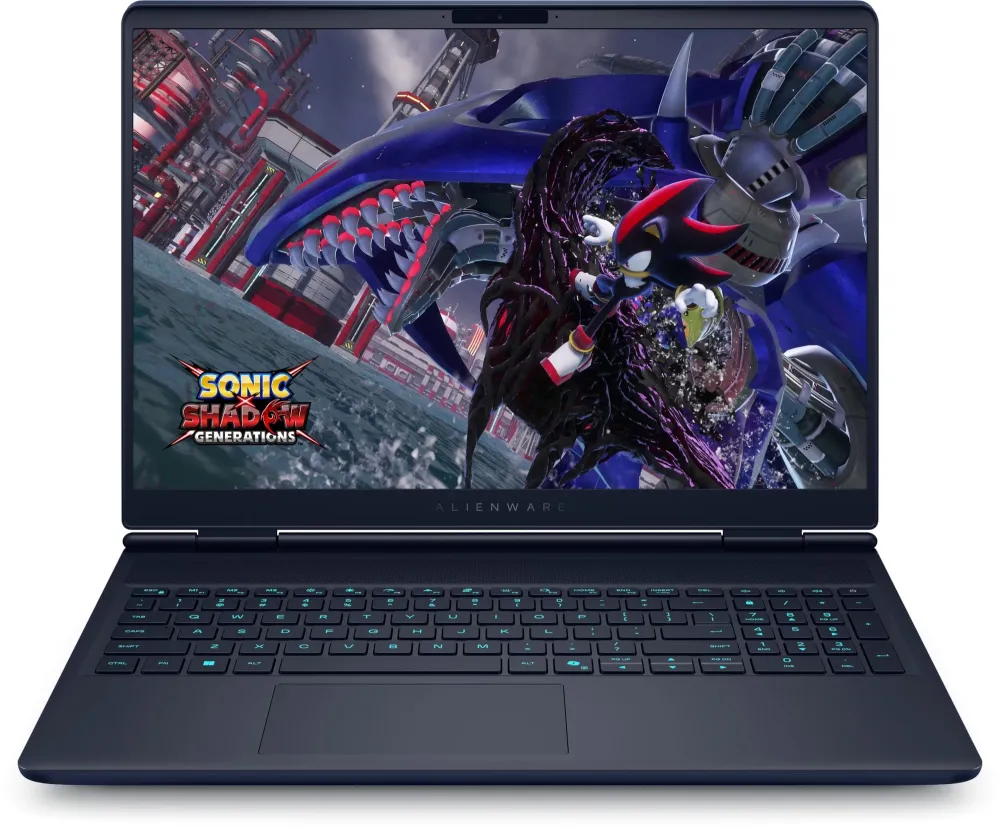
16-inch 2560 × 1600 OLED 240Hz gaming notebook with listed 290HX processor, NVIDIA GeForce RTX 5070 8GB laptop graphics, 32GB (2 × 16GB) DDR5-5600, 1TB PCIe NVMe SSD, RGB keyboard, six-cell battery and 280W power supply. Exact order code AC16251_ARLHX_013_OLED.
R85,899.00
Supplier has stock — 6 avail
Clear fulfilment, warranty and payment details.
Alienware • AC16251 OLED
A 16-inch WQXGA OLED display, 240Hz refresh and GeForce RTX 5070 laptop graphics give this AC16251 configuration a clear gaming focus. The retained specification pairs 32GB of dual-module DDR5 memory with a 1TB PCIe NVMe SSD, an RGB backlit keyboard and a 280W power supply.
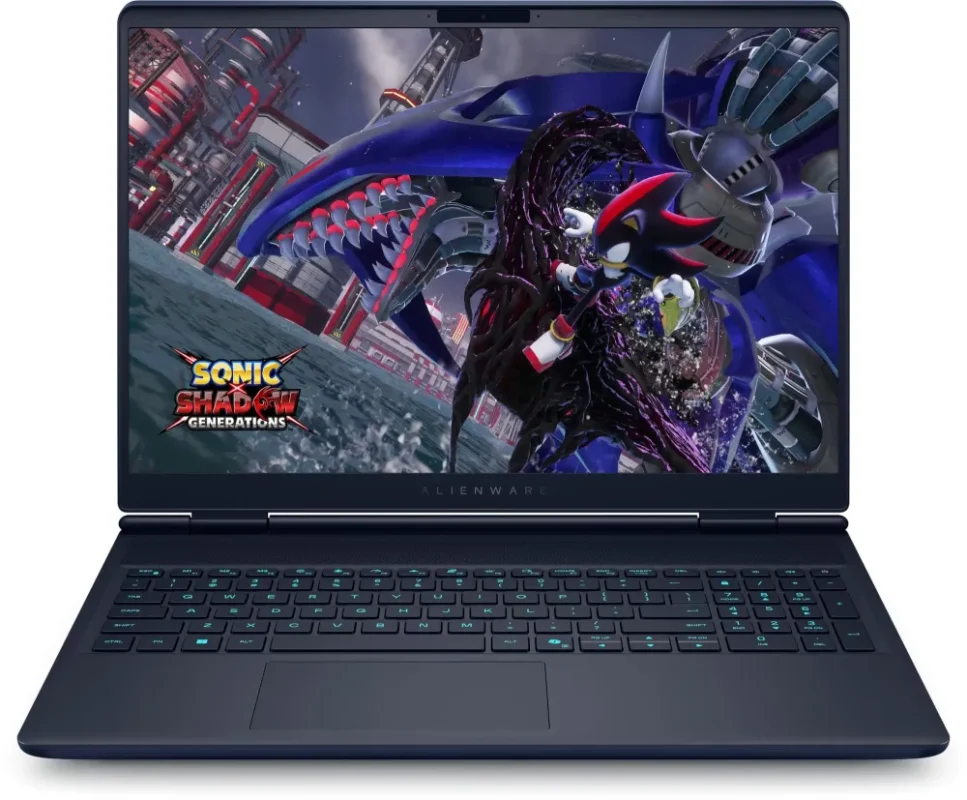
OLED workspace
The supplied OLED configuration pairs a 16-inch screen with 2560 × 1600 resolution and a 240Hz refresh rate. Its 16:10 shape gives games, timelines and documents more vertical room than a 16:9 panel of the same width. Dell documents an anti-glare, non-touch OLED option with G-SYNC, a 0.2ms maximum response time and DisplayHDR True Black 500 certification. Those are panel specifications, not a promise that every game will run at 240 frames per second.
Processor and graphics
The retained listing specifies a 290HX processor with 36MB cache and boost up to 5.5GHz. Dell names the matching AC16251 processor Intel Core Ultra 9 290HX Plus: 24 cores, comprising eight Performance-cores and sixteen Efficient-cores, with 24 threads. The supplied NVIDIA GeForce RTX 5070 Laptop GPU has 8GB of dedicated graphics memory; Dell specifies GDDR7 for this model option. Boost clocks and game results depend on cooling, power mode and workload; desktop RTX 5070 specifications do not describe this laptop GPU.
Memory, already paired
The supplied 32GB is arranged as two 16GB DDR5 modules at 5600MT/s, occupying both memory positions. Dell documents two replaceable SO-DIMM sockets with a 64GB system ceiling using two 32GB modules. Reaching that ceiling means replacing the supplied pair. Match supported non-ECC, non-XMP modules and check the current model manual and actual configuration before buying upgrades; a faster memory kit does not automatically establish its operating speed.
Storage and service
The existing specification’s 1TB PCIe NVMe M.2 SSD is retained. Dell documents two internal SSD positions and both 2230 and 2280 replacement procedures for AC16251, with Gen4 capacities depending on drive length. The supplied drive’s exact length and the second position’s fitted hardware are not established by this listing. An additional or replacement SSD needs the correct screw mount, thermal shield and thermal pad. The manual reserves its Gen5 option for RTX 5070 Ti systems; that option is not claimed for this RTX 5070 configuration.
Desk connections
The AC16251 manual lists two USB 3.2 Gen 1 Type-A ports, one USB 3.2 Gen 2 Type-C port with DisplayPort, and a separate Thunderbolt 4 port with DisplayPort 2.1 and Power Delivery. HDMI 2.1 connects directly to the discrete graphics controller. A 1Gbps RJ45 network port, 3.5mm universal audio jack and dedicated DC input complete the set. There is no card reader. Choose a cable or dock for the exact connection required; USB-C Power Delivery is not a promise of full gaming power from an arbitrary charger.
Wireless and controls
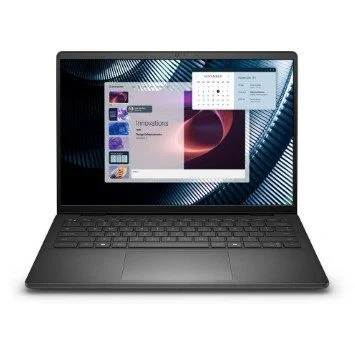
The supplied configuration lists an RGB backlit keyboard and a MediaTek MT7925 2×2 wireless connection with Bluetooth. The retained front image shows a separate numeric keypad; the game image is illustrative and does not include a game licence. Dell’s model documentation identifies the MT7925 family as Wi-Fi 7 capable, while the supplier text calls it Wi-Fi 6. Usable standards, bands and Bluetooth functions depend on the fitted regional configuration, operating system, driver and compatible network. Confirm those details before planning a 6GHz or Wi-Fi 7 setup.
Camera and sound
Dell’s AC16251 documentation lists a front FHD RGB camera recording up to 1920 × 1080 at 30fps, alongside an infrared camera. Digital-array microphones sit in the camera assembly, and two built-in speakers have a combined 4W average output. The one-zone RGB keyboard keeps lighting controls distinct from an individually lit per-key design. Camera and sign-in features depend on the supplied operating system, settings and software; the regional keyboard layout should be confirmed for this order code.
Battery and power
The native six-cell battery and supplied 280W power-adapter specification are retained. Dell documents a 96Wh lithium-ion battery for AC16251, but capacity does not establish runtime: screen brightness, wireless activity, applications and graphics load all matter. Use the supplied model-compatible adapter for the intended power configuration. The chassis footprint is approximately 356.98 × 265.43mm; allow space around the ventilation openings when arranging a desk or laptop stand.
Model-specific support
The AC16251 platform is named Alienware 16X Aurora in Dell documentation, distinct from the AC16250 Alienware 16 Aurora. The commercial listing title and exact AC16251_ARLHX_013_OLED order code are preserved here. Use the Service Tag on the supplied machine to confirm its original build, installed Windows edition and support entitlement. Dell’s model manuals and drivers pages are provided separately; select the actual operating system and review package applicability before installation. Regional warranty length and included support upgrades are not established by another country’s Dell store configuration.
| Manufacturer | Dell / Alienware |
|---|---|
| Commercial SKU | AC16251_ARLHX_013_OLED |
| Platform code | AC16251 — identified by Dell as Alienware 16X Aurora; commercial listing retains Alienware 16 Aurora wording |
| Condition | New |
| Operating system | Exact supplied edition not stated; confirm original configuration by Service Tag |
| Warranty and support | Exact regional duration and service tier not established; confirm supplied entitlement |
| Listed processor | 290HX, 36MB cache, up to 5.5GHz; native supplier shorthand |
|---|---|
| Official matching processor designation | Intel Core Ultra 9 290HX Plus in Dell AC16251 documentation; exact supplier order-code crosswalk remains unverified |
| Processor cores / threads | 24 cores / 24 threads for the documented 290HX Plus option |
| Core arrangement | 8 Performance-cores + 16 Efficient-cores for documented processor option |
| Discrete GPU | NVIDIA GeForce RTX 5070 Laptop GPU |
| Dedicated graphics memory | 8GB; Dell documents GDDR7 for this GPU option |
| GPU power / benchmarks | Exact configured TGP and measured game performance not established |
| Size | 16.0 inches |
|---|---|
| Panel | OLED, non-touch; supplied OLED option |
| Native resolution | 2560 × 1600 (WQXGA), 16:10 |
| Refresh rate | 240Hz |
| Eye-comfort feature | ComfortView Plus in supplied listing; not a medical-benefit claim |
| Surface | Anti-glare OLED model option |
| Adaptive refresh | NVIDIA G-SYNC / Adaptive Sync on documented OLED option |
| OLED response time | 0.2ms maximum per model manual; not end-to-end input latency |
| HDR certification | VESA DisplayHDR True Black 500 on documented OLED option |
| Supplied RAM | 32GB DDR5, 2 × 16GB |
|---|---|
| Supplied memory rate | 5600MT/s |
| Memory sockets | 2 SO-DIMM; both occupied by supplied pair |
| Documented memory limit | 64GB total, 2 × 32GB; requires replacing supplied modules |
| Module support | Non-ECC, non-XMP; match Dell supported configurations |
| Supplied SSD capacity | 1TB nominal; usable capacity lower after formatting and software |
| Supplied SSD interface | PCIe NVMe M.2; exact drive length and model not stated |
| Internal SSD positions | Two positions; manual supports 2230/2280 installation with correct mounts/shields |
| Gen4 documented limits | Up to 1TB per 2230 position or 2TB per 2280 position; verify actual build and hardware |
| Gen5 applicability | Manual limits Gen5 option to RTX 5070 Ti systems; not claimed on this RTX 5070 build |
| SSD thermal hardware | Thermal shield with thermal pad required for added/replacement SSD; not assumed supplied |
| USB-A | 2 × USB 3.2 Gen 1, up to 5Gbps |
|---|---|
| USB-C | 1 × USB 3.2 Gen 2 Type-C with DisplayPort, up to 10Gbps |
| Thunderbolt | 1 × Thunderbolt 4 with DisplayPort 2.1 and Power Delivery, up to 40Gbps |
| HDMI | 1 × HDMI 2.1, discrete graphics controller direct output |
| Ethernet | 1 × RJ45, 1Gbps |
| Audio connection | 1 × 3.5mm universal audio jack |
| DC input | Dedicated 7.4 × 5.1mm adapter connector per model manual |
| Card reader | Not supported |
| Keyboard | RGB backlit; exact regional layout not established |
| Numeric keypad | Present in retained local front image |
| Supplied radio wording | MediaTek MT7925, 2×2 + Bluetooth; native listing says Wi-Fi 6 |
|---|---|
| Manufacturer radio scope | Dell documents MT7925 Wi-Fi 7 capability; exact region/OS/driver/network determines usable standards and bands |
| Battery | 6-cell; Dell model documentation lists 96Wh lithium-ion |
| Supplied adapter | 280W |
| Battery runtime | Workload and settings dependent; no fixed runtime claimed |
| Width × depth | 356.98 × 265.43mm model reference; exact height/weight not reconciled |
| Product imagery | Existing local front image reused; screen content illustrative, no game licence implied |
| Camera | Model documentation: front FHD RGB + IR camera |
|---|---|
| RGB video | 1920 × 1080 at 30fps |
| Microphones | Digital-array microphones in camera assembly |
| Speakers | Two speakers, 2W + 2W average output |
| Audio controller | Realtek ALC3204 per model manual |
| Lighting | One-zone RGB backlit keyboard per model documentation; exact regional layout not established |
Configuration details follow this exact supplied listing; Dell’s AC16251 model documentation describes the Alienware 16X Aurora platform. Confirm original build, Windows edition, regional radio capability and warranty entitlement by Service Tag. Listed refresh, transfer and boost rates are specifications, not measured game performance.
Use official support resources for this product. Each link opens in a new tab.
Choose Alienware 16X Aurora AC16251 and the applicable document revision; Service Tag identifies the actual supplied build.
Open official support (opens in a new tab)Select the actual supported operating system and Service Tag before choosing drivers, BIOS or Alienware software. No latest-version or automatic-install claim.
Open official support (opens in a new tab)Compare 2–5 products side by side
Help other shoppers by sharing an honest review.
Write a reviewYou are offline. Reconnect to check prices and shop.


Reviews
There are no reviews yet.