
MacBook Pro (14-inch, M5) technical specifications
Exact 2025 M5 model-family reference; match 16 GB/1 TB configuration and verify regional part number.
Open official support (opens in a new tab)Checking which support options are available…
Who would you like help from?
Enter your name to begin your live chat with an online consultant.
What can we help you with?
Your details are used only to respond. MatzoBot requests are securely passed to the MatzoTech team.
Your request has been emailed to MatzoTech. A consultant will reply using the email address or mobile number you supplied.

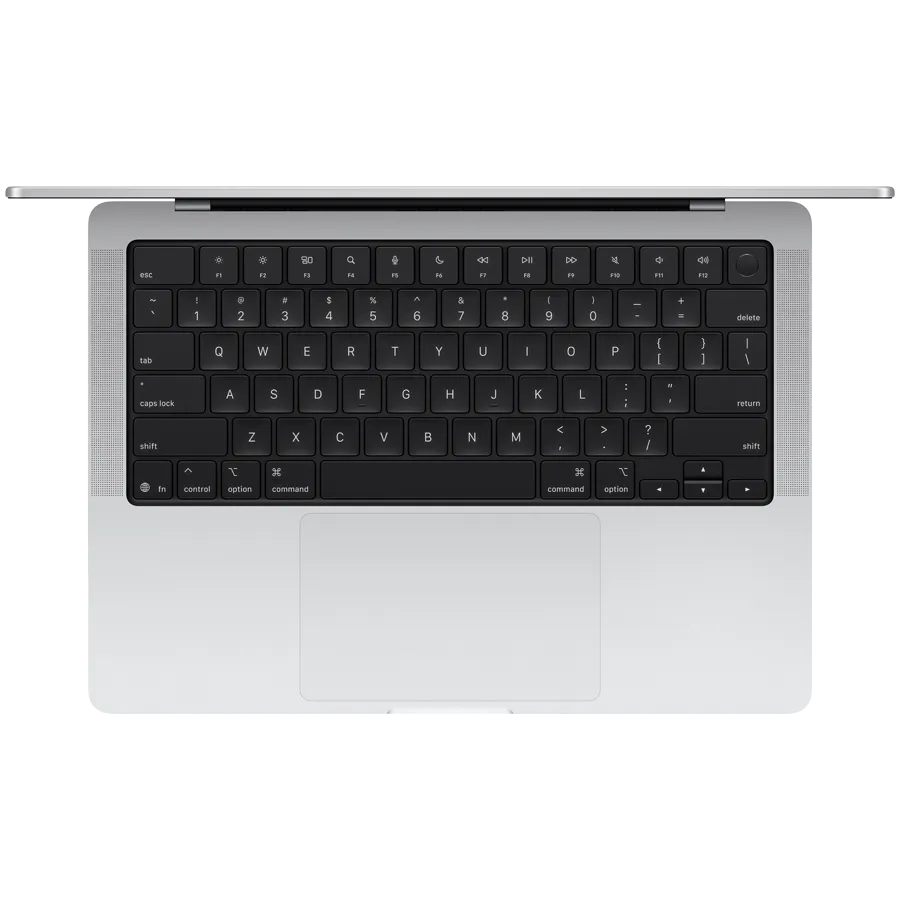
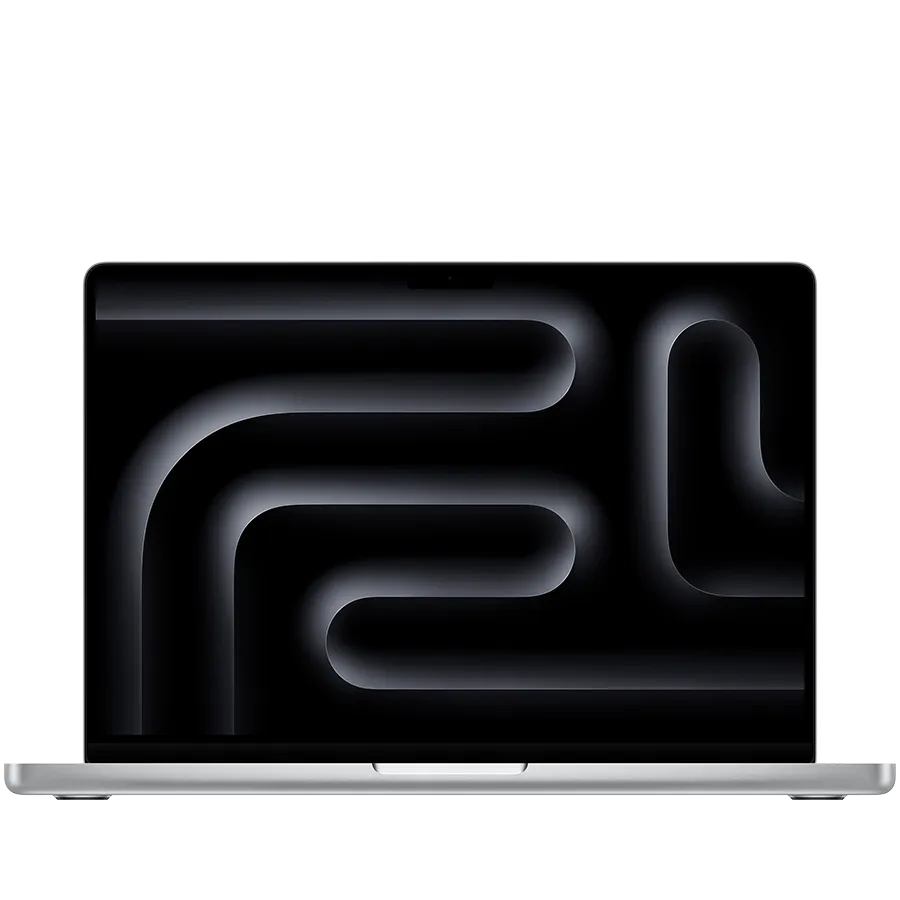
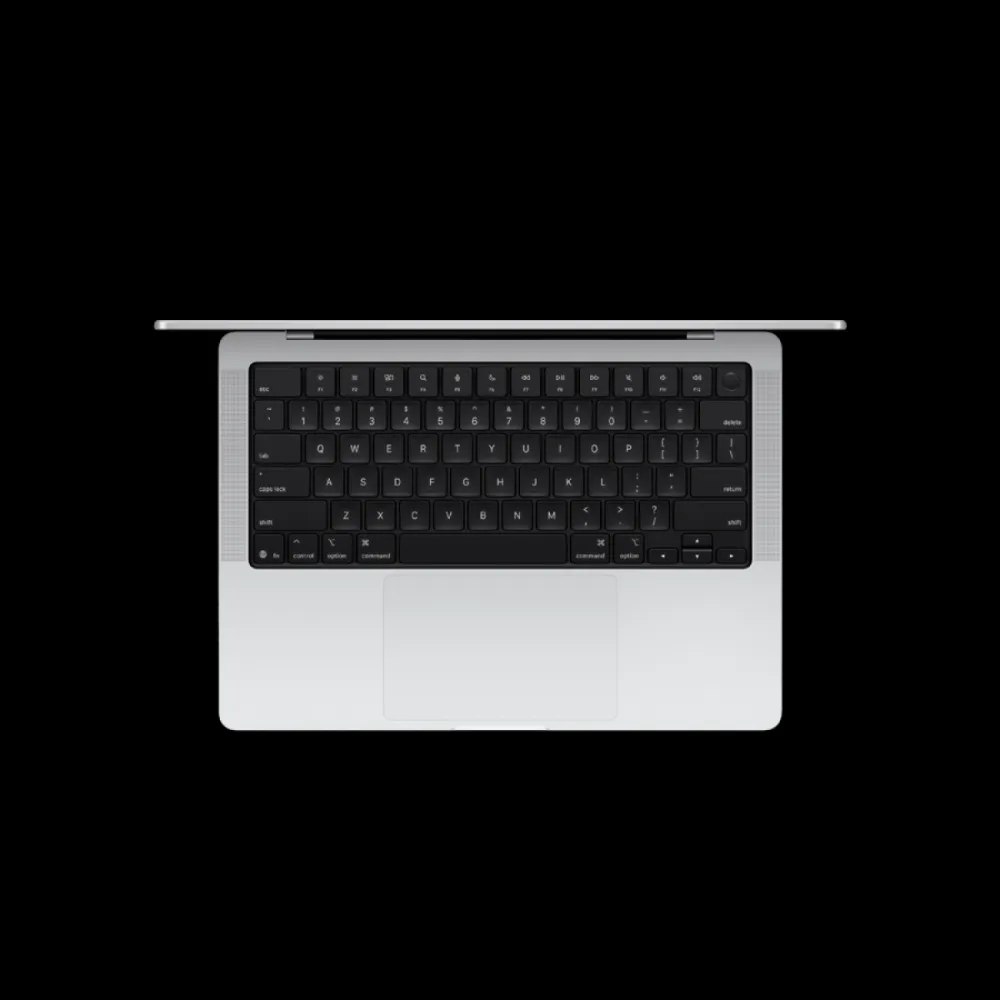

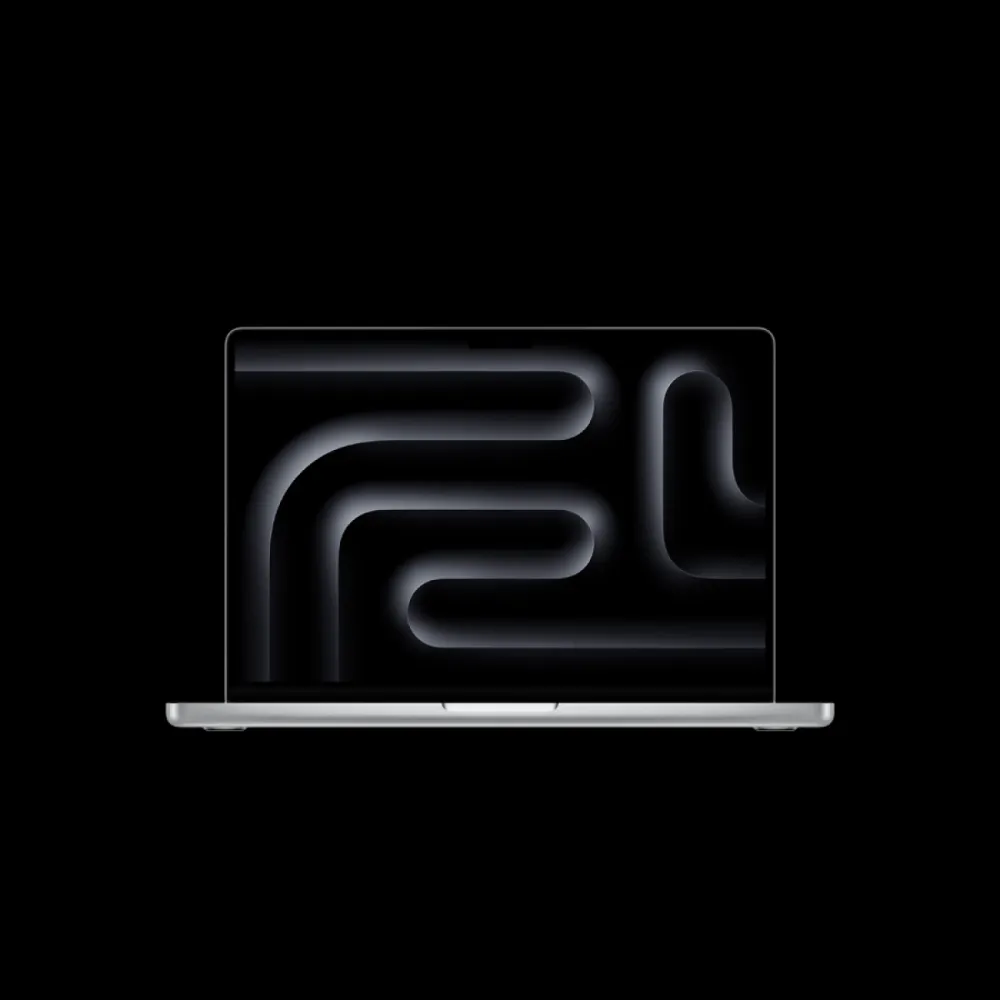
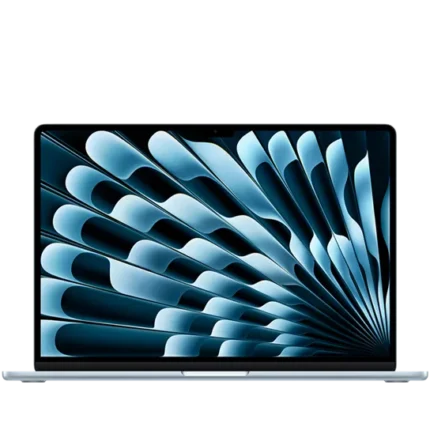
Silver 14-inch MacBook Pro with Apple M5, 10-core CPU and 10-core GPU, 16 GB unified memory and 1 TB SSD. 14.2-inch Liquid Retina XDR/ProMotion display, three Thunderbolt 4 ports, HDMI and SDXC. SKU MDE54ZE/A; regional keyboard, package and delivered software require confirmation.
R42,849.00
Supplier has stock — 2 avail
Clear fulfilment, warranty and payment details.
Official manufacturer overview
Apple · Apple’s M5, M5 Pro and M5 Max family film. This listing is the 2025 14-inch M5, 16GB/1TB model in Silver. Other sizes, chips and accessories shown are separate. Fast charging requires a 96W or higher USB PD source; the listed 70W adapter is not fast-charge equipment. Battery life, apps and Apple Intelligence depend on configuration, software and region.
Play to load this video from YouTube.
MacBook Pro • 14-inch M5 • 16 GB / 1 TB • Silver
A vivid Liquid Retina XDR display, Apple M5 processing and a practical set of built-in ports come together in this Silver 14-inch MacBook Pro. The supplied 16 GB unified-memory and 1 TB SSD configuration keeps the essentials in one portable aluminium notebook, with detailed specifications and clear software, battery and regional-package conditions below.
14-inch MacBook Pro • Silver
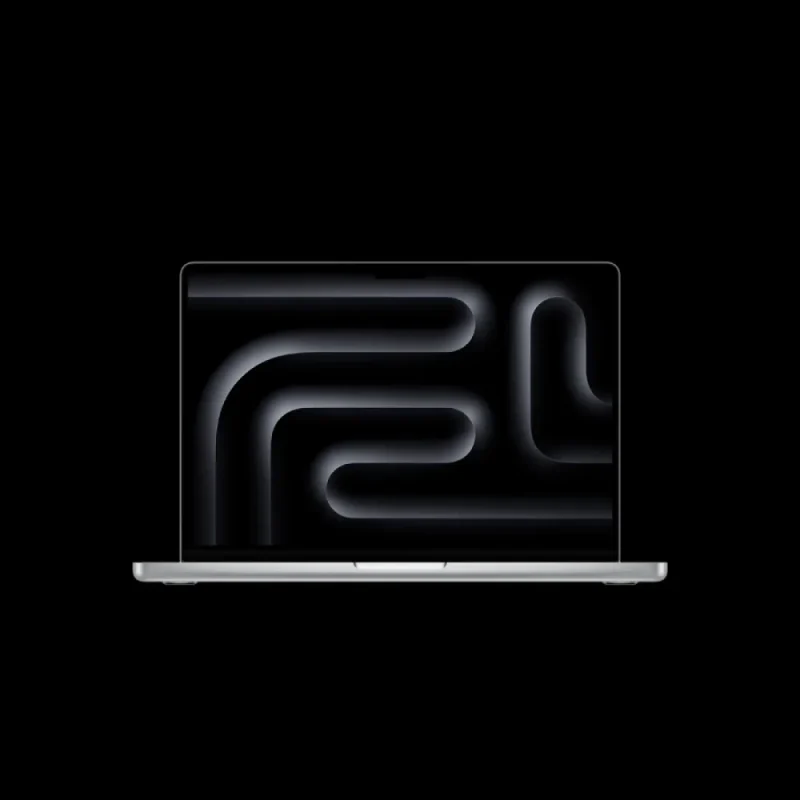
This Silver configuration brings together the Apple M5 chip, 16 GB of unified memory and a 1 TB SSD in the 14-inch MacBook Pro enclosure. The aluminium body measures 312.6 × 221.2 × 15.5 mm and weighs approximately 1.55 kg. A built-in display, backlit keyboard and Force Touch trackpad keep the essentials together, whether the laptop is open on a desk or moving between workspaces. This is the 2025 14-inch model with the base M5 chip.
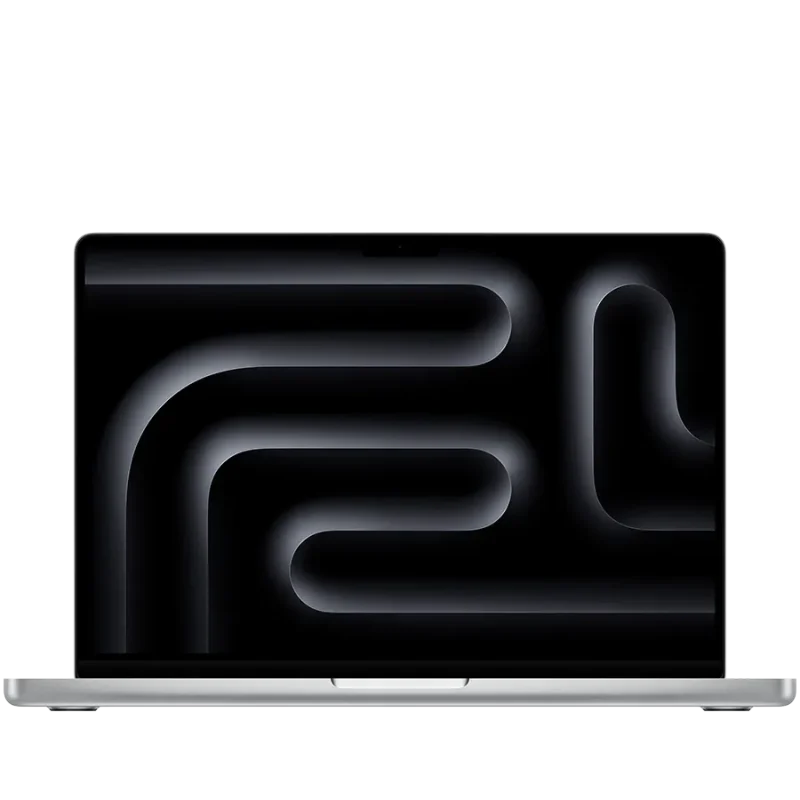
Liquid Retina XDR
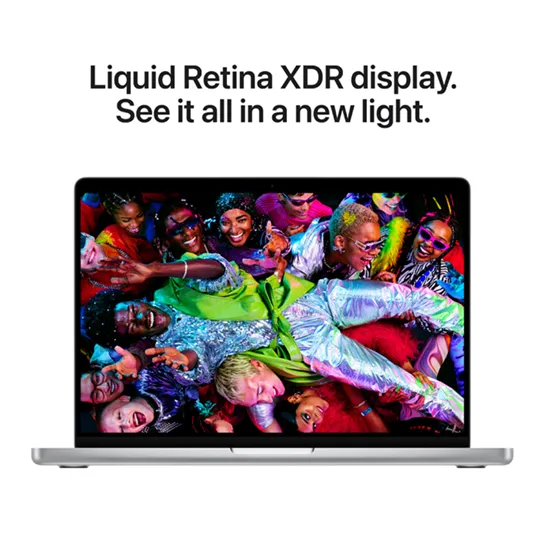
The 14.2-inch Liquid Retina XDR display combines a 3024 × 1964 native resolution with 254 pixels per inch, P3 wide colour, support for one billion colours and True Tone. ProMotion adapts refresh rates up to 120 Hz, with fixed rates available for appropriate workflows. Apple specifies a 1,000,000:1 contrast ratio, 1000-nit sustained full-screen HDR brightness and up to 1600-nit peak HDR brightness below 25°C. SDR brightness can reach 1000 nits outdoors. The rounded screen has less usable area than its rectangular diagonal measurement; these brightness figures are conditional, rather than a promise for every scene or environment.
Apple M5
M5 pairs a 10-core CPU, made up of four super cores and six efficiency cores, with a 10-core GPU. A 16-core Neural Engine, Neural Accelerators and 153 GB/s memory bandwidth support compatible computation and AI workloads. Hardware-accelerated ray tracing is available to supported graphics software. The media engine handles hardware-accelerated H.264, HEVC, ProRes and ProRes RAW, with dedicated video encode/decode and ProRes engines plus AV1 decoding. Application support and project complexity determine practical results.
AI and creative work
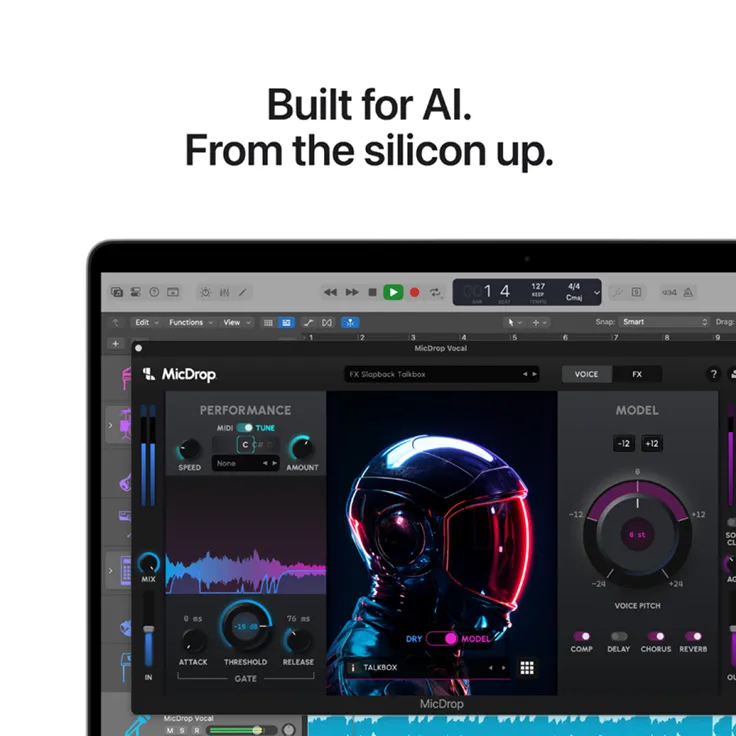
The supplied 16 GB unified-memory configuration is within Apple’s supported M5 model range for Apple Intelligence. Compatible apps can use the Neural Engine, GPU and media engine for their own supported tasks. Apple Intelligence features depend on the installed macOS, language, region and downloaded models; current requirements must be checked for the particular feature. Some server-based features have daily usage limits, and Apple states that expanded access may carry a future fee. App screens and AI imagery illustrate possible workflows: they do not include third-party licences or guarantee every feature on the delivered software.
Battery and power
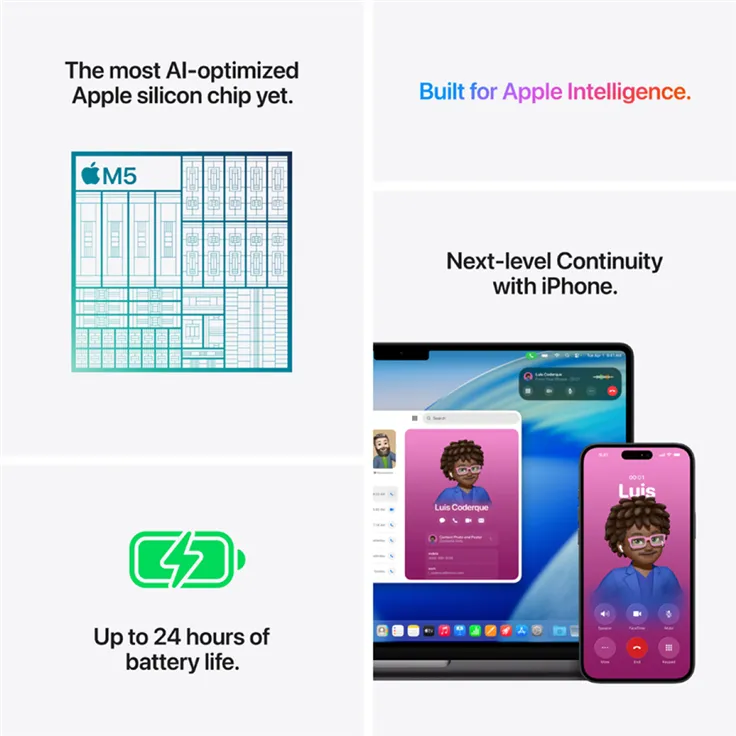
Apple rates the M5 model for up to 24 hours of video streaming or up to 16 hours of wireless web use. Its September 2025 tests used preproduction M5 systems with 24 GB memory and a 1 TB SSD, with controlled display brightness and keyboard backlighting off. This SKU has 16 GB memory, so the ratings are reference maxima rather than measured runtime for the supplied unit. The 72.4 Wh lithium-polymer battery charges through MagSafe 3 or supported USB-C power. Fast charging requires a 96 W or higher USB PD power source; the specified included 70 W adapter is not described as that fast-charge equipment.
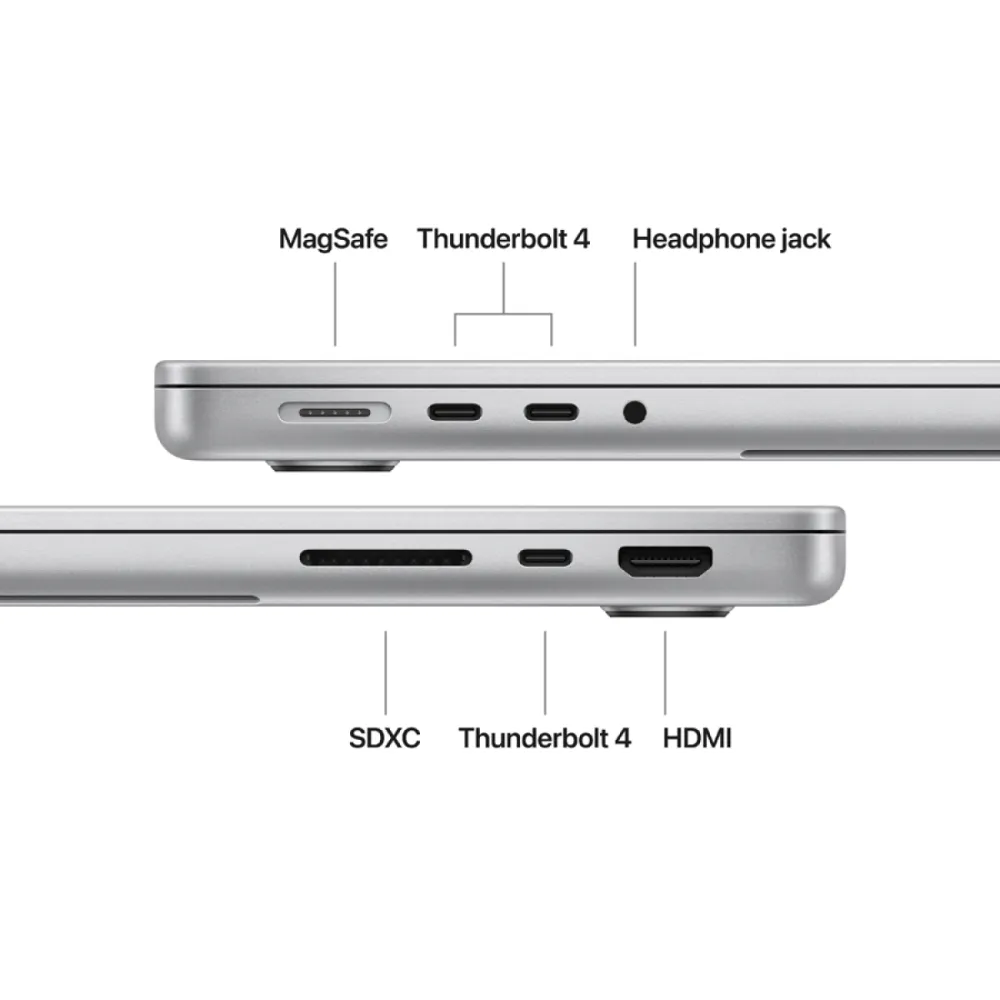
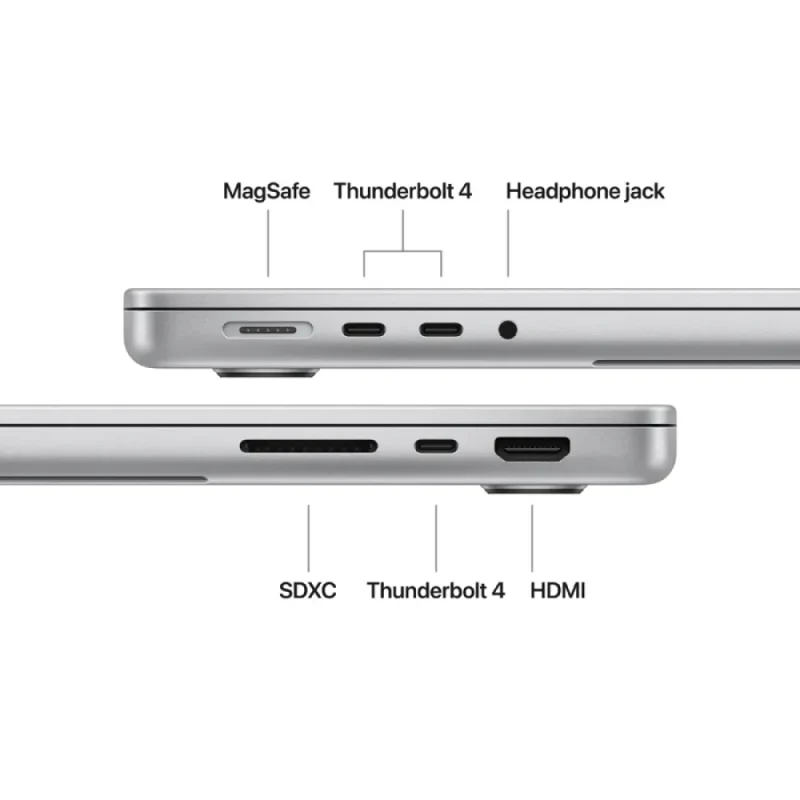
Thunderbolt 4 • HDMI • SDXC
Three Thunderbolt 4 USB-C ports support charging, DisplayPort output and Thunderbolt 4 or USB 4 data rates up to 40 Gb/s. HDMI connects a suitable display, SDXC provides a built-in card slot and the 3.5 mm headphone jack supports high-impedance headphones. MagSafe 3 gives charging its own connection. Wi-Fi 6E and Bluetooth 5.3 provide wireless connectivity; 6 GHz Wi-Fi use depends on local support, network equipment and regional rules. Cables, cards, displays and accessories must match the required connection and are separate unless listed in the supplied package.
Mac and iPhone
Continuity can move everyday tasks between a compatible Mac and iPhone: transfer files with AirDrop, continue supported work with Handoff, or copy and paste through Universal Clipboard. Supported iPhone Mirroring and Continuity Camera functions add further ways to work across devices. Each feature has its own device, software, Apple Account, wireless and regional requirements. Phones, tablets, headphones and other devices shown in feature artwork are separate purchases. The family illustration combines several capabilities and is not a guarantee that every pictured screen or service is supplied or enabled. The comparative wording embedded in this retained manufacturer family artwork is not an independently verified Matzotech performance claim. Its repeated battery rating remains subject to the controlled Apple test conditions explained above.
Keyboard and trackpad
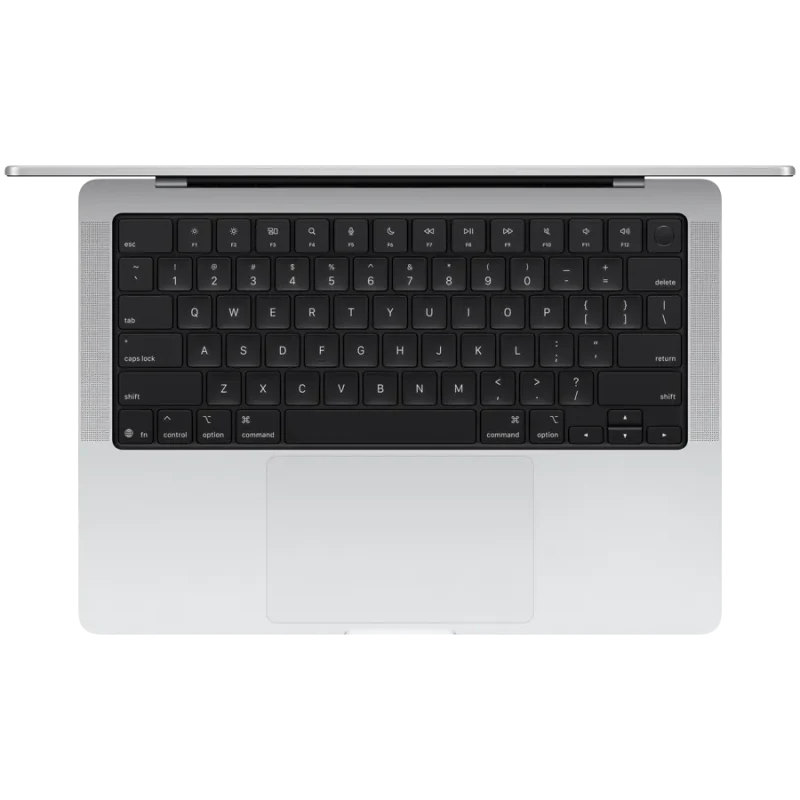
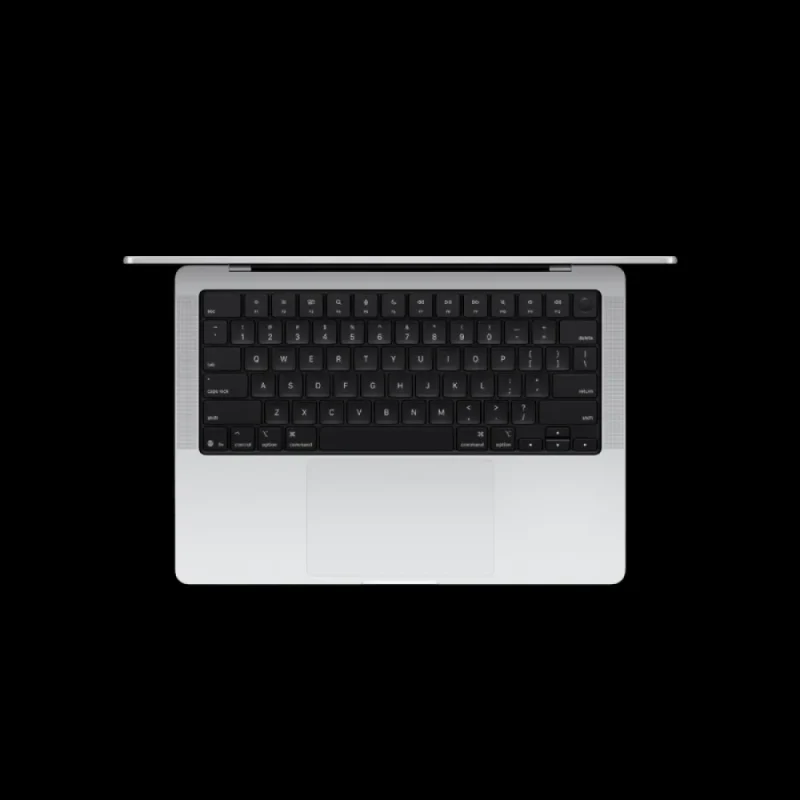
The backlit Magic Keyboard includes Touch ID, an ambient light sensor and full-height function keys. Force Touch supports pressure-sensitive input, Force clicks and Multi-Touch gestures in compatible software. The model family is offered with ANSI or ISO keyboard layouts; the exact layout for regional part MDE54ZE/A has not been independently established. Keyboard photographs illustrate the family hardware and should not be used to infer the supplied key legends. Confirm the layout if a particular language or key arrangement is essential.
16 GB memory • 1 TB SSD
This listing specifies 16 GB of unified memory and a nominal 1 TB SSD. Unified memory is shared by the chip’s supported workloads; the listed capacity is the supplied configuration. Apple’s other factory memory and storage options describe different purchase configurations, rather than an included upgrade or a user-installable expansion kit. A nominal terabyte means one trillion bytes, and formatted capacity is lower. Choose capacity around the applications and projects you expect to retain, allowing space for macOS, downloaded models and working files. Confirm service and upgrade options for the exact model before planning an internal hardware change.
Supplied package
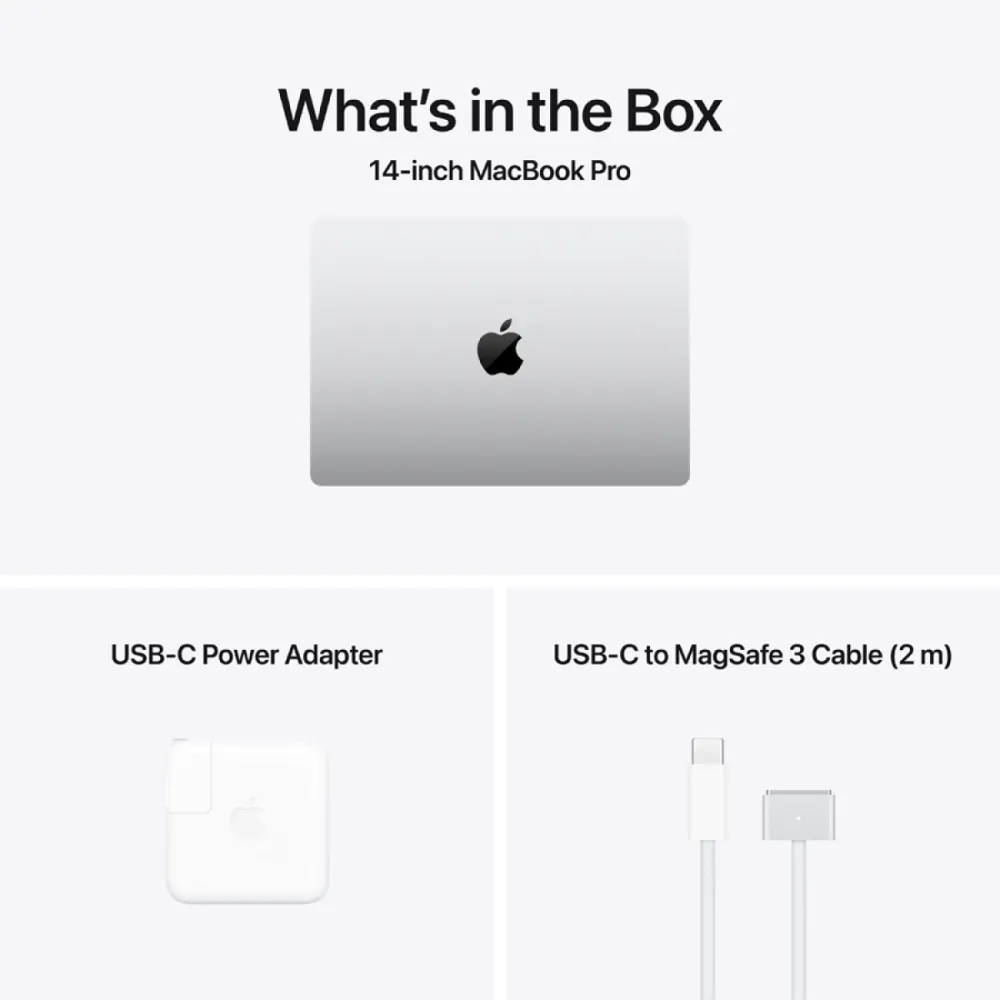
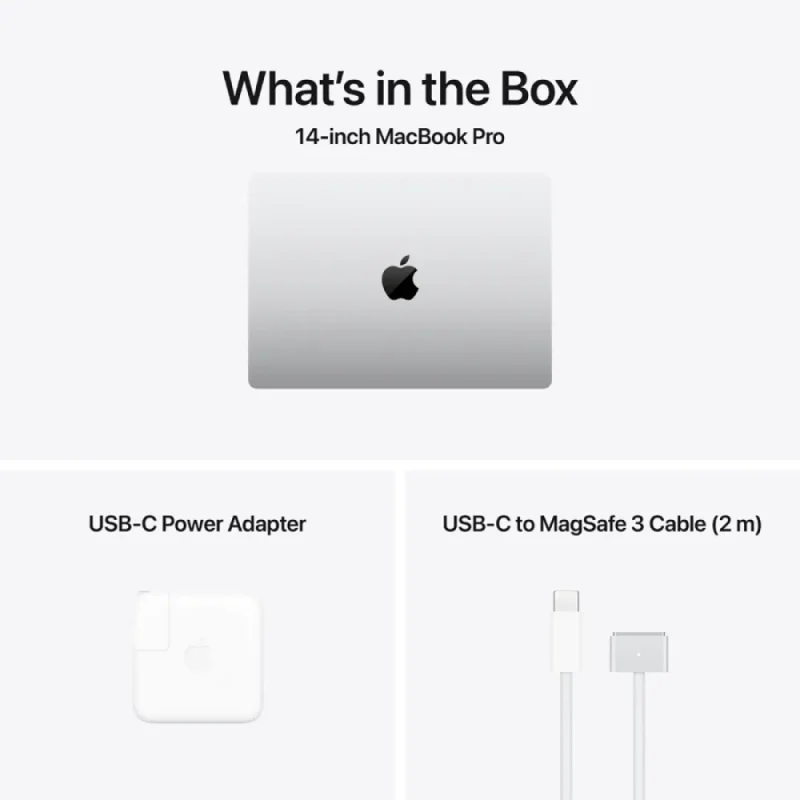
This configuration is listed with a 14-inch MacBook Pro, 70 W USB-C power adapter and 2 m USB-C to MagSafe 3 cable. The laptop finish is Silver. The exact regional plug, keyboard layout and part-to-model cross-reference still require confirmation for MDE54ZE/A. Other chargers, displays, accessories, subscriptions and paid applications are not added to this package by the illustrations. The supplier lists a 12-month warranty with serial-number validation; local entitlement and return arrangements have not been independently verified.
External displays
Apple’s current specification supports up to two external displays over Thunderbolt and HDMI while keeping the built-in display at full native resolution. The listed arrangements are two displays up to 6K at 60 Hz or 4K at 144 Hz, or one display up to 8K at 60 Hz, 5K at 120 Hz or 4K at 240 Hz. Up to two external displays can run over a single Thunderbolt port using suitable equipment. These are alternative supported arrangements, not a promise that every resolution and refresh-rate combination works together. Check the monitor, cable, adapter and connection path before planning the setup.
macOS and apps
This configuration is listed with macOS Tahoe. The Liquid Glass interface is part of the Tahoe experience; confirm the installed software version on the delivered unit. Current Apple support also describes newer macOS features, which should not be assumed to be preinstalled. Safari, Mail, Photos and other system apps provide everyday tools; compatible Apple productivity and creative apps may require a download and Apple Account. Third-party creative software, services and accessories shown in original artwork have separate availability and licence requirements. Software Update provides Apple software compatible with the Mac model.
12 MP Center Stage • Spatial Audio
A 12 MP Center Stage camera supports Desk View and 1080p HD video recording, with an image signal processor for computational video. The three-microphone array uses directional beamforming, and supported Voice Isolation and Wide Spectrum microphone modes offer different approaches to calls. Six speakers with force-cancelling woofers provide wide stereo sound and Spatial Audio with compatible Dolby Atmos content. Dynamic head tracking requires supported AirPods models, sold separately. FaceTime requires compatible devices and an internet connection; feature and service availability vary by region and software.
Touch ID • Find My • FileVault
Touch ID provides fingerprint authentication for supported sign-in and authorisation tasks. Use Find My for locating a configured Mac and supported remote lock or erase actions, and FileVault for protecting stored data with encryption. On Apple silicon, storage is already encrypted; enabling FileVault adds login-password protection to access the encrypted data. These are setup-dependent tools: enable the relevant account and security settings and retain recovery access. They do not guarantee recovery of a missing device or eliminate every security risk. System updates and a suitable backup remain practical parts of owning the computer.
New to Mac • Accessibility
Setup Assistant and Migration Assistant provide guided ways to begin and move supported content from another computer. macOS includes accessibility tools such as VoiceOver, Zoom, Voice Control, Switch Control and captioning, with exact functions depending on the installed version and language. Application and workflow compatibility can differ when moving between platforms. Check software compatibility, account access and peripheral requirements when moving an existing workspace to Mac.
Materials and environment
Apple’s model report states 45% recycled content by device mass, excluding packaging and in-box accessories. It lists 100% recycled aluminium in the enclosure, 100% recycled cobalt and 95% recycled lithium in the battery, and recycled rare-earth elements in all magnets. The current model specification gives 80% or more recycled steel in the keyboard feature plate and speaker components, and 50% of manufacturing electricity from low-carbon sources under Apple’s accounting method. Apple also lists ENERGY STAR certification and 100% fibre-based packaging, with U.S. packaging measurement exclusions. These are manufacturer model-level disclosures, not a measurement of this individual unit or a claim that the product has no environmental impact.
| Manufacturer | Apple |
|---|---|
| Family | MacBook Pro (14-inch, M5) |
| Year introduced | 2025 |
| Exact supplied SKU | MDE54ZE/A; regional part-to-model cross-reference not independently established |
| Finish | Silver |
| Unified memory supplied | 16 GB |
| SSD supplied | 1 TB nominal; formatted capacity is lower |
| EAN (native supplier) | 195950491074; exact regional cross-reference not independently confirmed |
| Chip | Apple M5 system on chip |
|---|---|
| CPU | 10 cores: 4 super cores and 6 efficiency cores |
| GPU | 10 cores |
| Neural Engine | 16 cores |
| AI hardware | Neural Accelerators |
| Memory bandwidth | 153 GB/s |
| Ray tracing | Hardware accelerated; compatible software required |
| Hardware media acceleration | H.264, HEVC, ProRes and ProRes RAW |
| Media engines | Video decode, video encode, ProRes encode and decode |
| Additional decode support | AV1 |
| Panel | Liquid Retina XDR |
|---|---|
| Diagonal | 14.2 inches, rectangular measurement; rounded corners reduce viewable area |
| Native resolution | 3024 × 1964 |
| Pixel density | 254 ppi |
| Contrast ratio | 1,000,000:1 |
| Colour | 1 billion colours; P3 wide colour; True Tone |
| Adaptive refresh | ProMotion up to 120 Hz |
| Fixed refresh rates | 47.95, 48.00, 50.00, 59.94 and 60.00 Hz |
| HDR brightness | 1000 nits sustained full-screen; 1600 nits peak below 25°C, HDR content only |
| SDR brightness | Up to 1000 nits outdoors |
| Display surface option | Nano-texture is a separate factory option; not established as supplied |
| Thunderbolt ports | 3 × Thunderbolt 4 (USB-C) |
|---|---|
| Thunderbolt capabilities | Charging, DisplayPort; Thunderbolt 4 and USB 4 up to 40 Gb/s |
| DisplayPort | Native DisplayPort 1.4 speeds over USB-C |
| HDMI | 1 port; video and multichannel audio output |
| Card slot | SDXC |
| Headphone connection | 3.5 mm; advanced support for high-impedance headphones |
| Dedicated charge connection | MagSafe 3 |
| External display count | Up to 2, in addition to built-in display at full native resolution |
| Two-display reference arrangements | Up to 6K at 60 Hz or 4K at 144 Hz over supported Thunderbolt/HDMI arrangements |
| One-display reference arrangements | Up to 8K at 60 Hz, 5K at 120 Hz or 4K at 240 Hz |
| Single Thunderbolt connection | Supports up to 2 external displays with suitable equipment |
| Display conditions | Resolution arrangements are alternatives; exact monitor/cable/adapter and simultaneous combinations require compatibility checks |
| Wi-Fi | Wi-Fi 6E (802.11ax); regional 6 GHz availability and compatible network required |
|---|---|
| Bluetooth | 5.3 |
| Keyboard | Backlit Magic Keyboard; full-height function keys; ambient light sensor |
| Keyboard layout | Model family: 78-key ANSI or 79-key ISO; supplied regional layout unverified |
| Touch ID | Built into keyboard; setup and supported authorisation required |
| Touch Bar | Not present |
| Trackpad | Force Touch; pressure sensing, Force clicks and Multi-Touch gestures |
| Camera | 12 MP Center Stage with Desk View |
|---|---|
| Video recording | 1080p HD |
| Camera processing | Advanced image signal processor with computational video |
| Speakers | 6-speaker system with force-cancelling woofers and wide stereo |
| Microphones | 3-mic array, high signal-to-noise ratio, directional beamforming |
| Microphone modes | Voice Isolation and Wide Spectrum in supported audio/video calls |
| Spatial Audio | Dolby Atmos music/video on built-in speakers; supported content required |
| Head tracking | Compatible AirPods, AirPods Pro or AirPods Max required; sold separately |
| Video playback | HEVC, H.264, AV1 and ProRes |
| HDR playback | Dolby Vision, HDR10+/HDR10 and HLG |
| Audio playback | AAC, MP3, Apple Lossless, FLAC, Dolby Digital, Dolby Digital Plus and Dolby Atmos |
| Battery | 72.4 Wh lithium-polymer |
|---|---|
| Video streaming runtime | Up to 24 hours under Apple reference test conditions; not an average |
| Wireless web runtime | Up to 16 hours under Apple reference test conditions |
| Battery test configuration | September 2025 preproduction M5 10-core CPU/GPU, 24 GB memory, 1 TB SSD; this SKU has 16 GB |
| Battery test conditions | 1080p Safari video or 25-site wireless web; display brightness 8 clicks from bottom; keyboard backlight off; actual runtime varies |
| Included adapter reference | 70 W USB-C power adapter; exact regional package requires confirmation |
| Included cable reference | USB-C to MagSafe 3, 2 m |
| Fast charge requirement | 96 W or higher USB PD power source; not the supplied 70 W adapter |
| Adapter input | 100–240 V AC, 50–60 Hz |
| Charging paths | MagSafe 3 and supported USB-C ports |
| Width × depth × height | 312.6 × 221.2 × 15.5 mm |
|---|---|
| Weight | Approximately 1.55 kg; configuration and manufacturing variations apply |
| Operating temperature | 10–35°C |
| Storage temperature | −25–45°C |
| Relative humidity | 0–90%, non-condensing |
| Operating altitude | Tested to 3000 m / 10,000 ft |
| Maximum storage altitude | 15,000 ft |
| Maximum shipping altitude | 35,000 ft |
| Operating system | Native listing: macOS Tahoe; delivered installed version not independently checked |
|---|---|
| Apple Intelligence | Supported M5 hardware; feature-specific macOS/language/region/model-download requirements apply |
| AI service limits | Some server-model features have daily usage limits; Apple states expanded access may carry a future fee |
| Continuity | Feature-specific compatible devices, software, Apple Account and wireless setup required; regional limits apply |
| Accessibility | VoiceOver, Zoom, Voice Control, Switch Control and captioning; installed-version/language availability varies |
| Creative apps and accessories | Third-party licences, services, peripherals and other devices are separate unless explicitly included |
| Memory/storage options | Other factory configurations are different purchase options; no included user expansion is implied |
| Updates | Use Apple Software Update for compatible software; no latest-version or future support-duration claim |
| Recycled-content scope | 45% by device mass, excluding packaging and in-box accessories |
|---|---|
| Enclosure | 100% recycled aluminium |
| Battery materials | 100% recycled cobalt; 95% recycled lithium |
| Magnets | 100% recycled rare-earth elements |
| Boards and thermal component | 100% recycled copper in multiple printed circuit boards and a thermal-module component |
| Gold and solder | 100% recycled gold plating and tin solder in all Apple-designed printed circuit boards |
| Steel | 80% or more recycled steel in keyboard feature plate and speaker components |
| Manufacturing electricity | 50% low-carbon under Apple supplier allocation/accounting method; model-level disclosure |
| Energy certification | ENERGY STAR certified per manufacturer |
| Packaging | 100% fibre based; U.S. retail packaging by weight, excluding adhesives, inks and coatings |
| Waste statement | Established final-assembly sites in Apple’s Zero Waste programme; not a claim of zero lifecycle waste |
| Chemistry | Apple Regulated Substances Specification applies; legal exemptions and regional exceptions exist |
| Model-reference box contents | 14-inch MacBook Pro, 70 W USB-C adapter, 2 m USB-C to MagSafe 3 cable |
|---|---|
| Regional package verification | Exact plug, keyboard layout and SKU mapping not independently established |
| Warranty wording (native supplier) | 12 months, serial-number validation; local entitlement/return terms unverified |
| Package type (supplier) | Retail |
| Pack length × width × height (supplier) | 357 × 78 × 264 mm |
| Pack gross / net weight (supplier) | 2.65 kg / 2.65 kg; not the laptop-only mass; unverified logistics figures |
| Box gross weight (supplier) | 2.65 kg |
| Pieces per pack / packs per box (supplier) | 1 / 1 |
MDE54ZE/A is the supplier part reference; exact regional cross-reference, keyboard layout, package plug, delivered software and local warranty remain unverified. Apple’s 2025 M5 family specification supports the listed hardware, but optional configurations, third-party apps, accessories and pictured devices are separate. Battery/brightness/display/AI conditions apply. Illustrative local family images do not establish every pictured app/service or supplied key layout.
Use official support resources for this product. Each link opens in a new tab.
Exact 2025 M5 model-family reference; match 16 GB/1 TB configuration and verify regional part number.
Open official support (opens in a new tab)Apple setup, migration, connection and service guidance; choose the exact model and installed macOS.
Open official support (opens in a new tab)Use Software Update for software compatible with the Mac model. This guidance is not a claim that any particular version is installed or latest.
Open official support (opens in a new tab)Check current OS, language, region, storage and service-usage requirements for each feature.
Open official support (opens in a new tab)Check the required devices, operating systems and setup for each Continuity feature.
Open official support (opens in a new tab)Help other shoppers by sharing an honest review.
Write a reviewYou are offline. Reconnect to check prices and shop.









Reviews
There are no reviews yet.