
Exact-model ASUS drivers and GPU Tweak III
Official DUAL-RX9060XT-16G support page. Select Windows 11 64-bit or Windows 10 64-bit and check the package’s supported OS before downloading.
Open official support (opens in a new tab)Checking which support options are available…
Who would you like help from?
Enter your name to begin your live chat with an online consultant.
What can we help you with?
Your details are used only to respond. MatzoBot requests are securely passed to the MatzoTech team.
Your request has been emailed to MatzoTech. A consultant will reply using the email address or mobile number you supplied.

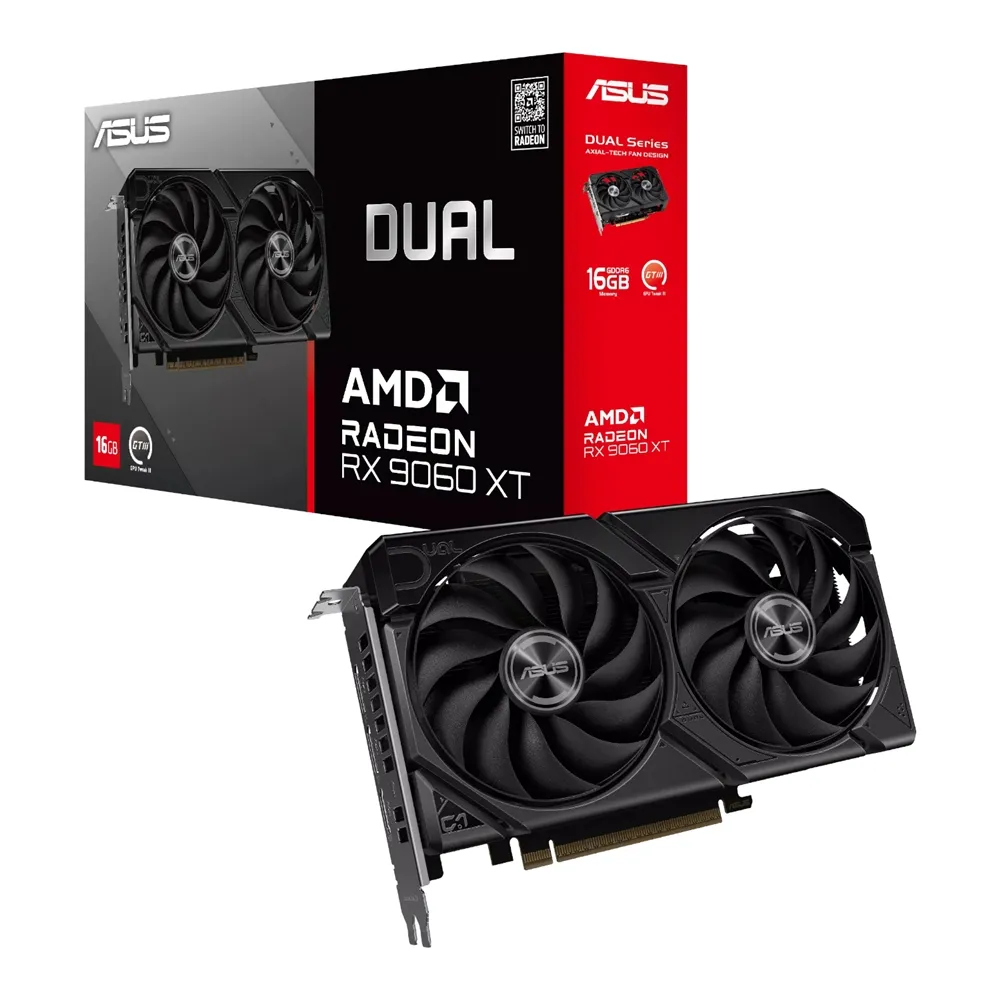
ASUS DUAL-RX9060XT-16G black 16GB GDDR6 graphics card with two Axial-tech fans, three display outputs, 202mm length and a 2.5-slot cooler.
R19,569.00
In Stock with Supplier 2 — 9 avail
Clear fulfilment, warranty and payment details.
ASUS • Dual Radeon RX 9060 XT • 16GB
Build around 16GB of GDDR6 memory and a compact dual-fan cooler. The black ASUS Dual RX 9060 XT combines a 202mm card length with three display outputs, a single 8-pin power connection and separate Quiet and Performance BIOS profiles.
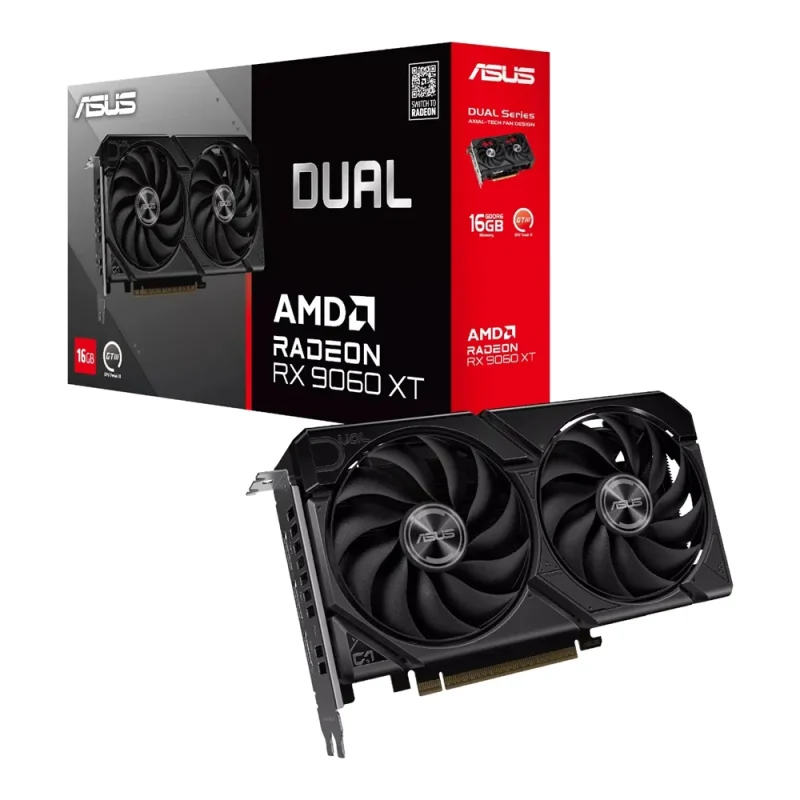
Cooling with a purpose
The fans use smaller hubs, longer blades and surrounding barrier rings to direct airflow toward the heatsink. A vented backplate opens an additional air path. The 0dB stop mode halts the fans below 55°C when power consumption is also low; it does not promise silent operation under every workload.
Choose the acoustic profile
The physical Dual BIOS switch lets you select different fan behaviour. Quiet mode uses a less aggressive fan curve at medium temperatures while keeping the same power target and performance settings. GPU Tweak III provides optional monitoring and tuning; it is downloaded separately.
Understand the clock modes
This is DUAL-RX9060XT-16G. ASUS lists default boost up to 3230MHz and game clock up to 2620MHz, with GPU Tweak III OC mode at up to 3250MHz and 2640MHz respectively. Boost is a short-workload maximum; achievable sustained clocks vary with cooling, application and system conditions.
Connect the display setup
The card supplies one HDMI 2.1b and two DisplayPort 2.1a outputs, supporting up to three displays. Its 7680 × 4320 digital maximum is an output capability, not a promise to render every game at that resolution or refresh rate. Match the display mode, cable and software requirements.
Plan the whole build
Allow for the 202 × 120 × 49mm envelope, 2.5-slot cooler, adjacent slots and power-cable clearance. ASUS recommends a 550W system PSU based on an overclocked CPU/GPU configuration. The recommendation covers the system; it is not the card’s own power draw. Use a suitable PSU with the required 8-pin connector.
| Brand / model | ASUS DUAL-RX9060XT-16G |
|---|---|
| GPU | AMD Radeon RX 9060 XT |
| Colour | Black |
| Bus standard | PCI Express 5.0 |
| OpenGL | 4.6 |
| Stream processors | 2,048 |
| Video memory | 16GB GDDR6 |
| Memory speed | 20Gbps |
| Memory interface | 128-bit |
| Default boost clock | Up to 3230MHz |
|---|---|
| Default game clock | Up to 2620MHz |
| GPU Tweak III OC boost clock | Up to 3250MHz |
| GPU Tweak III OC game clock | Up to 2640MHz |
| Clock conditions | Game clock is expected typical gaming frequency; boost and sustainability vary by workload and thermals |
| HDMI | 1 × native HDMI 2.1b |
|---|---|
| DisplayPort | 2 × native DisplayPort 2.1a |
| HDCP | 2.3 |
| Maximum displays | 3 |
| Maximum digital resolution | 7680 × 4320 |
| NVLink / CrossFire | No |
| Cooling | Two Axial-tech fans; vented backplate; dual-ball fan bearings |
|---|---|
| Fan stop condition | GPU below 55°C and low power consumption |
| BIOS profiles | Quiet / Performance |
| Dimensions | 202 × 120 × 49mm |
| Slot requirement | 2.5 slots; check physical and cable clearance |
| Power connector | 1 × 8-pin |
| Recommended system PSU | 550W; choose for the complete CPU/GPU/system configuration |
| Software | ASUS GPU Tweak III and graphics drivers, separate downloads |
| In the box | Graphics card; Speedsetup Manual; thank-you card per ASUS specification |
|---|---|
| Warranty | ASUS limited hardware warranty terms apply; confirm the supplied regional coverage with the seller |
Confirm chassis clearance, PSU suitability and display requirements before ordering. Driver and tuning utilities are separate downloads. No fixed frame rate, universal game setting or blanket bottleneck-free result is promised.
Use official support resources for this product. Each link opens in a new tab.
Official DUAL-RX9060XT-16G support page. Select Windows 11 64-bit or Windows 10 64-bit and check the package’s supported OS before downloading.
Open official support (opens in a new tab)Official model support page for multilingual graphics-card setup guides, PSU guidance and warranty documents. Select documents relevant to this single-8-pin card.
Open official support (opens in a new tab)Help other shoppers by sharing an honest review.
Write a reviewYou are offline. Reconnect to check prices and shop.
Reviews
There are no reviews yet.