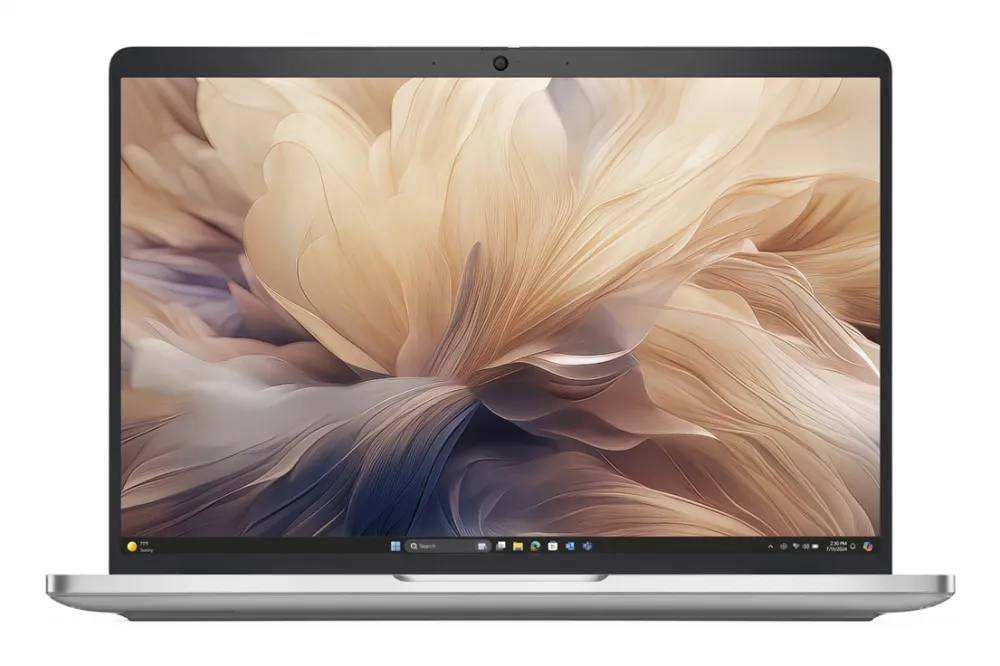
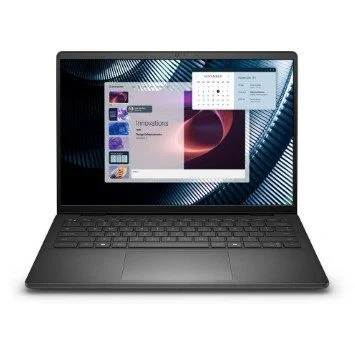
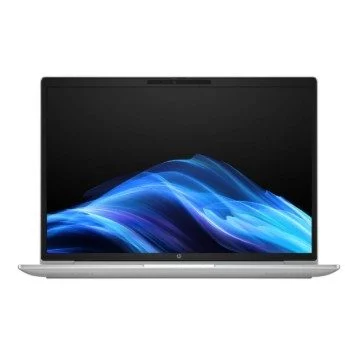
Dell Pro 14 Plus|U5-236V|16GB|512GB SSD|FgrPr & SmtCd|W11 Pro|IR Cam & Mic|WLAN + BT|14.0” FHD+|Backlit Kb|3 Cell ProSupport and Next Business Day Onsite Service 36 Months
A 14-inch business laptop with memory chosen at purchase.
This Dell Pro 14 Plus configuration pairs a Core Ultra 5 236V with Intel Arc 130V graphics, 16 GB of on-package LPDDR5x memory and a 512 GB SSD. A 1920 × 1200 anti-glare display, Thunderbolt 4 connectivity and Windows 11 Pro support a mobile working setup. The memory is integrated in the processor package and cannot be upgraded with memory modules.
Core Ultra 5236V • 8 cores / 8 threads
16 GBLPDDR5x • not upgradeable
512 GB SSDM.2 2230 PCIe Gen4
14-inch FHD+1920 × 1200 anti-glare
Processor and graphics
Eight cores, with dedicated AI hardware.
The Core Ultra 5 236V combines four Performance-cores and four Low Power Efficient-cores, with eight threads, 8 MB of cache and up to 4.7 GHz turbo. Intel Arc 130V integrated graphics share system memory. Intel lists up to 97 overall peak INT8 TOPS across the processor’s engines, including up to 40 NPU TOPS; those are different scopes, not a 97 TOPS NPU or a guaranteed application speed.
Memory and storage
Buy the memory capacity you need for the laptop’s life.
The installed 16 GB LPDDR5x memory runs at up to 8533 MT/s and is integrated in the 236V processor package. There are no removable RAM modules for a later capacity upgrade. The 512 GB M.2 2230 PCIe Gen4 NVMe SSD occupies the system’s single storage slot. The platform supports selected 2230 or 2280 SSD configurations; replacement requires the appropriate mounting parts and service procedure.
Display and calls
A 16:10 workspace with a QHD camera.
The supplied display is listed as a 14-inch WUXGA/FHD+ 1920 × 1200 anti-glare wide-viewing-angle panel. The exact brightness, colour-gamut and touch option should be confirmed for this pack rather than borrowed from another PB14250 configuration. A listed 5.2 MP QHD camera supports Windows Hello through IR, with a privacy shutter and array microphones; the platform guide documents 2560 × 1440 video at 30 fps for its higher-resolution camera option.
Ports and docking
Thunderbolt and everyday USB on the laptop.
Two Thunderbolt 4 USB Type-C ports support DisplayPort Alt Mode, USB4 and Power Delivery. Two USB 5 Gbps Type-A ports, including a PowerShare port, HDMI 2.1 TMDS and a combination headset jack provide further connections. Choose a dock and display combination supported by the laptop, cable and power adapter; the HDMI label does not imply every HDMI 2.1 bandwidth mode. The 200V platform guide does not specify an onboard Ethernet port.
Wireless and mobile data
Keep Wi-Fi and cellular service requirements separate.
Intel BE201 provides Wi-Fi 7 across the supported 2.4, 5 and 6 GHz bands, with Bluetooth 5.4. The supplied configuration also lists a Qualcomm Snapdragon X72 Global 5G modem; Dell documents the matching DW5934e option for this platform. Cellular operation requires a compatible SIM/eSIM plan, carrier, antenna configuration and regional support. Availability and speed depend on the network rather than the laptop name alone.
Sign-in and daily controls
Security features around the working day.
The pack lists a Windows Hello fingerprint reader, IR sign-in camera and smart-card reader with NFC. These features require the appropriate Windows, account and organisation settings. A white-backlit keyboard supports work in lower light. Windows 11 Pro is supplied; additional applications and subscriptions are not included by implication.
Battery and charging
A 55 Wh battery with a supplied USB-C adapter.
The listed three-cell 55 Wh battery is paired with a 65 W USB Type-C adapter. Dell’s 200V guide supports ExpressCharge with the 55 Wh battery when connected to a 65 W or higher-rated adapter. Charging behaviour depends on settings, temperature and use. Battery capacity is not a promise of a fixed runtime, so no unverified all-day duration is specified.
Body and support
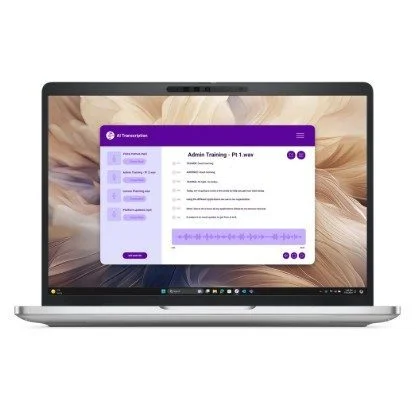
A silver aluminium laptop with configuration-specific coverage.
The silver aluminium clamshell uses the PB14250 200V platform. Dell’s guide gives a 313.5 × 224 mm footprint, with thickness and weight varying by display assembly. This pack lists three years of ProSupport and next-business-day onsite service after remote diagnosis. Use the supplied Service Tag to confirm the exact hardware configuration, applicable driver packages and service entitlement in your location.
Specifications
Installed configuration
Platform
Dell Pro 14 Plus PB14250; Intel Core Ultra 200V series
Supplier pack SKU
BTO212_PB14250_EMEA
Processor
Intel Core Ultra 5 236V with vPro
Memory
16 GB LPDDR5x, up to 8533 MT/s; on package, not upgradeable
Storage
512 GB M.2 2230 PCIe Gen4 NVMe SSD
Graphics
Intel Arc 130V, shared system memory
Operating system
Windows 11 Pro 64-bit
Finish
Silver aluminium
CPU and memory limits
Cores / threads
8 cores / 8 threads; 4 P + 4 LP-E
Cache
8 MB Intel Smart Cache
Turbo
Up to 4.7 GHz; workload/thermal dependent
Overall AI rating
97 peak INT8 TOPS, Intel aggregate specification
NPU rating
Up to 40 peak INT8 TOPS, Intel AI Boost
GPU AI rating
Up to 53 peak INT8 TOPS; different engine from NPU
RAM upgrade
No DIMM upgrade; 236V integrates 16 GB
Storage positions
One M.2 2230/2280 SSD slot; check replacement/mounting requirements
Display and camera
Display
14-inch FHD+ / WUXGA, 1920 × 1200, anti-glare, WVA/IPS family
Refresh
60 Hz for listed FHD+ platform panel options
Panel qualification
Brightness, gamut and touch configuration not established for exact pack
Camera listed
5.2 MP QHD + IR; privacy shutter; Windows Hello
Higher-resolution camera mode
2560 × 1440 at 30 fps, documented platform option
Microphones
Digital array; camera assembly
Connections and security
USB-C
2 × Thunderbolt 4 / USB4 / DisplayPort Alt Mode / Power Delivery
USB-A
2 × USB 3.2 Gen 1, 5 Gbps; one PowerShare
HDMI
1 × HDMI 2.1 TMDS
Audio
1 × combination headset jack
Ethernet
No onboard RJ45 specified by 200V platform guide
WLAN / Bluetooth
Intel BE201 Wi-Fi 7; Bluetooth 5.4
Cellular listed
Qualcomm Snapdragon X72 Global 5G; platform DW5934e option
Cellular conditions
Compatible SIM/eSIM, carrier and regional support required
Security listed
Fingerprint reader, IR camera, smart-card reader with NFC
Keyboard
Dell Premium white LED backlit; exact language not specified
Battery, physical and service
Battery listed
3-cell 55 Wh
Adapter included
65 W USB Type-C
ExpressCharge qualification
55 Wh battery requires 65 W or higher adapter per guide; conditions apply
Footprint
313.5 × 224 mm, 200V platform
Thickness / weight
Vary by panel; exact supplied assembly not independently identified
Support listed
36 months ProSupport and next-business-day onsite after remote diagnosis
Entitlement
Confirm with supplied Service Tag and location
Confirm the exact panel option, cellular activation requirements and supplied Service Tag entitlement before ordering.
Driver & Software Downloads
Use official support resources for this product. Each link opens in a new tab.
Dell PB14250 owner’s manual — Intel Core Ultra 200V series
Official exact processor-family guide. Covers on-package memory, ports, battery/adapter conditions, storage, WWAN and panel options; do not substitute the 200U guide.
No reviews yetBe the first to review this product.
Reviews
There are no reviews yet.
Be the first to review “Dell Pro 14 Plus|U5-236V|16GB|512GB SSD|FgrPr & SmtCd|W11 Pro|IR Cam & Mic|WLAN + BT|14.0” FHD+|Backlit Kb|3 Cell ProSupport and Next Business Day Onsite Service 36 Months”
Necessary cookies keep the site, cart, checkout, account, and security features working. With your permission, we also use optional analytics and advertising cookies to measure and improve our service. “Accept optional cookies” consents only to that optional processing; use of the site remains separately governed by our Terms. You can choose Necessary only and change your choice at any time.



Reviews
There are no reviews yet.