AvailabilitySupplier has stock — 2 availSupplier has stock — 2 avail
DeliveryNationwide courier delivery or collection from Strand, Cape Town.Courier nationwide or Strand collection
DispatchBackorder — usually dispatched in 2–3 working days after payment verification, subject to supplier confirmation.Backorder — usually dispatched in 2–3 working days after payment verification, subject to supplier confirmation.
WarrantyManufacturer warranty applies where stated on the product page.As stated on this page
ReturnsSee our Returns Policy for eligible change-of-mind and faulty goods procedures.See Returns Policy
Secure paymentPayFast checkout with card and Instant EFT, or pay by EFT.PayFast · card · EFT
Epson Video Manuals · Epson’s L3310 setup guide covers unpacking, filling and charging the tanks, and checking print quality. Use the Epson 103 bottles specified for the South African model.
Play to load this video from YouTube.
EPSON ECOTANK HOME | A4 COLOUR INK TANK
An everyday printer for the desk you already have
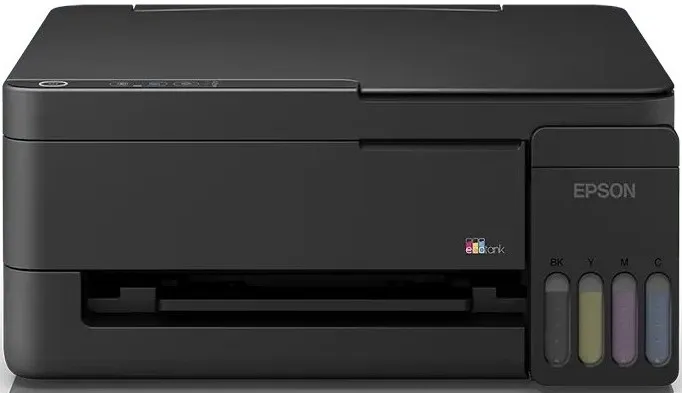
The Epson EcoTank L3310 prints in colour, scans from a flatbed and makes copies from the control panel. It connects directly to a computer over USB. Four front ink windows let you see what is left before you start a stack of worksheets or a set of photos.
USBWired computer connection
11 / 6 ipmA4 black / colour, ISO/IEC 24734
Epson 103Four refillable dye inks
DOCUMENTS AND PHOTOS
Paper goes in at the back
Load everyday paper in the rear feeder for homework and forms. Feed the sheets back through for manual two-sided printing, or choose supported Epson photo paper when you want a borderless 10 × 15 cm print.
SCAN AND COPY
Use the glass for single originals
Place a letter or an A4 sheet on the flatbed. Start a copy with the printer controls, or use Epson Scan 2 on a connected computer when you need a digital file.
REFILLABLE INK
Read the ink level before you refill
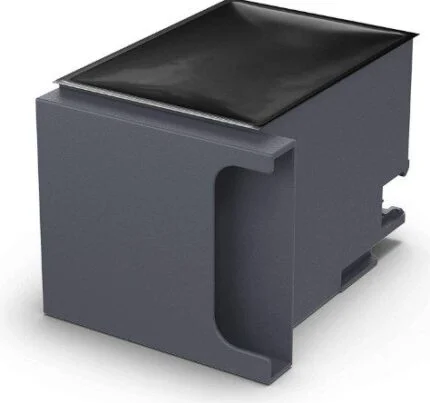
The four tanks use the corresponding Epson 103 dye ink bottles for this region. The included ink also charges the print head during setup. When the maintenance box reaches its limit, replace it following the model guide.
DESK SETUP
Make room for the trays
The printer measures 317 mm deep with the trays stowed. Allow extra room when the feeder and output tray are extended, and enough clearance to open the scanner lid.
Specifications
Identity and printing
Model
Epson EcoTank Home L3310, C11CL61402
Colour
Black
Functions
Colour print, scan and copy
Print technology
Epson Micro Piezo inkjet with four dye inks
A4 simplex print speed
11 ipm black and 6 ipm colour under ISO/IEC 24734
Maximum print resolution
5,760 × 1,440 dpi
Two-sided printing
Manual
Scan, copy and media
Scanner
Single-sided CIS flatbed with no automatic document feeder
Maximum original area
216 × 297 mm, supports A4 and Letter originals
Copy
600 × 600 dpi, up to 20 copies, A4 or Letter
Paper input
One rear feeder. Epson lists up to 100 sheets for A4 Epson Business Paper. For ordinary copy paper, use the fill line on the guides.
Paper and envelopes
A4, A5, A6, B5, B6, Letter, Legal and supported custom sizes. The guide lists No. 10, DL and C6 envelopes, up to 10 per load.
Paper weights
64–90 g/m² plain paper and 75–100 g/m² envelopes
Borderless photos
10 × 15 cm on compatible Epson photo paper, with an additional 16:9 option on specified Premium Glossy paper
Ink and maintenance
Ink family
Epson 103 black, cyan, magenta and yellow for Africa
In the box
Printer, four 65 ml bottles (one of each colour), power cable, setup guide, user manual and warranty document
Initial ink estimate
Up to 3,600 black pages and 6,500 colour pages, as listed in Epson South Africa’s included-ink description. Setup uses part of the ink to charge the print head.
Replacement ink estimate
Epson South Africa rates its 103 multipack at up to 4,500 black pages and 7,500 colour pages.
Yield conditions
Epson extrapolates the replacement estimates from ISO/IEC 24712 test patterns. Actual yield varies with print coverage, settings, paper, frequency and conditions.
Maintenance box
User-replaceable Epson C9398, as listed for the region in the model guide
Connection, size and power
Interface
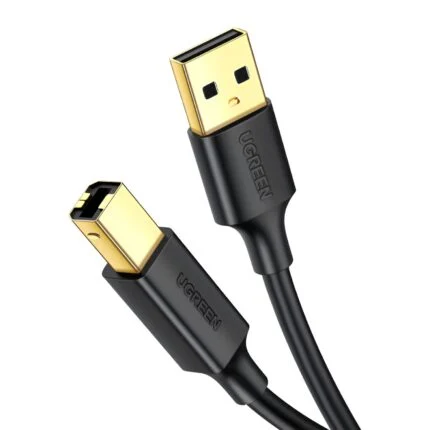
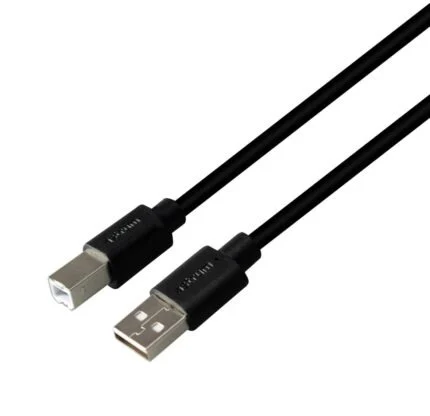
USB for wired computer connection
Computer software
Epson documents Windows and macOS print and scan software. Select your operating system and region for available downloads.
Dimensions, stored
361 × 317 × 162 mm (width × depth × height)
Dimensions, printing
361 × 564 × 206 mm (width × depth × height)
Weight
Approximately 4.1 kg without ink and the power cord, per the model guide
Energy use
Approximately 12 W during standalone copying under the ISO/IEC 24712 test pattern
Manufacturer coverage
Epson South Africa lists 12 months carry-in or 50,000 pages, subject to regional terms.
Check the voltage on the printer rating label before connecting it. For envelopes, photo paper and manual duplex, use the loading limits and paper settings in the Epson guide.
Driver & Software Downloads
Use official support resources for this product. Each link opens in a new tab.
Epson L3310 drivers and setup support
On Epson South Africa’s L3310 page, open Drivers and search L3310 Series. Select South Africa and your Windows or macOS version. Installation Support opens Epson’s setup tool.
Necessary cookies keep the site, cart, checkout, account, and security features working. With your permission, we also use optional analytics and advertising cookies to measure and improve our service. “Accept optional cookies” consents only to that optional processing; use of the site remains separately governed by our Terms. You can choose Necessary only and change your choice at any time.



Reviews
There are no reviews yet.