
LaCie 2big Thunderbolt 2 manuals and support
Choose the 2big Thunderbolt 2 model STEY12000400. Find the model manual and check Windows Thunderbolt instructions for your hardware and operating system.
Open official support (opens in a new tab)Checking which support options are available…
Who would you like help from?
Enter your name to begin your live chat with an online consultant.
What can we help you with?
Your details are used only to respond. MatzoBot requests are securely passed to the MatzoTech team.
Your request has been emailed to MatzoTech. A consultant will reply using the email address or mobile number you supplied.

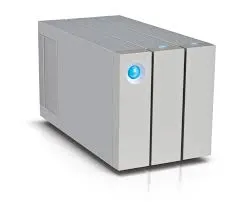
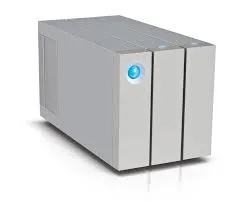
LaCie 2big STEY12000400 desktop RAID with two 6 TB 3.5-inch HDDs, two Thunderbolt 2 ports, USB 3.0 and three hardware RAID modes.
R11,929.00
Supplier has stock — 1 avail
Clear fulfilment, warranty and payment details.
Official manufacturer overview
LaCie · LaCie shows the shared 2big Thunderbolt 2 enclosure and workflow. Capacities vary, and host and operating system requirements depend on the setup.
Play to load this video from YouTube.
LACIE 2BIG · STEY12000400
The LaCie 2big pairs two 6 TB hard drives in a silver desktop enclosure. Connect through Thunderbolt 2 or USB 3.0 and choose a hardware RAID mode that suits the way you work with large projects.
WORKING STORAGE
Use both drives together as a single volume in RAID 0 or keep them as separate volumes in JBOD. The listed 12 TB is the combined raw capacity. Formatted capacity will be lower.
HARDWARE RAID
RAID 1 mirrors data across both drives and provides about 6 TB before formatting. It can tolerate one drive failure. Keep a separate backup, and copy your files before switching RAID modes because the change erases the drives.
HOST CONNECTION
The two Thunderbolt 2 ports use the original Thunderbolt connector shape. Connect with a Thunderbolt cable. The separate USB 3.0 port offers a USB connection for compatible computers. Check your host and operating system before relying on an adapter or legacy software.
DESKTOP DESIGN
The all-metal enclosure gives you front access to the two trays. Its status indicators help identify the unit and its disks. Use the external power supply and follow LaCie’s model guide when replacing a drive.
| Model | LaCie 2big Thunderbolt 2, STEY12000400 |
|---|---|
| Total raw capacity | 12 TB across two 6 TB 3.5-inch HDDs |
| Hardware RAID | RAID 0 (FAST), RAID 1 (SAFE) and JBOD |
| RAID 1 capacity | Approximately 6 TB raw before formatting |
| Drive bays | Two removable, hot-swappable drive trays. Follow LaCie’s replacement procedure. |
| Thunderbolt | Two Thunderbolt 2 ports, up to 20 Gbit/s per port, bidirectional interface rate |
|---|---|
| USB | One USB 3.0 port, up to 5 Gbit/s interface rate, backward compatible with USB 2.0 |
| Daisy chaining | Via Thunderbolt only, up to seven supported devices including the computer, according to the model guide |
| External power | 12 V DC, 5 A, as specified in the model guide |
| Finish | Silver metal enclosure |
| Host requirements | Compatible Thunderbolt or USB host and cable. Verify host, operating system, file format and any required driver before purchase. |
|---|---|
| Windows Thunderbolt | Check Seagate’s exact product support and installation instructions for supported Windows versions and hardware. |
| Manufacturer listing | Seagate lists a three-year limited warranty for this model. Check the supplied unit’s serial number and regional eligibility. |
Thunderbolt and USB figures are interface limits. The model guide explains legacy host compatibility and RAID changes. Consult it before installing software or reconfiguring storage.
Use official support resources for this product. Each link opens in a new tab.
Choose the 2big Thunderbolt 2 model STEY12000400. Find the model manual and check Windows Thunderbolt instructions for your hardware and operating system.
Open official support (opens in a new tab)Help other shoppers by sharing an honest review.
Write a reviewYou are offline. Reconnect to check prices and shop.
Reviews
There are no reviews yet.