
j5create JCD388 quick installation guide (PDF)
Use the entries marked JCD388. The shared PDF also documents the HDMI-equipped JCD386.
Open official support (opens in a new tab)Checking which support options are available…
Who would you like help from?
Enter your name to begin your live chat with an online consultant.
What can we help you with?
Your details are used only to respond. MatzoBot requests are securely passed to the MatzoTech team.
Your request has been emailed to MatzoTech. A consultant will reply using the email address or mobile number you supplied.

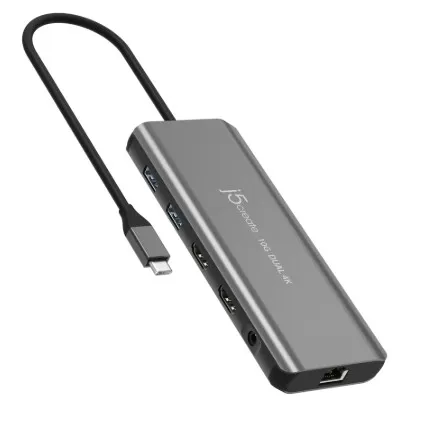
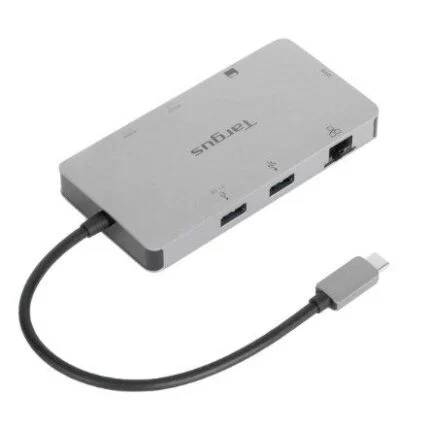
A compact USB-C dock for USB-A accessories and card transfers, with pass-through charging on compatible USB Power Delivery hosts.
R719.00
In Stock with Supplier 2 — 3 avail
Clear fulfilment, warranty and payment details.
Official manufacturer overview
j5create · This j5create demonstration covers the JCD388 mini dock and its USB-C, USB-A and card-reader connections.
Play to load this video from YouTube.
J5CREATE JCD388
Connect the JCD388 to a USB-C computer for two USB-A ports and SD and microSD access. Its USB-C port handles data or power delivery for compatible equipment.
CARD ACCESS
The SD and microSD slots take supported cards up to 2 TB. The dock gives you a way to read camera storage without adding a separate reader.
USB EXPANSION
Two USB-A ports support SuperSpeed USB. Connect a drive or a receiver, and use the USB-C port with compatible charging or data equipment.
POWER
The dock can draw power from the host or operate with an external USB-C power supply. For charging the host, it must support USB Power Delivery. Connect external power before using a high-draw peripheral.
| Manufacturer model | JCD388 |
|---|---|
| Catalogue SKU | DS-JCD388 |
| Host connector | Captive USB-C male plug |
| USB-A | Two USB 3.0 / USB 3.1 Gen 1 ports, up to 5 Gbps |
| USB-C port | One USB-C female port, data and Power Delivery 3.0 |
| Card readers | SD and microSD, cards up to 2 TB per manufacturer |
| Video output | No HDMI on JCD388. The related JCD386 has HDMI. |
| Power source | USB bus power or external USB-C supply |
|---|---|
| Host charging requirement | Compatible USB PD 2.0 or 3.0 host and power source |
| In the box | JCD388 dock and quick installation guide |
| Main body | 107 × 32 × 11 mm |
|---|---|
| Operating temperature | 0–40 °C |
| Storage temperature | −10 to 65 °C |
| Operating and storage humidity | Below 85%, non-condensing |
Exact native staging and production content, attributes and local asset hashes inventoried. Manufacturer research reviewed 2026-11-14T11:26:50.528377+00:00.
Use official support resources for this product. Each link opens in a new tab.
Use the entries marked JCD388. The shared PDF also documents the HDMI-equipped JCD386.
Open official support (opens in a new tab)Help other shoppers by sharing an honest review.
Write a reviewYou are offline. Reconnect to check prices and shop.


Reviews
There are no reviews yet.