Official manufacturer overview
Set up the Tapo C645D KIT camera
TP-Link Global Support · TP-Link’s setup film shows charging, pairing, recording and resetting the Tapo C645D KIT. Check your camera label for the hardware version.
Play to load this video from YouTube.
TP-Link Tapo C645D KIT | Solar security camera
Keep the wide view while the second lens follows movement
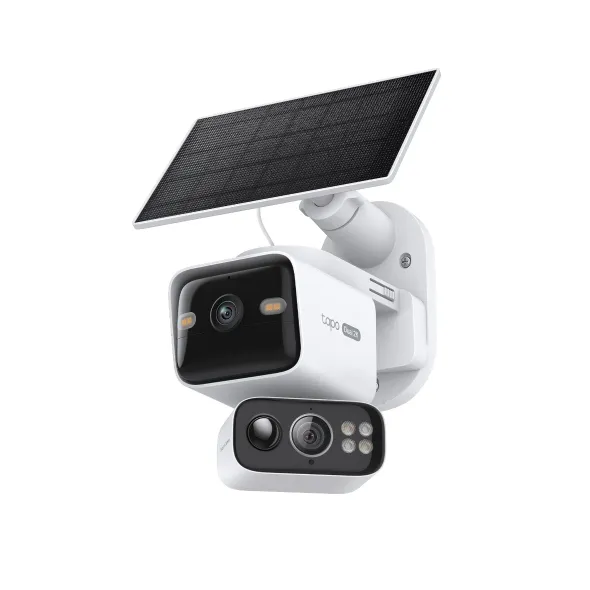
The Tapo C645D KIT combines a fixed 2K wide view with a second 2K lens that can pan and tilt. Set the wide lens to cover an entrance or driveway, then use the telephoto lens to follow activity in the same space or look towards a second area.

Optics
Watch the scene and follow the detail
The manually aimed 165.1° diagonal wide lens holds its view. The motorised 6 mm lens can switch direction or follow detected motion when you enable tracking in the Tapo app.
Recording
Choose how to capture activity day and night
Use infrared after dark or enable the built-in spotlights for colour night video. The camera detects people, vehicles and pets and can store clips on a separately purchased microSD card. Tapo Care cloud storage is optional and requires a subscription.
Installation
Plan for sunlight and a stable Wi-Fi connection
Mount the camera where it has a reliable Wi-Fi signal, then aim the A201 panel for direct sun. Charging depends on panel exposure, weather and how often the camera records. Use the mounting guide and check the temperature limits before installation.
Control
Pair through the app and talk through the camera
Use the Tapo app to switch views, set activity zones or talk through the built-in microphone and speaker. The camera supports 2.4 and 5 GHz Wi-Fi.

Reviews
There are no reviews yet.